
Let's be honest, you're not just sharing a link when you post your new YouTube video on Instagram. You're building a bridge. You're creating a direct pipeline from a platform of casual scrollers to your dedicated, long-form content hub.
The simplest ways are pretty straightforward: pop the link in your bio, use the "Link" sticker in your Stories, or share it directly in a DM. Since you can't drop a clickable link in a regular feed post caption (a classic Instagram frustration), the entire game is about pointing your followers to the places where they can click.
Why Sharing YouTube Links on Instagram Matters
Think of this as more than just a sharing tactic; it's a core part of your audience growth strategy. When you seamlessly connect your Instagram and YouTube, you're not just hoping for a few extra views. You're turning your Instagram profile into an active funnel that converts curious followers into loyal subscribers.
This synergy does a few key things for you as a creator:
- Boosts Your Watch Time: When you send your engaged Instagram followers over to a brand new video, you give it an immediate jolt of viewership. This is a huge signal to the YouTube algorithm that your content is worth pushing to a wider audience.
- Drives Real Engagement: Use Instagram's interactive features before you even publish. Run a poll in your Stories about the video topic or use the Q&A sticker to build hype. When the video finally drops, your audience is already invested and more likely to comment and like.
- Builds a Stronger Community: Sharing behind-the-scenes clips from your video shoot on Instagram Stories makes the whole process feel more personal. It strengthens that creator-audience bond and makes them feel like they're part of the journey.
Capitalize on Your Existing Audience
Here’s the thing—you’re not trying to find a new audience, you’re just meeting them where they already are. An incredible 76.9% of Instagram users are also on YouTube. You're reaching the same people, just in a different environment. This is why cross-promotion is so powerful.
Treating this tactic as a key pillar in how to build brand awareness is a smart move. Every time you promote your YouTube channel on Instagram, you’re reinforcing who you are and what you’re an expert in.
It's one of the most essential content distribution strategies out there because it amplifies your message and maximizes your reach without forcing you to constantly create brand-new content from scratch.
Make Your Instagram Bio Your Strongest Asset
Your Instagram bio holds the single most valuable piece of real estate on your entire profile: the one clickable link. For any creator, this is the primary bridge connecting your Instagram followers to your YouTube channel. Just pasting a URL isn't enough—you have to give people a compelling reason to tap it.
The best way to do this is with a strong call-to-action (CTA) right there in your bio text. Ditch the passive "Check out my YouTube" for something with more punch and timeliness.
Think along the lines of:
- "👇 My new video just dropped!"
- "🔥 Watch the full tutorial here!"
- "🤯 The secret's out in my latest video!"
This direct approach builds a bit of urgency and tells followers exactly what they'll get. It’s a tiny tweak that can make a huge difference in your click-through rate.
Direct Link vs. Link-in-Bio Tool
So, you're ready to add your link. You've really got two main paths here: a direct link to your video or channel, or a link-in-bio service like Linktree or Beacons.
A direct link is clean and gets the job done fast. If your only mission is to funnel everyone to one specific video, this is your best bet. It's frictionless—one click, and they’re exactly where you want them.
On the other hand, a link-in-bio tool gives you way more flexibility. These tools let you whip up a simple landing page that can hold multiple links at once. This is perfect if you want to promote your latest video, your main channel page, a popular playlist, and your merch store all at the same time.
Choosing Your Bio Link Strategy
Deciding between a direct link and a link-in-bio service depends entirely on your current goals. A new creator launching their first big video has different needs than a veteran creator managing multiple projects. Here's a quick comparison to help you decide.
| Feature | Direct YouTube Link | Link-in-Bio Service (e.g., Linktree) |
|---|---|---|
| Simplicity | Dead simple. One URL, no setup. | Requires initial setup but is easy to manage. |
| Functionality | Links to a single destination (video/channel). | Hosts multiple links to various destinations. |
| User Experience | Instant and frictionless. No extra steps. | Adds one extra click to reach the final destination. |
| Analytics | Relies on YouTube Analytics for traffic source data. | Offers built-in analytics to track link clicks. |
| Best For | Driving all traffic to one high-priority video. | Promoting multiple videos, playlists, or other links. |
Ultimately, a direct link offers speed, while a link-in-bio service provides versatility. Neither is wrong; just choose the one that aligns with what you're trying to achieve right now.
Pro Tip: If you go with a link-in-bio tool, always put your most important link—like your newest video—as the very first button. Most people won't scroll, so make sure what you want them to see is right at the top for max visibility and clicks.
Drive Clicks With Instagram Stories
Your bio link is a great permanent home for your YouTube channel, but let's be real—the real action is in Instagram Stories. Think of Stories as your 24-hour hype machine. They're perfect for dropping new video announcements and building that "you have to see this now" energy that a static bio link just can't compete with.
The magic ingredient here is the "Link" sticker. Thankfully, the days of needing 10k followers to get a swipe-up link are long gone. Instagram opened this up to everyone, so now any creator can turn their Story into a direct pipeline to their latest YouTube video.
Using the Link Sticker Effectively
Adding the sticker itself is a piece of cake. Once you’ve got your Story ready—whether it’s a quick video teaser or a slick graphic—just tap the sticker icon, choose "Link," and drop in your YouTube URL. But don't stop there. The real pro move is in the customization.
Instead of leaving the sticker showing a generic, ugly youtube.com URL, tap on it to change the display text. Make it a command, something that begs to be clicked.
Try these:
- "Tap to Watch Now!"
- "New Video Live Here"
- "Full Tutorial Inside"
That tiny tweak transforms a boring link into a clear call-to-action, telling your followers exactly what you want them to do next.
Of course, to nail your teaser content, you need to know the platform's limits, like how long Instagram Stories can be. A quick 15-second clip pulled from the best part of your new YouTube video is often all you need. Slap the link sticker on it, and you’ve got an irresistible preview that drives clicks.
Creative Tip: Don't just throw up a link and hope for the best. Warm up your audience first. Use a poll or quiz sticker to ask a question related to your video's topic before sharing the link. It gets people engaged and invested, making them way more likely to click through to find the answer.
This works so well because you're connecting two absolute giants. YouTube's ads reach a mind-boggling 2.5 billion users every month, and Instagram isn't far behind with an ad reach of 1.68 billion. By creating a simple bridge between them, you're putting your content in front of a massive combined audience.
Get Around the No-Link Rule in Feed Posts
Let's be real: Instagram's feed is a fortress when it comes to outbound links. That's by design. The platform is famously strict about one thing: no clickable links in captions.
This means you can't just drop a YouTube link in your post and watch the views roll in. Instead, you have to get a little creative and master the art of the workaround. It all comes down to training your followers to look in the one place they can click—your bio.
This entire strategy lives and dies by your call-to-action (CTA). You can't just hope people will figure it out. You need to be crystal clear and tell them exactly what to do in every single post that promotes a new video.
Here are a few simple, direct CTAs that work:
- "The full tutorial is now live on my channel! Tap the link in my bio to watch."
- "Want to see how it all turned out? Head to the link in bio for the full video!"
- "I’m answering all your questions in today’s upload. Click my bio link to see it."
Repurpose Your Video for the Feed
To actually get people to stop scrolling and make that trip to your profile, you need to give them a compelling reason. This is where repurposing your YouTube video into bite-sized, native Instagram content is an absolute game-changer. Don't just slap up a thumbnail and a caption; create a teaser that's impossible to ignore.
Pull a killer 30-60 second highlight from your main video and turn it into a Reel. Throw in some trending audio and bold, on-screen text to make it pop. If you want to give a more in-depth preview, a carousel post with key moments, tips, or memorable quotes from the video works wonders.
These native formats deliver instant value right in the feed, all while stoking curiosity for the full-length version on YouTube. If you want to dive deeper, our guide on content repurposing strategies is packed with more ideas for turning one video into a bunch of engaging posts.
The goal is simple: Give them a taste on the feed that's so good they have to click the link in your bio for the full meal. This approach respects the Instagram platform while effectively funneling viewers to your YouTube channel.
Use Reels to Funnel Viewers to YouTube
Instagram Reels are your secret weapon for turning casual scrollers into dedicated YouTube subscribers. Don't just announce a new video—create a killer short-form teaser that acts like a movie trailer for your full-length content.
This strategy works because you're meeting your audience right where they are. And let's be honest, the engagement landscape has shifted. Influencer Reels now pull in the highest engagement rate at a whopping 2.08%. That completely blows traditional video posts (0.42% engagement) out of the water, according to recent social media studies. If you want to maximize your reach, turning your YouTube clips into Reels is a must.
Crafting the Perfect Reel Teaser
A great teaser is more than just a random clip from your video. You've got about three seconds to hook someone, so you need to make it count and give them a compelling reason to hunt down the full version.
Here’s what works for me:
- Jump on Trending Audio: Using a popular sound can be a massive boost for your Reel's reach. It's one of the best ways to get your content in front of people who don't even follow you yet.
- Add Bold On-Screen Text: A lot of people scroll with the sound off. Grab their attention with clear, bold text that highlights a key point or asks a provocative question from your video.
- End with a Verbal Nudge: Don’t just rely on your caption. I’ve found that actually saying, "Check the link in my bio for the full breakdown!" at the end of the Reel is surprisingly effective. That direct command works wonders.
The most powerful Reels often end on a cliffhanger. Show the setup of a great moment from your YouTube video but cut away right before the payoff. That curiosity gap is what sends viewers straight to your bio link.
If you're looking to make this process even easier, you can create Shorts from a YouTube video, which are already perfectly formatted to be repurposed as Instagram Reels.
Got Questions About Sharing YouTube Links?
Even after you get the hang of it, a few common questions always seem to pop up when you're trying to share YouTube links on Instagram. Let's run through some of the most frequent sticking points creators hit and get you sorted out.
The biggest one, without a doubt, is: "Why can't I just drop a clickable link in my feed post caption?" The short answer is that Instagram intentionally blocks external links in captions. They want to keep users scrolling on their platform, not clicking away. This is exactly why mastering the "link in bio" call to action is non-negotiable for any serious creator.
Where Should I Actually Put My Link?
So, where should you send your audience for the best results? It really depends on the video you're promoting. This little flowchart breaks it down nicely based on your video's length and style.
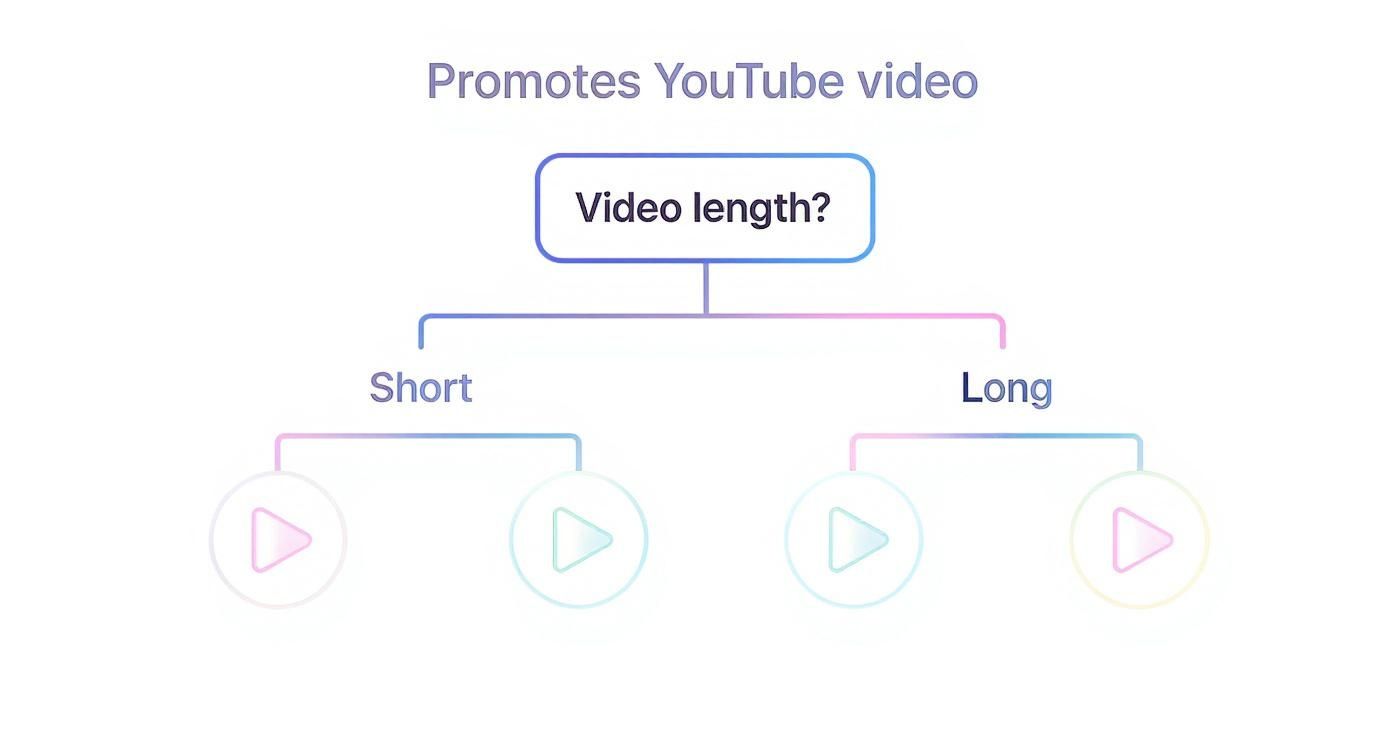
The takeaway here is pretty clear: short, snappy teasers are built for Reels and Stories. For your longer, more in-depth videos, your best bet is driving people to the direct link in your bio or maybe even in an Instagram Video description.
How Can I See if People Are Clicking Over to YouTube?
You absolutely need to track your efforts to see what's working. The best way to measure how much traffic Instagram is sending your channel is by diving into your YouTube Analytics.
Just head over to your YouTube Studio, find the "Analytics" tab, and click on "Audience." From there, you’ll see a "Traffic Sources" report. Look for "External" sources—that's where you'll find a breakdown of views coming directly from Instagram. If you want even more granular data, a URL shortener like Bitly is a great tool, as it provides its own click-tracking stats.
At the end of the day, your goal is to build a bridge between two of the internet's biggest communities. As of early 2025, YouTube boasts 2.53 billion monthly active users who watch over a billion hours of video every single day. By funneling even a tiny slice of your Instagram followers over, you're tapping into a massive pool of potential viewers. You can find more of these impressive platform statistics at buffer.com.
Ultimately, a winning strategy is all about consistency. Keep pointing your followers to the right places—your bio, Stories, and DMs—and give them a great reason to make that click every time.
Ready to create stunning video content without the hassle? ShortsNinja uses AI to turn your ideas into engaging videos for Instagram, TikTok, and YouTube in minutes. Try it now and see how easy it is to grow your channel hands-free at https://shortsninja.com.