
In the fast-paced world of digital content, video reigns supreme. But what if you could create captivating videos directly from a simple text prompt, without expensive software or a film crew? Welcome to the revolutionary era of AI-powered video generation. The demand for a text to video AI generator free of charge has skyrocketed, and the technology has finally caught up, offering creators, marketers, and businesses unprecedented power. This guide cuts through the noise to bring you the definitive list of the 12 best free and freemium tools available today.
We'll dive deep into what makes each platform unique, from cinematic powerhouses like Runway and Luma AI to social media automation specialists like ShortsNinja. Our goal is to help you find the best tool for your specific needs, whether you're creating viral shorts, marketing assets, or educational content.
Inside this comprehensive roundup, you will find:
- A detailed analysis of each platform's key features and capabilities.
- Honest assessments of the limitations found in their free tiers.
- Practical use-case scenarios to inspire your next project.
- Step-by-step guides and sample outputs to see the tools in action.
We've done the research so you don't have to. Each entry includes direct links and screenshots to help you get started immediately. Let's explore the tools that are turning simple text prompts into dynamic video content.
1. ShortsNinja
ShortsNinja establishes itself as a premier text to video AI generator free to start with, engineered for creators who need to produce high-quality, faceless short-form content at scale. Its core strength lies in its end-to-end automation, which transforms a simple text idea into a publish-ready TikTok or YouTube Short in minutes. This comprehensive workflow integrates advanced AI models for scripting, visual generation, and lifelike voiceovers, effectively eliminating the most time-consuming aspects of traditional video production.
The platform is designed for efficiency, compressing what would typically be hours of brainstorming, scripting, asset sourcing, recording, and editing into a streamlined 3 to 5-minute process. For independent creators, agencies, and e-commerce brands, this means a dramatic increase in content output without a corresponding increase in effort or technical overhead.

Key Features & Differentiators
What sets ShortsNinja apart is its focus on automated, consistent content creation. The Series feature is a standout, allowing users to set up recurring video generation and posting schedules, which is invaluable for maintaining a consistent social media presence.
- End-to-End Automation: A fully integrated workflow handles everything from script generation to visual creation with models like Kling and RunwayML, voiceovers powered by ElevenLabs, and direct publishing to TikTok and YouTube.
- High-Quality Output: Access over 200 realistic voices in more than 50 languages, ensuring your content can reach a global audience. Paid plans produce videos in HD resolution without any watermarks.
- Built-in Scheduling: Plan and automate your content calendar with timezone support, ensuring your videos go live at optimal times for your audience.
- Transparent Credit System: While the first video is free, the platform operates on a clear credit-based model (approx. 10 credits per minute of video). Subscriptions start at $19/month, and one-time credit top-ups are available for extra flexibility.
ShortsNinja's combination of speed, quality, and powerful automation makes it an exceptional tool for anyone serious about leveraging short-form video. For a deeper dive into how it compares to other tools, you can learn more about the best AI video generators on the ShortsNinja blog.
Website: https://shortsninja.com
2. Runway
Runway is a powerhouse in the AI creative space, positioning itself as a comprehensive video production suite rather than just a simple generator. It's best known for its cutting-edge Gen models, which deliver some of the most cinematic and coherent AI video clips available. This platform is ideal for creators, filmmakers, and marketers who need high-fidelity, short-form video content for conceptual art, advertisements, or social media posts that demand a professional sheen.
What truly sets Runway apart is its integrated ecosystem. Beyond its core text to video AI generator free capabilities, it offers a full suite of tools including video-to-video, image-to-video, inpainting, and an advanced editor. This allows you to generate, refine, and composite clips all within a single workflow, giving you granular control over the final output.

Key Features and Limitations
The free tier acts as a trial, providing a one-time allotment of 125 credits, which translates to roughly 25 seconds of Gen-2 video generation. While this is great for experimentation, it’s important to note that access to the latest models like Gen-3 is often restricted to paid subscribers.
- Free Plan: 125 credits (one-time), Gen-2 access, 720p exports, and a permanent watermark.
- Credit System: Runway’s credit-based system is transparent, clearly stating that one second of Gen-2 video costs 5 credits.
- Paid Tiers: Subscriptions are necessary to remove the watermark, access higher resolutions, unlock advanced models, and gain more credits monthly.
Best Use Case
Runway excels for users who need to produce short, visually stunning, and conceptually rich video clips. It's a top choice for creating artistic B-roll, motion graphics, and pre-visualizations for film projects. If you're looking for a deep dive into how to generate videos with AI, you can explore more detailed guides on platforms like Runway. Its professional-grade output makes it less suited for generating long-form narrative content on the free plan but perfect for high-impact, short-format visuals.
Website: https://runwayml.com
3. Pika (Pika.art)
Pika has rapidly gained popularity as a user-friendly and creatively versatile text to video AI generator free platform. It excels at producing short, dynamic video clips and is designed for creators who enjoy experimenting with different styles and effects. The platform feels accessible and encourages play, making it a great starting point for social media managers, artists, and anyone looking to quickly visualize an idea without a steep learning curve.
What makes Pika stand out is its suite of creative tools like "Pikadditions" and "Pikaswaps," which allow for modifying specific regions of a generated video. This gives users a level of post-generation control that is often missing in simpler tools. Its frequent model updates and active community also mean the platform is constantly evolving, providing new features and improved output quality for its users to explore.
Key Features and Limitations
Pika offers a legitimate free tier with a monthly credit allowance, making it a sustainable option for casual use and experimentation. The free plan provides 30 credits upon signup and another 30 each month, which is enough to generate several short clips. However, these videos come with a watermark.
- Free Plan: 30 initial credits + 30 credits monthly, includes a permanent watermark.
- Credit System: Generating video costs credits, with different models or settings potentially using more. The system is straightforward and easy to track within the interface.
- Paid Tiers: Subscriptions are needed to remove the watermark, access faster "Pro" generation queues, and get a larger monthly credit allotment.
Best Use Case
Pika is ideal for users who prioritize creative flexibility and speed for short-form content. It's a fantastic choice for generating animated characters, surreal visuals for music videos, or eye-catching social media posts. The platform’s toolset encourages a more hands-on, iterative approach to AI video creation, making it perfect for artists and marketers who want to fine-tune their concepts by modifying, extending, or transforming generated video clips.
Website: https://pika.art
4. Luma AI (Dream Machine)
Luma AI’s Dream Machine has rapidly emerged as a formidable contender, focusing on generating high-quality, short video clips with remarkable realism and fluid motion. It is engineered for creators who prioritize cinematic quality and coherent scene synthesis for 5-10 second shots. This platform is perfect for producing visually rich B-roll, dynamic character animations, or realistic product shots where visual fidelity and believable physics are paramount.
What makes Dream Machine stand out is its exceptional handling of camera movement and character consistency within its short-form generations. While many platforms struggle with maintaining a cohesive look, Luma excels at creating clips that feel like they were shot with intent. It offers both a text to video AI generator free of charge and advanced image-to-video capabilities, making it a versatile tool for bringing static concepts to life with professional-grade motion.
Key Features and Limitations
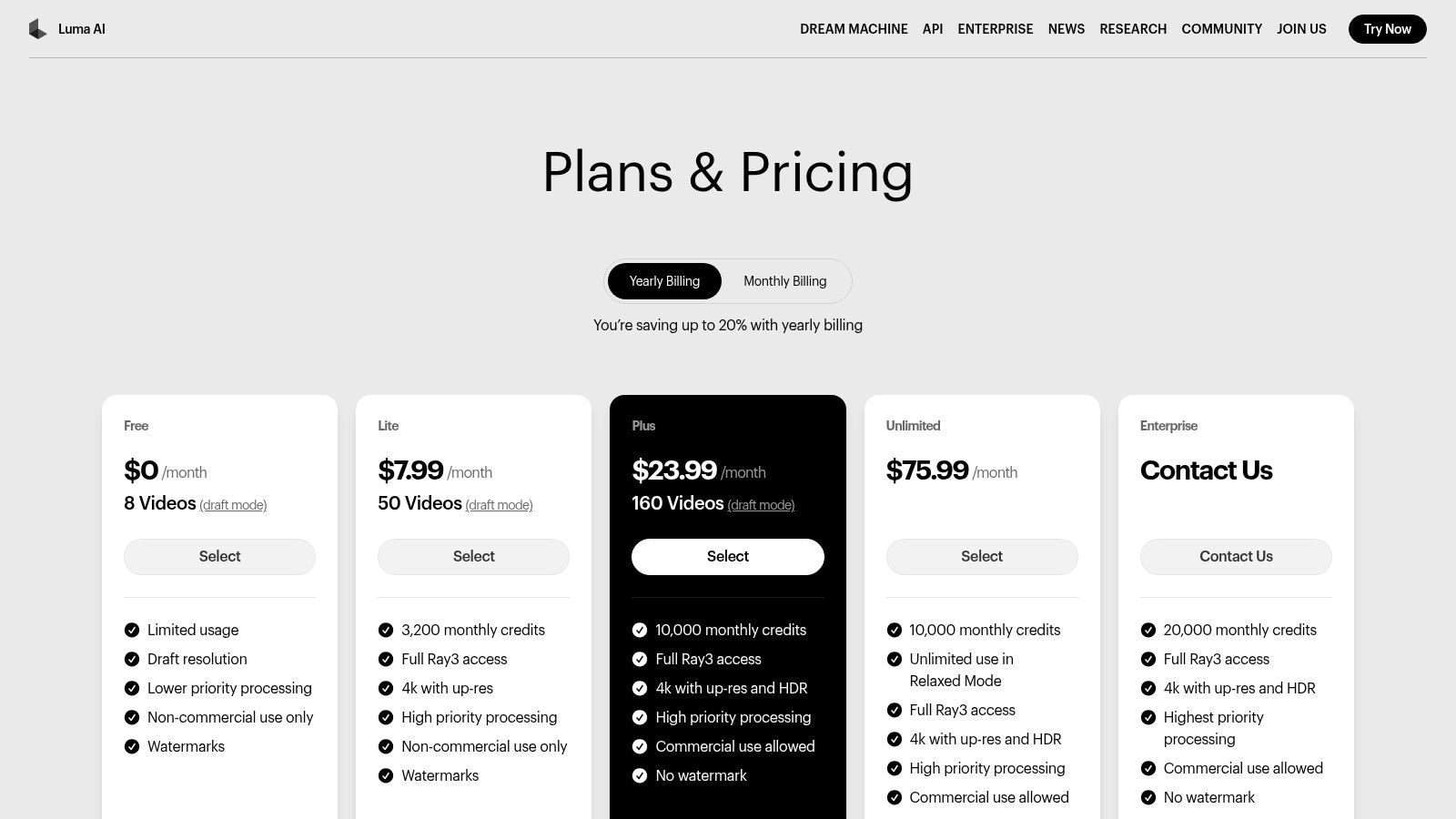
The free plan provides a generous starting point with 30 video generations per month, although high demand can lead to significant queue times for processing. This tier is great for testing prompts and understanding the model's capabilities, but paid plans are necessary for faster generation and commercial use.
- Free Plan: 30 generations per month, public visibility of creations, and non-commercial license. Users may experience long wait times during peak usage.
- Credit System: Paid tiers operate on a credit basis, offering faster generation speeds, private creations, and commercial rights.
- Paid Tiers: Subscriptions unlock higher generation caps, priority access, and future features like upscaling and extended clip lengths.
Best Use Case
Luma AI's Dream Machine is best suited for users needing to create short, hyper-realistic, or cinematically styled video clips. It’s an excellent choice for artists, animators, and marketers creating concept art, social media teasers, or high-fidelity snippets. While its short clip length limits its use for long-form storytelling, its image-to-video strength is undeniable; you can explore a deeper dive into how this and other tools transform static visuals into motion in guides about the top AI image to video generators.
Website: https://lumalabs.ai/pricing
5. Haiper
Haiper is an emerging and developer-friendly platform that provides a transparent and accessible approach to AI video creation. It is a solid choice for users who want predictable cost controls and the flexibility to integrate video generation into other applications. With support for web and iOS, Haiper allows for experimentation and production on multiple devices, making it a versatile option for creators and developers alike.
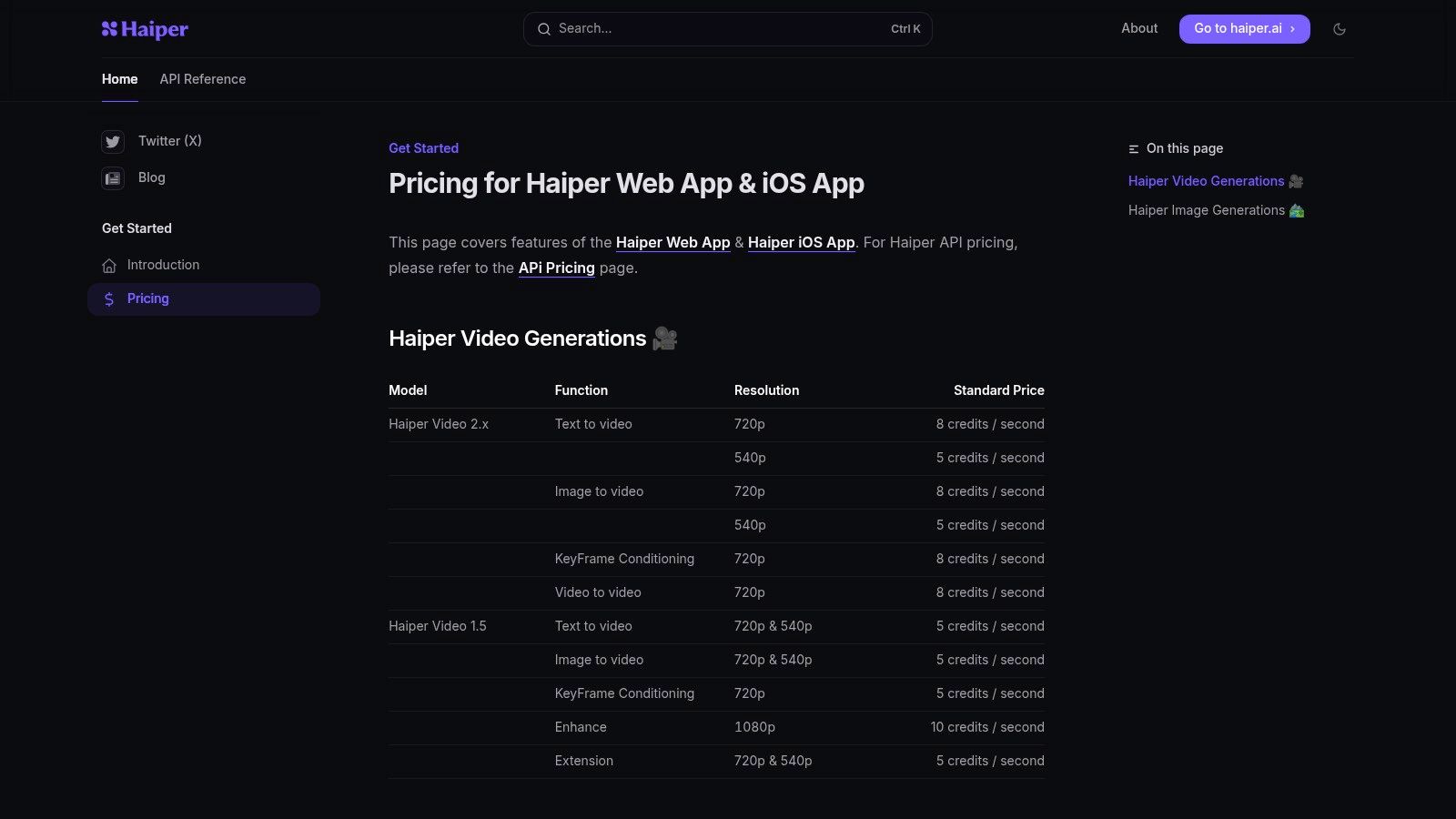
What distinguishes Haiper is its clear, per-second pricing and robust API documentation. Instead of complex or abstract credit systems, it offers a straightforward model based on resolution and duration. This makes it an excellent text to video ai generator free for those testing proofs-of-concept or building custom integrations, as costs are easy to calculate and manage.
Key Features and Limitations
Haiper offers a free tier with daily credits, though the exact amount can fluctuate, making it somewhat less predictable for consistent free use. The platform supports multiple generation methods, giving users creative flexibility beyond simple text prompts.
- Free Plan: Provides a daily allotment of credits, though the amount and terms have been known to change.
- Generation Modes: Includes text-to-video, image-to-video, keyframe animation, and video extension capabilities.
- Developer Focus: Strong emphasis on its API, with clear documentation and pricing that appeals to developers building video generation into their own products.
- Paid Tiers: Subscriptions offer more credits, priority processing, and higher quality outputs, necessary for any serious or commercial projects.
Best Use Case
Haiper is best suited for developers needing to integrate AI video generation via an API and for creators who prioritize transparent, predictable costs. Its multiple generation modes make it a great sandbox for experimenting with different creative approaches. While its newer ecosystem and fluctuating free offers might be a drawback for some, its clear pricing model and developer-first attitude make it a noteworthy contender for technical users and those managing a strict budget.
Website: https://docs.haiper.ai/pricing
6. Kapwing
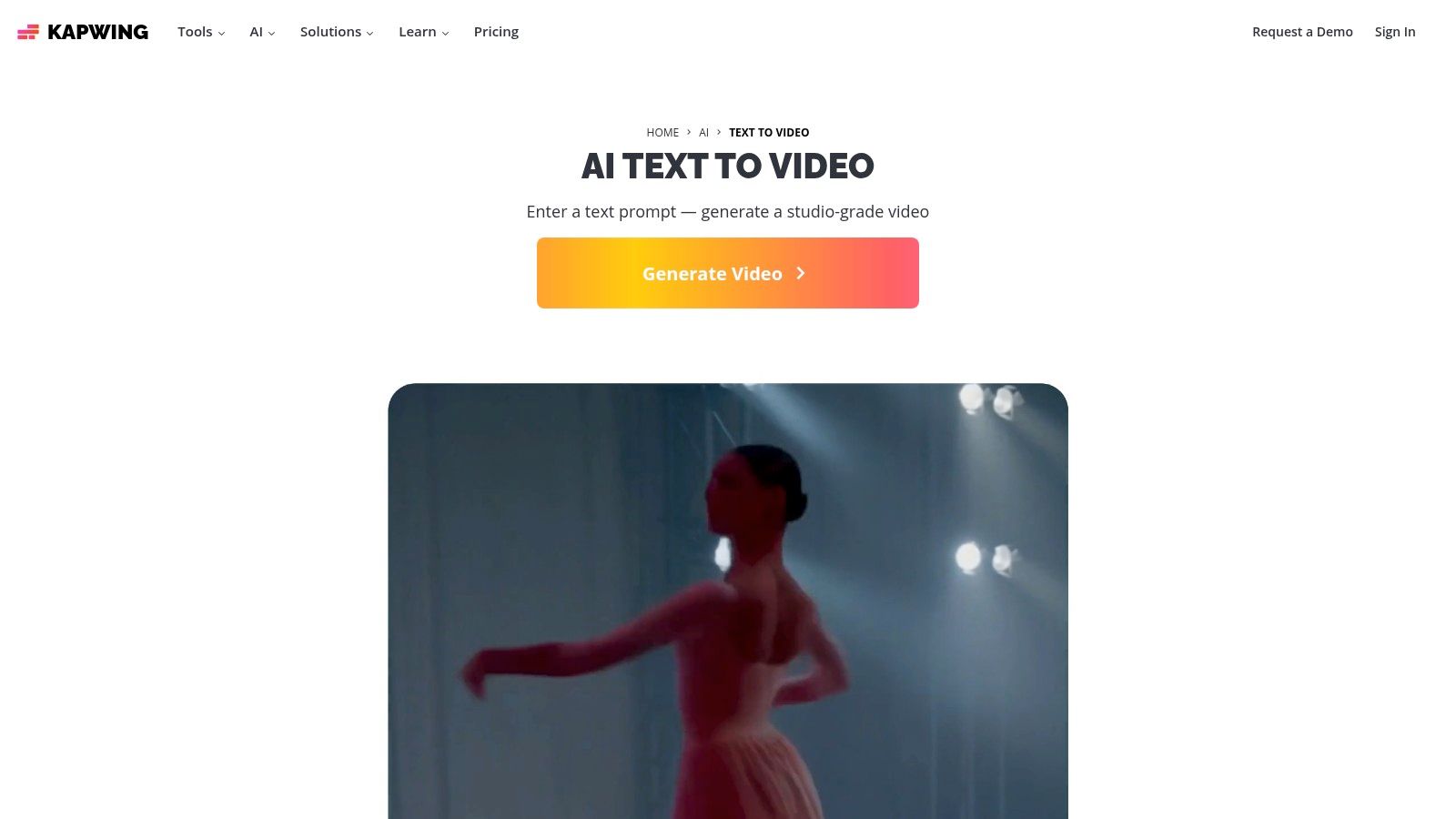
Kapwing positions itself as a collaborative, all-in-one online video editor with a powerful AI toolkit, making it an excellent choice for teams and creators who need more than just a generator. It integrates its text to video AI generator free capabilities directly into a familiar, browser-based editing timeline. This approach is ideal for social media managers, marketers, and educators who need to quickly produce, refine, and add final touches like subtitles or brand assets to their AI-generated content in one seamless workflow.
What makes Kapwing stand out is its emphasis on post-generation editing. Instead of just giving you a clip, it drops the generated video directly into a full-featured editor. You can immediately trim, add text overlays, access stock media, and collaborate with team members, all without downloading any software. This unique combination simplifies the entire content creation process from initial idea to final polished video.
Key Features and Limitations
The free tier is generous for experimentation, allowing you to test the AI video generator and the editor, but it comes with clear limitations designed to encourage upgrading. Credits are used for AI features, and free users will have a watermark on their final exports.
- Free Plan: 10 credits per month, 720p exports up to 4 minutes long, and a permanent watermark.
- Credit System: Credits are consumed for AI generation and other premium features, but the free monthly allowance is enough to try out the core tools.
- Paid Tiers: Subscribing removes the watermark, increases export quality to 4K, provides significantly more credits, and unlocks advanced editing features.
Best Use Case
Kapwing is the perfect tool for users who need a fast, integrated solution for creating and editing short-form video content for social media or marketing. Its strength lies in turning a simple prompt into a fully editable project. It’s best for producing explainer videos, social media ads, and educational content where you need to combine AI-generated clips with traditional editing elements like text, music, and subtitles, all within a single, user-friendly platform.
Website: https://www.kapwing.com/ai/text-to-video
7. Canva (Magic Media)
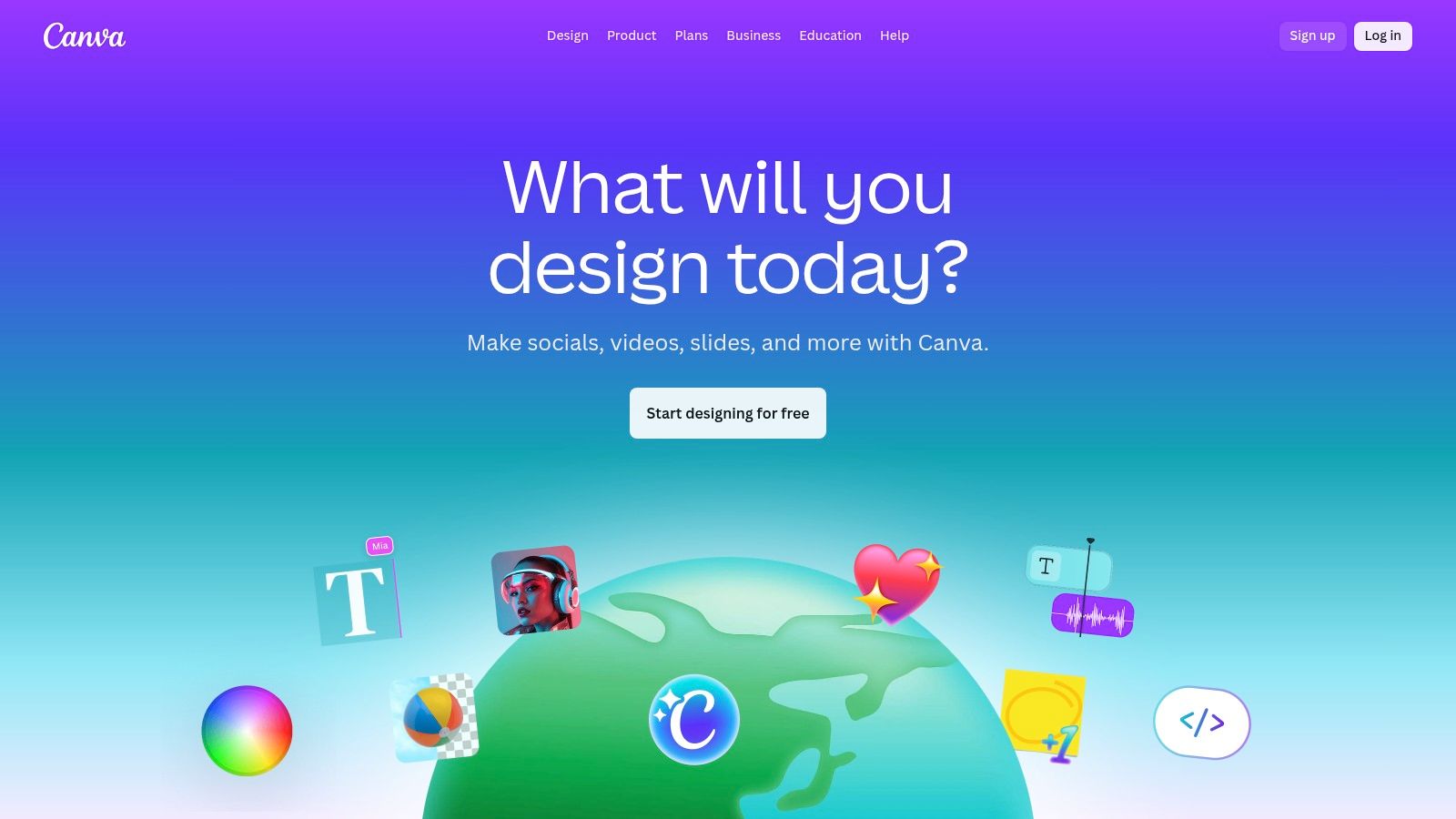
Canva integrates generative AI into its widely-used design suite with Magic Media, making it an excellent choice for users who are already familiar with its template-driven workflow. This tool is less a standalone generator and more a feature within a comprehensive content creation ecosystem. It's perfectly suited for marketers, social media managers, and small business owners who need to quickly produce video snippets to drop into existing designs, presentations, or social media templates.
What makes Canva’s approach unique is its seamless integration. You can generate a short clip directly within your design canvas, immediately combining it with text, graphics, stock footage, and brand elements. This eliminates the need to export from one tool and import into another, streamlining the entire creative process for marketing materials and social content.
Key Features and Limitations
The free plan offers a taste of its AI capabilities with a limited number of lifetime credits, allowing users to experiment before committing to a subscription. The real power is unlocked within Canva Pro or Teams, which provide significantly more credits and access to the full suite of Magic Studio tools.
- Free Plan: 50 lifetime credits for text-to-video generation.
- Credit System: Credits are used across Canva's Magic Studio tools, including the image and video generators. Paid plans offer a monthly credit allowance.
- Integrated Workflow: The main benefit is using the text to video AI generator free capabilities directly within Canva’s powerful editor, alongside templates, brand kits, and collaboration features.
- Paid Tiers: A Canva Pro subscription is needed for more credits, 4K video downloads, and removing asset watermarks.
Best Use Case
Canva is the ideal platform for users who need to augment their existing design projects with short, custom AI-generated clips. It excels at creating supplementary visuals for social media posts, ads, and presentations where the AI video is one component of a larger design. Its gentle learning curve makes it perfect for those who want to leverage AI video without needing specialized video editing software or skills.
Website: https://www.canva.com
8. VEED
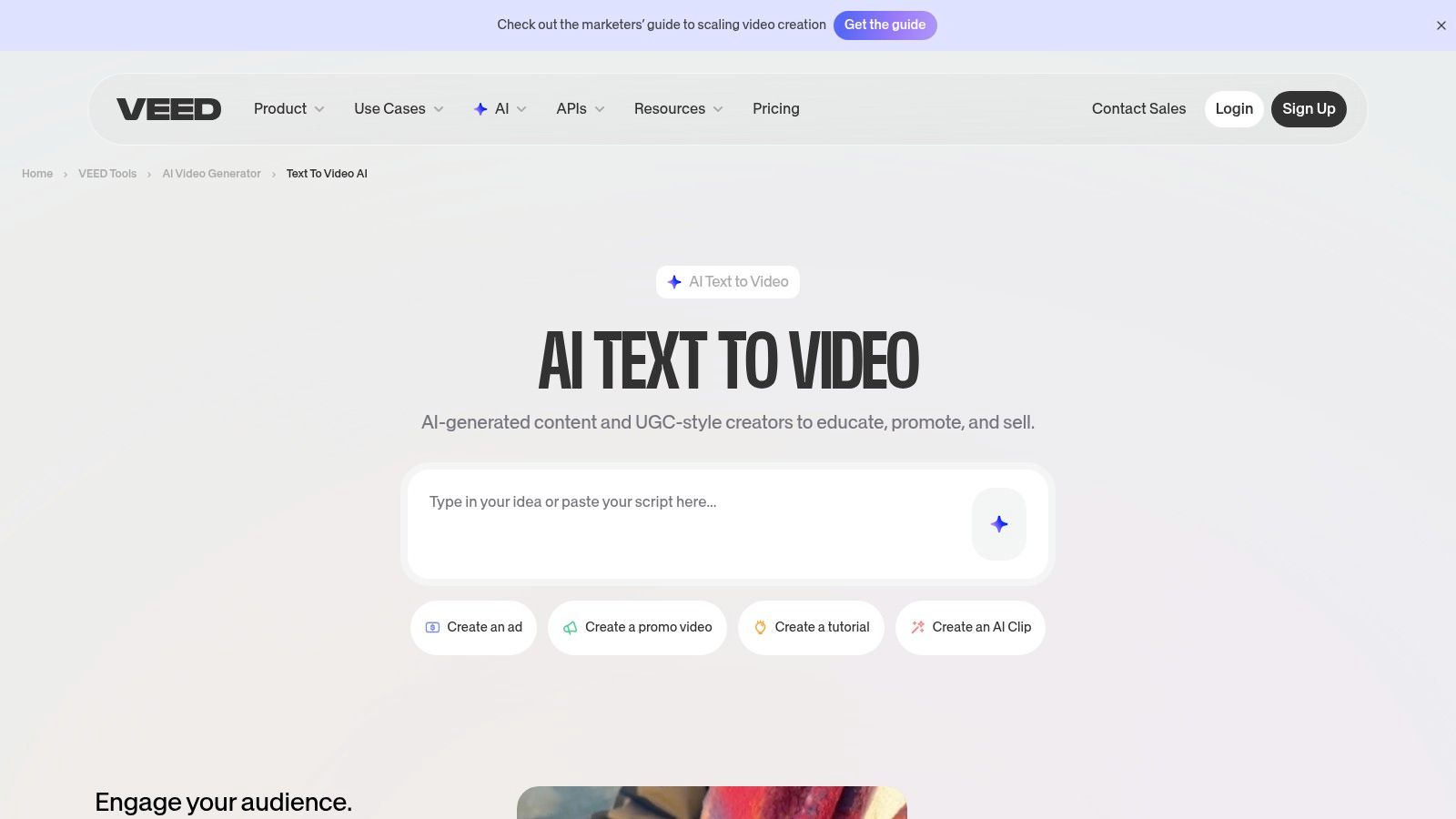
VEED positions itself as an all-in-one online video editor that has powerfully integrated AI generation into its core workflow. It's designed for businesses, marketers, and content creators who need to move seamlessly from a script to a fully polished video with voiceovers, captions, and branding. Instead of being just a generator, VEED is a complete production environment where you can conceptualize, create, and refine video content without leaving the platform.
What makes VEED compelling is its focus on a holistic creation process. You can start with a prompt to generate a base video, select AI avatars and voiceovers, and then immediately jump into a familiar timeline editor to add stock footage, music, subtitles, and branding. This workflow is ideal for producing professional-looking explainer videos, social media ads, and corporate communications quickly.
Key Features and Limitations
It is crucial to understand that VEED does not offer its text to video ai generator free of charge; this feature is locked behind its paid plans. The free plan is limited to standard video editing features with a watermark, making it more of a trial for the editor than the AI tools.
- Free Plan: No AI video generation. Includes standard video editing for projects up to 10 minutes with a 720p export resolution and a prominent VEED watermark.
- Integrated Workflow: The platform’s main strength is combining AI generation, an extensive stock asset library, AI voiceovers, and a full-featured editor in one place.
- Paid Tiers: Subscriptions are required to unlock AI features, which operate on a credit system. Paid plans also remove watermarks and offer higher export quality.
Best Use Case
VEED is the perfect solution for businesses and marketing teams that need a streamlined, end-to-end video production tool. It excels at creating polished, branded content like product demos, training videos, and social media campaigns where consistency and speed are key. If your goal is to input a script and output a finished video with professional voiceovers and subtitles, VEED's integrated ecosystem is built for that exact purpose, assuming you have a paid subscription.
Website: https://www.veed.io/tools/ai-video/text-to-video
9. InVideo AI
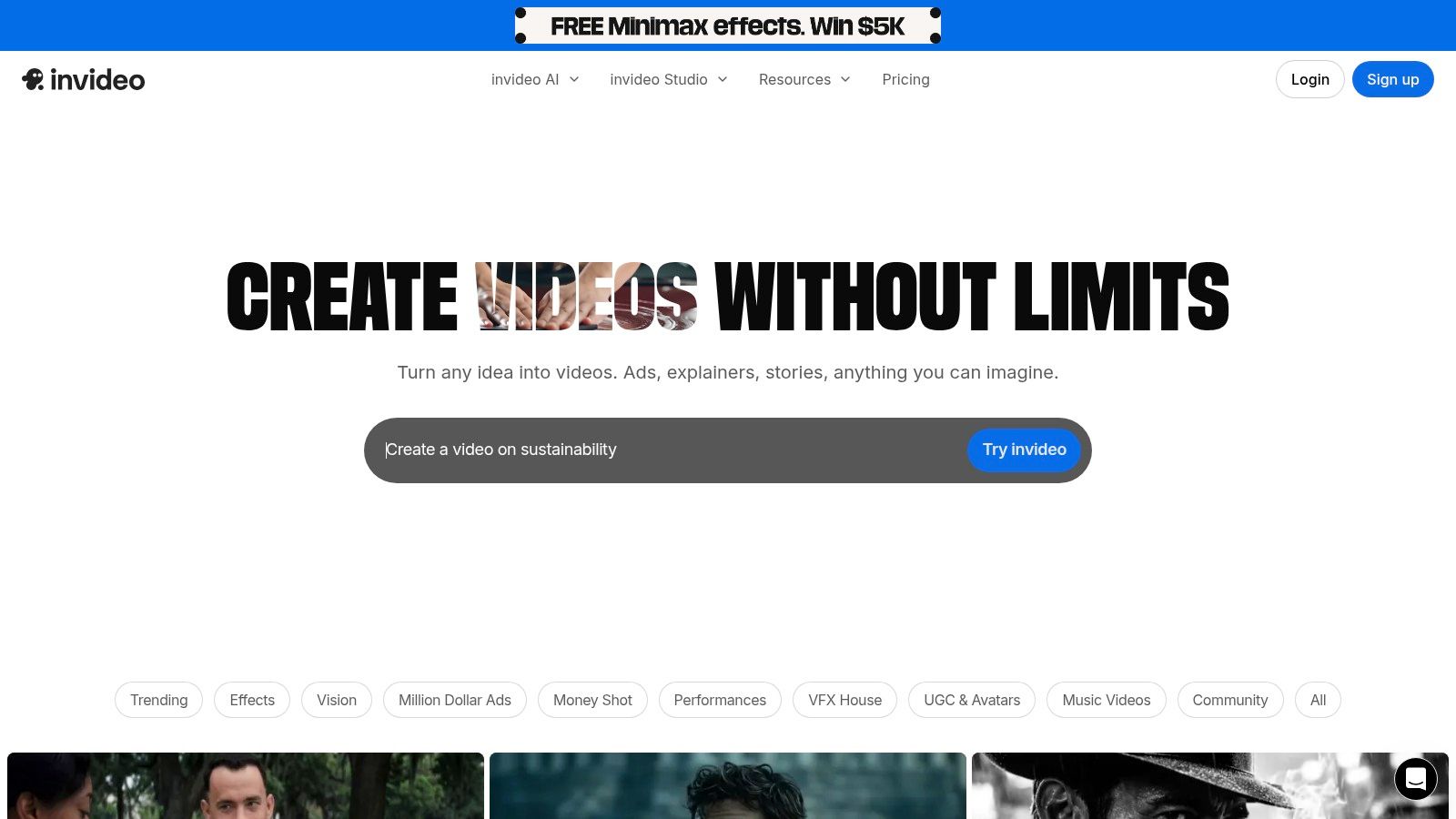
InVideo AI excels as a workflow-driven platform designed for creating marketing explainers, social media content, and business presentations with remarkable speed. It merges a templated approach with AI generation, allowing users to transform a simple script or prompt into a fully-fledged video complete with stock footage, an AI-generated voiceover, and synchronized captions. This makes it an ideal text to video ai generator free option for marketers and entrepreneurs who need polished videos without a steep learning curve.
What makes InVideo AI stand out is its structured, prompt-based workflow. Instead of just generating raw clips, it guides you through creating a complete video narrative. You provide a script, choose a target audience, and select a platform, and InVideo AI assembles a video using its vast library of stock assets and generative capabilities, all within a user-friendly web-based editor.
Key Features and Limitations
The free plan is generous for testing, offering weekly video exports and AI generation minutes, though it comes with limitations designed to encourage an upgrade. It’s perfect for understanding the platform's power before committing.
- Free Plan: Allows 10 minutes of AI generation per week, 4 video exports per week with a watermark, 10GB of storage, and access to a limited selection of stock media.
- Template-Driven: Its strength lies in its extensive template library, which provides a solid foundation for business-oriented videos.
- Paid Tiers: Subscriptions are needed to remove watermarks, unlock premium stock assets, increase monthly export limits, and access higher resolutions.
Best Use Case
InVideo AI is best suited for users who need to produce informational or promotional videos quickly and efficiently. It’s a top choice for creating YouTube explainers, social media ads, and corporate training videos. The platform’s reliance on templates and stock media makes it less ideal for highly artistic or abstract projects but perfect for content creators and businesses focused on clear, professional communication.
Website: https://invideo.io/ai
10. CapCut (Dreamina / AI Video)
CapCut, from TikTok parent company ByteDance, integrates powerful AI generation directly into its widely popular video editor, making it an all-in-one solution for social media creators. Instead of being a standalone tool, its text to video ai generator free function is a feature within a comprehensive editing suite. This seamless integration is its greatest strength, allowing users to generate clips from prompts and immediately drop them into a timeline to add music, effects, text, and transitions.
The platform is designed for the fast-paced workflow of short-form content, making it incredibly intuitive for creating TikToks, Reels, and Shorts. It offers both a simple text-to-video feature and a more advanced script-to-video function that can build a full sequence with AI-generated voiceovers and visuals. The AI model, sometimes branded as Dreamina, delivers surprisingly good quality for a completely free tool.

Key Features and Limitations
CapCut’s free offering is generous but designed to keep you within its ecosystem. While generation is free, the availability of the most advanced models and features can fluctuate or be tied to Pro plans in certain regions.
- Free Plan: Completely free to use, including AI generation, with no watermarks on standard exports.
- Integrated Workflow: The biggest advantage is having AI generation and a robust, feature-rich video editor in one place.
- Limitations: The AI model's branding and features can change frequently. Advanced functions or higher-quality outputs may require a Pro subscription, and the tool is heavily optimized for mobile and vertical video formats.
Best Use Case
CapCut is the undisputed champion for social media creators who need to produce engaging short-form content quickly. It is perfect for generating custom B-roll, creating animated stories from a script, or adding unique AI-powered visual effects to your videos without leaving your primary editing app. Its ease of use makes it the ideal starting point for anyone new to AI video who wants to experiment without a financial commitment.
Website: https://www.capcut.com/tools/free-ai-text-to-video-generator
11. Hugging Face Spaces
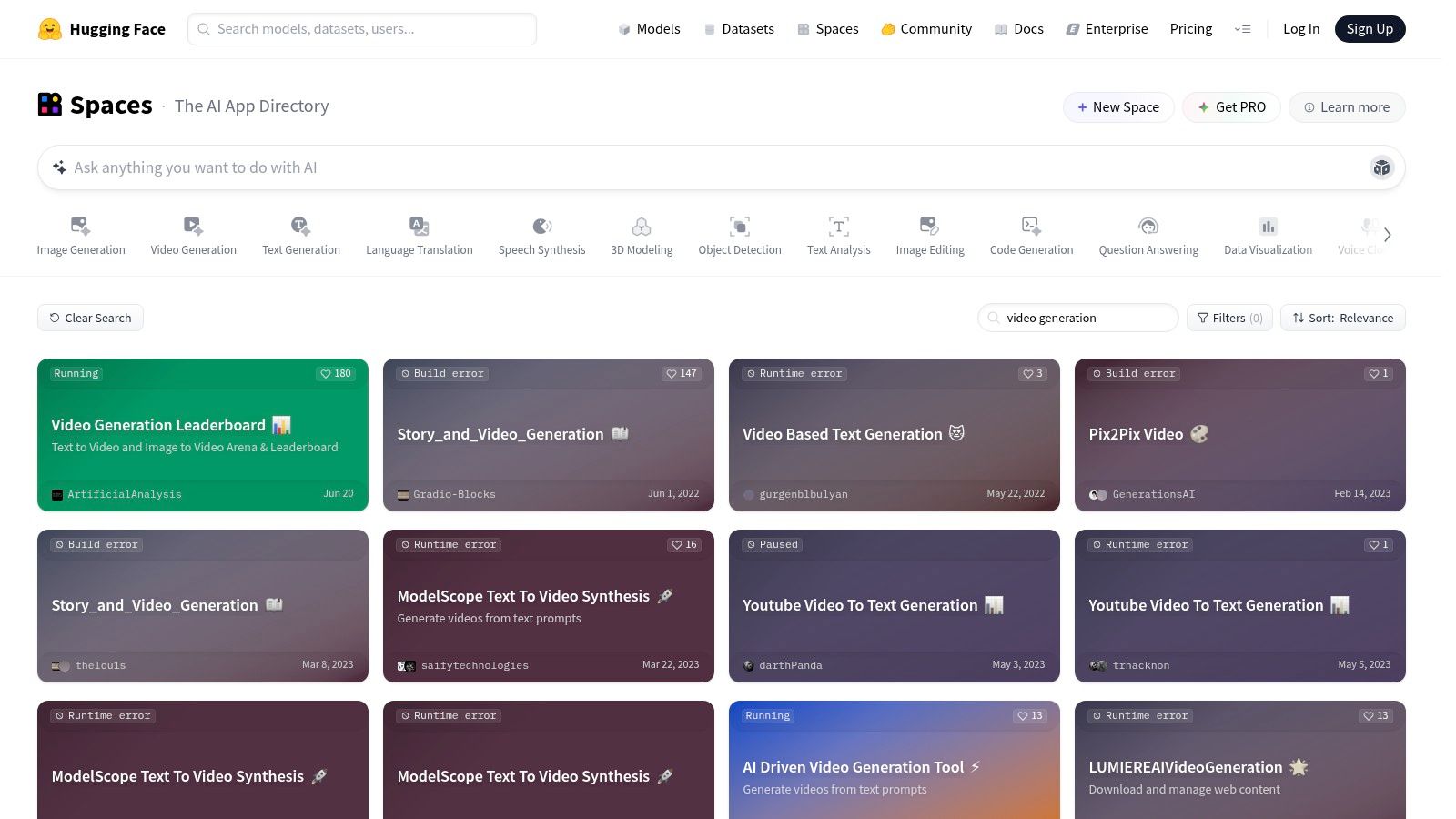
Hugging Face Spaces is less of a single tool and more of a vast, open-source playground for AI enthusiasts and developers. It hosts a massive directory of community-built demo applications, including a wide variety of experimental and cutting-edge text-to-video models. This platform is ideal for those who want to test the latest open-source research, understand the underlying technology, and experiment with models not yet available on commercial platforms.
What makes Hugging Face Spaces unique is its transparent and educational nature. It's not a polished, one-click solution, but rather a hub where you can find a text to video AI generator free to try directly in your browser. For many models, you can view the source code, see how they work, and even clone the entire setup to run on your own hardware, offering an unparalleled learning opportunity.
Key Features and Limitations
Most Spaces are free to use, but performance can be inconsistent. Popular demos often have a queue, and since many run on shared or CPU-only hardware, they can be slow or occasionally offline. Quality varies significantly from one model to another.
- Free Plan: Completely free access to use hundreds of community-hosted AI video generation demos.
- Open-Source Access: Provides transparent, reproducible code for many models, allowing for deeper technical exploration.
- Performance Issues: Quality and speed are highly variable. Popular Spaces can be slow, have queues, or may be temporarily down.
Best Use Case
Hugging Face Spaces is best suited for developers, researchers, students, and curious creators who want to explore the bleeding edge of AI video technology without any financial commitment. It’s perfect for testing niche models, learning how different AI architectures work, and generating experimental clips. If you’re not afraid of a less-polished user experience and are interested in the technology behind the tools, this is an invaluable resource.
Website: https://huggingface.co/spaces?search=video%20generation
12. HeyGen
HeyGen carves out a specific niche in the AI video landscape by focusing on avatar-driven presenter videos. Instead of generating cinematic scenes, it excels at transforming scripts into polished, talking-head style content, making it a go-to tool for corporate training, explainer videos, and marketing presentations. It is the ideal text to video ai generator free solution for businesses that need to create professional-looking communications without the cost and time of live-action filming.
What makes HeyGen unique is its emphasis on localization and personalization. The platform offers a vast library of stock avatars and even supports the creation of custom ones. Its powerful AI dubbing feature can translate video content into numerous languages, dramatically expanding the reach of your message. This makes it incredibly efficient for creating scalable, multilingual business content.
Key Features and Limitations
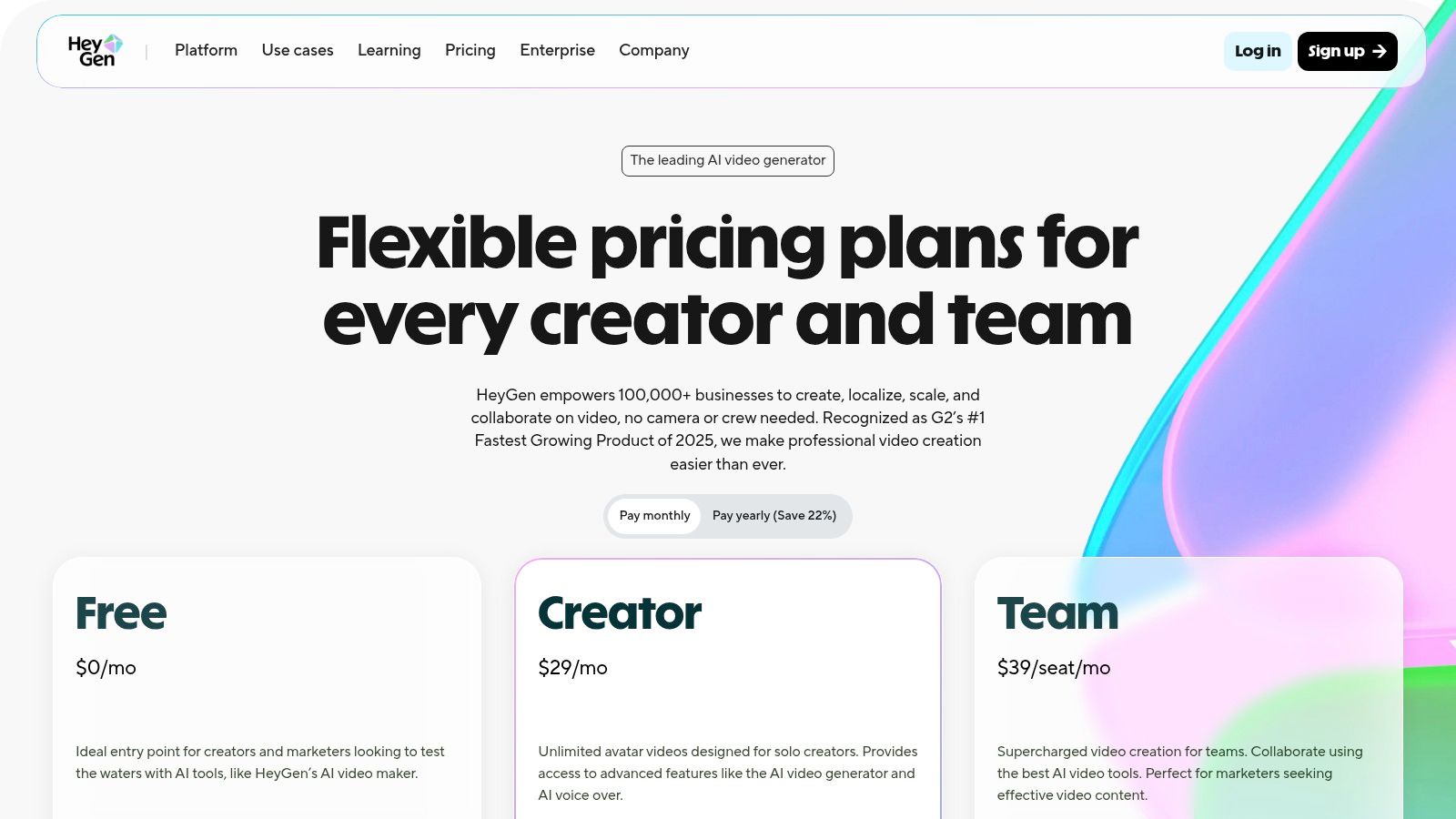
HeyGen's free plan is designed to let users test the core workflow. It provides 1 free credit, which is enough to generate up to one minute of video. This trial is perfect for evaluating the avatar quality and dubbing capabilities before committing to a subscription.
- Free Plan: 1 free credit (one-time), access to over 120 stock avatars, and a permanent watermark on exports.
- Credit System: The free plan provides enough credit for a short test video, with paid plans offering more credits and features.
- Paid Tiers: Subscribing is necessary to remove the watermark, unlock premium avatars, access 1080p exports, and use advanced features like multi-language support.
Best Use Case
HeyGen is the best choice for users needing to quickly generate presenter-led videos for business applications. It shines in creating onboarding materials, product demonstrations, and educational content where a human-like presenter is key. While it's not suited for artistic or scene-based video generation, it is unparalleled for producing consistent, professional, and scalable avatar-based videos for corporate and educational purposes.
Website: https://www.heygen.com/pricing
12 Free Text-to-Video AI Generators — Quick Comparison
| Platform | Core features | Quality (★) | Value (💰) | Target (👥) | Unique (✨) |
|---|---|---|---|---|---|
| ShortsNinja 🏆 | End-to-end: idea→script→AI visuals→voice→schedule; Series automation | ★★★★★ | 💰 Credit-based plans (Starter $19/mo); free first video; top-ups | 👥 Independent creators, agencies, SMBs, educators | ✨ Fast 3–5min workflow, 50+ languages voiceovers, auto-publish |
| Runway | Gen‑4/4.5 text→video, editor, voice/lip-sync | ★★★★★ | 💰 Credit-to-seconds pricing; free credits limited | 👥 Pro creators, studios, VFX teams | ✨ Industry-grade models + integrated editor |
| Pika (Pika.art) | Multiple model tiers, playful effects (Pikadditions/Pikaswaps) | ★★★★☆ | 💰 Monthly credits; free on-ramp | 👥 Hobbyists, experimental creators | ✨ Fun, fast creative tools for style experiments |
| Luma AI (Dream Machine) | Text/image→video optimized for short cinematic clips; HDR/up-res | ★★★★★ | 💰 Paid tiers with credits; free queues can be long | 👥 Filmmakers, cinematographers, VFX | ✨ High realism + camera control for short shots |
| Haiper | Text→video, image→video, keyframe; API + iOS support | ★★★★ | 💰 Transparent credits/sec pricing (predictable costs) | 👥 Developers, app integrators, experimenters | ✨ Per‑second pricing + dev-friendly API |
| Kapwing | Browser-based prompt→clip, multi-scene editor, collaboration | ★★★★ | 💰 Free tier (watermark); paid credits for advanced | 👥 Social creators, teams, educators | ✨ In-browser editing + collaboration tools |
| Canva (Magic Media) | Prompt→video within templates, brand kits, stock assets | ★★★★ | 💰 Free credits; Pro/Teams raise limits | 👥 Marketing & social teams, non-designers | ✨ Template & brand-integrated generation |
| VEED | Prompt→video, avatars, voiceover, editor & assets | ★★★★ | 💰 AI needs paid plan/credits | 👥 Creators & businesses needing quick exports | ✨ Business-friendly presets + editor workflow |
| InVideo AI | Script→video templates, stock integrations, AI voiceover | ★★★★ | 💰 Tiered minutes/resolution; free watermarked exports | 👥 Marketers, explainer video creators | ✨ Large template library for fast marketing clips |
| CapCut (Dreamina) | Script→video + editor, effects, music, captions | ★★★★ | 💰 Free starting point; model availability varies | 👥 TikTok/short-form social creators | ✨ Tight short-form editing + ByteDance ecosystem |
| Hugging Face Spaces | Directory of community text→video demos & open models | ★★★☆☆ | 💰 Mostly free demos; performance varies | 👥 Researchers, devs, open-source enthusiasts | ✨ Wide access to open models & reproducible code |
| HeyGen | Script→presenter avatars, AI dubbing, localization | ★★★★ | 💰 Free limited tier; paid for 1080p/4K & watermark removal | 👥 Businesses, training, localization teams | ✨ Large avatar library + 175+ language dubbing |
Choosing Your AI Co-pilot: From Free Experiments to Automated Content Engines
The journey through the landscape of free text-to-video AI generators reveals a dynamic and rapidly evolving ecosystem. We've explored a dozen powerful platforms, from the cinematic prowess of Runway and Luma AI's Dream Machine to the integrated design workflows of Canva and Kapwing. Each tool offers a unique gateway into the world of AI-driven video creation, allowing you to transform simple text prompts into compelling visual narratives without any initial financial investment.
The key takeaway is that the "best" free tool is not a one-size-fits-all answer. Your ideal choice hinges directly on your specific goals and workflow. The right platform for a filmmaker experimenting with surreal, artistic clips will be vastly different from what a digital marketing agency needs to produce consistent social media content at scale.
From Single Clips to Strategic Content
For those just starting, the primary goal is often experimentation. You want to test the technology, understand its capabilities, and see how it can enhance your creative vision.
- For Artistic Exploration & Cinematic Shots: Tools like Pika and Runway excel here. Their free tiers provide enough credits to generate short, high-fidelity clips that are perfect for learning the art of prompt engineering and discovering the aesthetic potential of AI video. They are playgrounds for visual artists and filmmakers.
- For Integrated Design Projects: If you already live within a specific creative ecosystem, Canva (Magic Media) and VEED offer incredible convenience. The ability to generate a video clip and immediately pull it into a larger project, add text overlays, and apply brand elements within the same interface is a significant workflow advantage.
- For Technical Experimentation: Open-source hubs like Hugging Face Spaces offer a look under the hood. While less user-friendly, they provide access to a variety of models and are fantastic for developers or tech-savvy creators who enjoy tinkering.
The Shift to Automation and Efficiency
While generating individual clips is powerful, the real challenge for content creators, marketers, and business owners is consistency and volume. This is where the conversation evolves from simply finding a text to video ai generator free tool to finding a content engine. The focus shifts from the novelty of generation to the practicality of a complete, end-to-end workflow.
This is the critical distinction for creators aiming for growth. Ask yourself these questions:
- Time Investment: How much time am I spending not just generating the video, but also scripting, adding a voiceover, creating captions, and publishing it?
- Scalability: Can my current process produce five, ten, or even twenty high-quality videos per week without leading to burnout?
- Workflow Friction: How many different tools am I juggling to get from an idea to a published post on TikTok, YouTube Shorts, and Instagram Reels?
For many, the answer reveals a significant bottleneck. A free generator might create a great 10-second clip, but the surrounding tasks consume hours. This is precisely where a platform like ShortsNinja carves out its unique value proposition. It’s designed not just as a generator, but as an automated content pipeline. By handling everything from the initial script to the final, multi-platform publishing, it addresses the entire content lifecycle.
Ultimately, your journey with AI video generation should be one of strategic evolution. Start with the free tools to learn, experiment, and find your style. But as your ambitions grow, look beyond simple clip creation. The true power of AI lies in its ability to automate entire processes, freeing you from manual, repetitive tasks and allowing you to focus on the high-level strategy that drives real growth. The future isn't just about creating a video; it's about building an automated system that consistently creates and distributes them for you.
Ready to move from manual video creation to a fully automated content engine? ShortsNinja takes you beyond a simple text to video ai generator free experience by handling scripting, voiceovers, and multi-platform publishing in one seamless flow. Create your first video for free on ShortsNinja and see how quickly you can scale your content production.