
Yes, you can absolutely schedule posts on TikTok. It's one of the best ways to keep your content consistent and make sure you’re posting when your audience is actually online and scrolling.
You can do it for free right from TikTok's desktop site, but you're limited to scheduling 10 days out. For more firepower—like planning further ahead or scheduling from your phone—you’ll want to look at a third-party tool.
Why Scheduling TikTok Content Is a Growth Superpower
Let's be real: trying to post on TikTok every single day, right at that "perfect" moment, can feel like a full-time job. The pressure is on because the algorithm loves creators who show up consistently.
This is where scheduling your posts transforms from a nice-to-have into a core part of your growth strategy. It's about way more than just saving a few minutes here and there.
From Reactive Posting to Proactive Strategy
Moving away from that frantic, "I need to post something right now" mindset is the secret to sustainable growth on TikTok. Instead of scrambling for an idea every day, you can set aside dedicated time to batch-create your content.
Think about it: you can film and edit a week's worth of videos in one afternoon, then load them all into your scheduler. This one workflow tweak makes a huge difference.
- Reclaim Your Creative Energy: Batching your work frees you from the daily grind. You can finally focus on making great videos instead of just hitting a quota.
- Never Miss Peak Times: Schedule your best content to go live when your audience is most active, even if you’re asleep, in a meeting, or on vacation.
- Avoid Creator Burnout: A planned content calendar reduces stress and helps you maintain momentum without sacrificing your sanity.
By planning your content, you're not just organizing posts; you're building a reliable presence that both your audience and the algorithm can count on. It transforms your channel from a hobby into a well-oiled machine.
The Power of Automation
At the end of the day, consistent growth is built on a solid modern content strategy for social media, and automation is a huge piece of that puzzle.
Scheduling is your first step. For those looking to really scale up, exploring tools for automated social media posting can be a game-changer, letting you multiply your output without burning yourself out.
It's the difference between constantly chasing trends and strategically building a presence that lasts.
Using TikTok's Built-In Desktop Scheduler
If you're just dipping your toes into content planning and prefer to stick with what you know, TikTok has its own free, no-frills scheduler. You can find it right on the TikTok website.
While it doesn't pack the punch of a third-party tool, it's a fantastic starting point. It gets the job done for organizing your content calendar without spending a dime. Everything happens directly on your computer, so as long as you have a web browser, you're good to go.
The native tool is all about simplicity. You upload your finished video, pop in your caption and hashtags, and pick a time for it to go live. It's a solid way to make sure your content hits the For You Page during peak hours, even if you’re busy with something else.
Getting Started with the Native Scheduler
First things first, you'll need to log into your TikTok account from a computer. Once you're in, look for the "Upload" button in the top right corner. Clicking that will take you to the main upload screen, which is where you'll handle both immediate posts and scheduled ones.
This is where you'll prep every part of your post before it goes live. You'll be able to:
- Upload your video file from your computer.
- Write your caption, adding any @mentions and #hashtags.
- Pick a cover image from different frames in your video.
- Set your privacy permissions (like Public, Friends, or Private).
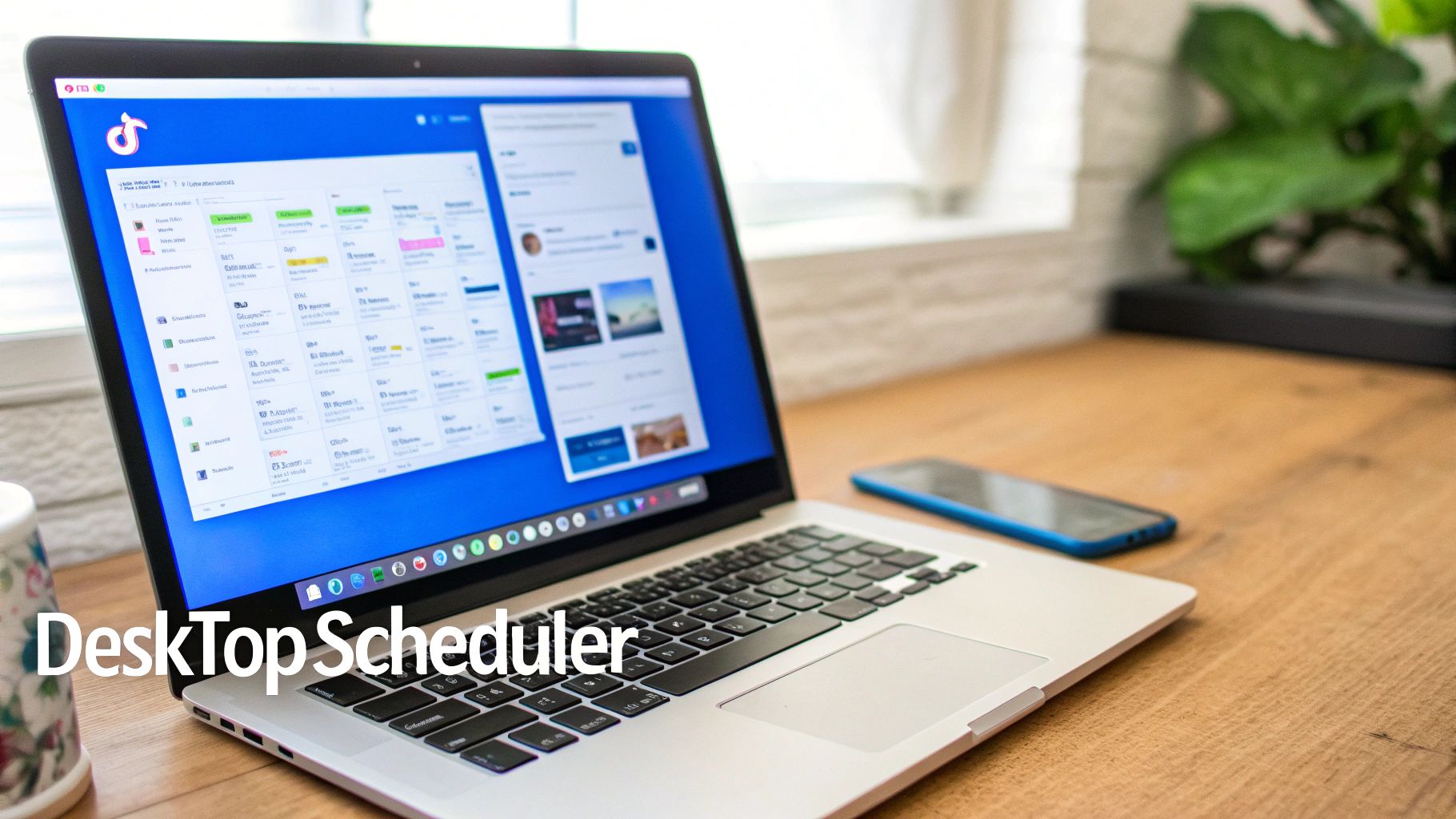
See that little "Schedule video" toggle? That's the magic switch for planning your content in advance. Flip that on, and you're scheduling.
Understanding the Limitations
Now, while the free scheduler is great, it does have some real constraints you should know about. These limitations are usually what convince serious creators and brands to upgrade to a more robust scheduling platform.
The biggest catch is the scheduling window. With TikTok's tool, you can only schedule posts up to 10 days in advance. This can feel a bit tight if you're someone who likes to batch-create content for the whole month.
It's also pretty basic. You can't edit a scheduled video. If you notice a typo or want to swap out a hashtag, your only option is to delete the post and start the upload process all over again. That gets old fast, especially if you're managing a lot of content.
And probably the most important thing to know: this feature is desktop-only. You can't schedule posts from the TikTok mobile app, which is a major downside for creators who live on their phones.
Unlock Next-Level Automation with Scheduling Tools
Let’s be real: TikTok's built-in scheduler is a decent starting point, but if you're serious about growth, you'll hit its limits fast. A 10-day scheduling window and desktop-only access just don't cut it when you're trying to build a consistent content machine.
This is where third-party tools change the game. They don’t just schedule posts on TikTok; they transform it into a full-blown automation strategy. Think of it as upgrading from a basic desk calendar to an entire project management suite built for your content. These platforms solve the exact headaches the native scheduler creates, offering longer scheduling windows, mobile access, and features that go way beyond just picking a time and date.
Going Beyond Basic Scheduling
Third-party tools aren't just about scheduling further out. They're about getting your time back. Platforms like ShortsNinja bring a level of automation that can turn hours of grinding into just a few minutes of work.
Imagine taking a simple idea, having an AI generate a script, create the visuals, add a realistic voiceover, and schedule the final video—all from one place. This isn't some far-off dream; it's what modern automation tools can do right now.
- AI-Powered Scripting: Beat writer's block for good. Just drop in a prompt and get a compelling script back.
- Automated Visuals: No camera? No problem. AI can generate unique, engaging video clips for you.
- Realistic Voiceovers: Add a professional-sounding narration in different languages to connect with a global audience.
By combining content creation with scheduling, you can pump out high-quality videos at a scale that’s just not possible when you're doing everything by hand.
A Real-World Automation Workflow
Let's walk through what this looks like in practice with a tool like ShortsNinja. Say you want to create a five-part series on "easy vegan lunch ideas." The old-school way means scripting, filming, editing, and posting each one separately. That’s easily a multi-day project.
With an automation tool, the workflow is completely different. You feed the series idea into the system, and the AI spits out five unique scripts. Once you give them the thumbs-up, the platform generates the visuals and voiceovers for all five videos. Then, you can schedule the entire series to post once a day for the next week.
What used to be a week of intensive work now takes less than an hour. This efficiency is the key to maintaining a high-frequency posting schedule without succumbing to creator burnout. To truly scale your content efforts, understanding how to implement marketing automation effectively is crucial for maximizing the impact of your scheduling tools.
Why This Matters for Growth
Being able to batch-create and schedule content like this is a game-changer for staying consistent. Instead of scrambling to post something every day, you can knock out your content calendar for weeks or even a month in one session.
This guarantees you have a steady stream of quality posts hitting your audience's feed right when they're most active.
For anyone serious about growing on TikTok, diving into third-party tools is the next logical step. There are tons of options out there, each with its own strengths. To help you sort through them, our guide on the 10 best AI tools for TikTok scheduling breaks down the top platforms on the market.
Finding Your Best Times to Post on TikTok
Scheduling your TikTok posts is a huge time-saver, but it's only half the battle. Knowing when to post is what separates a video that gets a few hundred views from one that lands on the For You Page. Posting at the right time gives your content that initial burst of engagement it needs to get noticed by the algorithm.
While there are some general guidelines that give you a great starting point, the real goal is to find the unique sweet spots for your specific audience. This takes a little bit of detective work—blending broad industry data with a deep dive into your own analytics.
Using Global Data as a Starting Point
Before you've built up enough data on your own account, you can lean on what we know about general user behavior. On TikTok, timing is everything.
Across the board, insights show that weekday mornings (6-10 AM) and evenings (7-11 PM) are prime time for engagement. Certain days have their own rhythm, too. Fridays, for instance, often see a nice bump between 1-3 PM as people start clocking out for the weekend. Sundays are solid around 4 PM when everyone's winding down and doing some casual scrolling.
Below, we've compiled a table of the peak engagement times, in local time, to give you a solid foundation for your initial scheduling strategy.
Global Peak TikTok Engagement Times
This table summarizes the generally recommended posting times (in local time) to help maximize viewer engagement across different days of the week, based on aggregated data.
| Day of the Week | Morning Slot | Afternoon Slot | Evening Slot |
|---|---|---|---|
| Monday | 6 AM, 10 AM | 2 PM | 10 PM |
| Tuesday | 2 AM, 4 AM | 9 AM | 8 PM |
| Wednesday | 7 AM, 8 AM | 11 AM | 11 PM |
| Thursday | 9 AM | 12 PM | 7 PM |
| Friday | 5 AM, 1 PM | 3 PM | 9 PM |
| Saturday | 11 AM | 7 PM | 8 PM |
| Sunday | 7 AM, 8 AM | 4 PM | 9 PM |
Think of these times as a launchpad. They're a fantastic place to begin, but the real magic happens when you start layering in your own account's data.
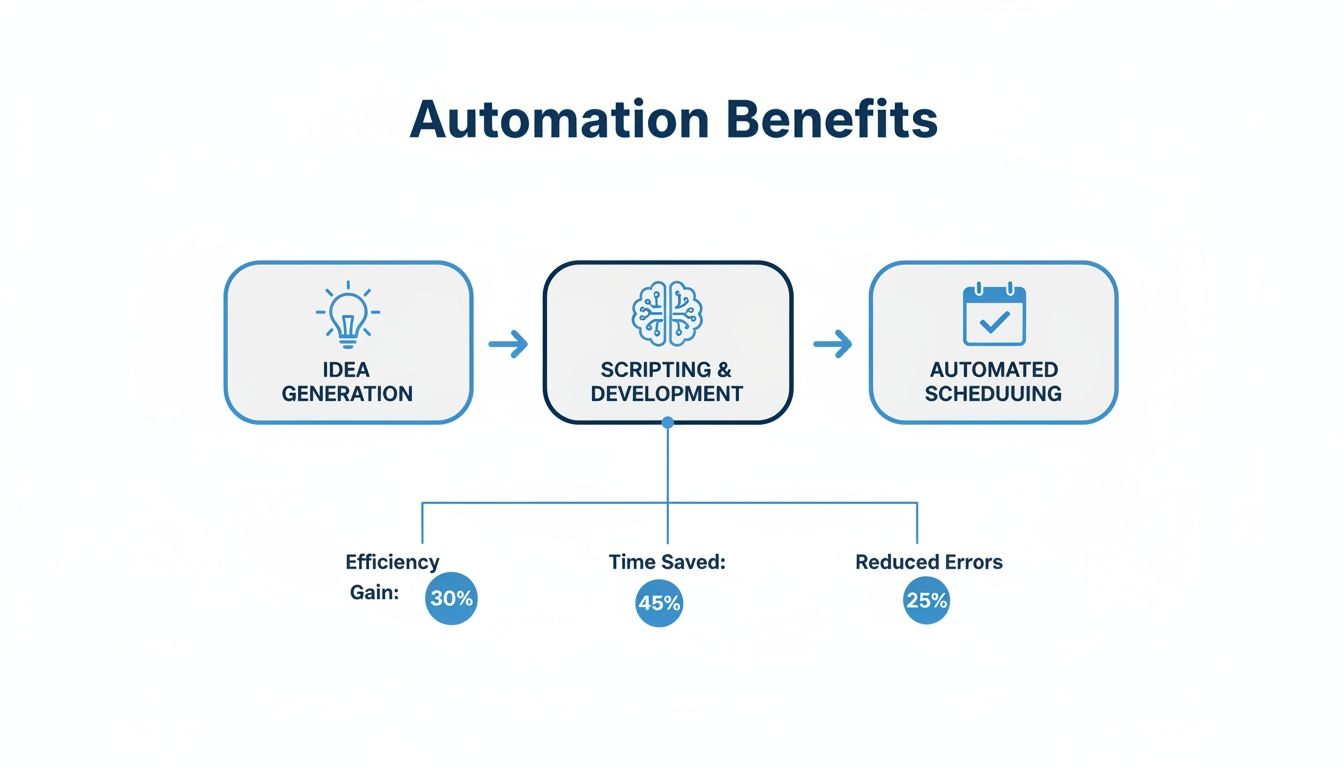
This workflow shows just how much easier it is to hit those perfect posting windows when you automate the process. You can move from brainstorming to a fully scheduled video with AI assistance, freeing you up to focus on the big picture.
Diving Into Your Own TikTok Analytics
Generic advice is fine, but your account's data is the real source of truth. Luckily, TikTok's built-in analytics are surprisingly powerful for figuring out exactly when your followers are most active.
Here’s where to find this goldmine of information:
- Head to your profile and tap the three lines in the top-right corner.
- Choose Creator Tools, then tap on Analytics.
- Flip over to the Followers tab.
You'll see a graph under "Follower activity" that shows the hours and days your audience was online most over the last week. This data is your new best friend. If you see a massive spike in activity at 8 PM every Wednesday, that’s a time slot you need to be testing immediately.
A pro tip I've learned is to not just post at the peak. Try posting an hour or so before it. This gives the algorithm some time to start pushing your video out right as your audience begins to log on in droves.
Testing and Refining Your Schedule
Once you have data from both general trends and your personal analytics, it’s time to experiment. Don't just pick one time slot and stick to it religiously. Test a few different peak hours over a couple of weeks to see what truly connects.
- Week 1: Post at the top three times suggested by your analytics.
- Week 2: Try shifting those times by an hour, either earlier or later.
- Track Everything: Make a note of the views, likes, and comments each video gets within the first 2-3 hours of posting.
This process helps you move from just guessing to making decisions backed by real data. For a deeper look into this, check out our guide on the best time to post on TikTok, which covers more advanced strategies.
Just remember, audience habits can shift. It's a good practice to pop back into your analytics every month or so to make sure your schedule is still perfectly dialed in.
How Posting Frequency Impacts Your TikTok Growth
You’ve got your content scheduled and you’re hitting all the right posting times. Awesome. But there’s always that nagging question in the back of your mind: how often should I actually be posting?
On TikTok, consistency is the name of the game, but it's the frequency that really feeds the algorithm and gets your growth engine humming.
Posting once a day is a solid start, but TikTok’s appetite for fresh content is massive. Unlike other platforms where daily posts can feel like you're shouting into the void, TikTok actively rewards creators who show up more often. More posts simply mean more chances to land on the For You Page and more data points for the algorithm to learn what your audience craves.
This isn’t just a hunch; it’s backed by some pretty compelling data. Creators who ramp up their posting cadence almost always see a direct and significant bump in their reach and engagement.
The Data Behind a Faster Cadence
It’s one thing to hear "post more," but seeing the numbers really drives the point home. When you schedule posts on TikTok more frequently, you're sending a strong signal to the algorithm that you're a reliable source of fresh content.
Data from a Buffer study on TikTok posting frequency found a crystal-clear correlation. Creators who went from posting just once a week to 2-5 posts saw a 17% boost in views per post. That’s a nice little jump, but the rewards scale up dramatically from there.
The study also found that:
- Posting 6-10 times weekly led to a 29% increase in views per post.
- The real power users, posting 11 or more times a week, saw a massive 34% view increase.
So, what does this look like in the real world? The top 10% of posts from creators in that 11+ frequency group averaged an incredible 14,401 views. That's a staggering 31.4x multiplier over the baseline, proving that cranking up your frequency directly translates to way more eyeballs on your content.
Now, this doesn't mean you need to burn yourself out trying to post ten times a day. It’s all about finding a sustainable rhythm that’s a step or two above what you’re doing now.
Building a Sustainable Rhythm
The thought of posting multiple times a day can feel daunting, I get it. The secret isn't about creating more work for yourself—it's about building a smarter workflow. This is where strategic content planning and automation become your secret weapons.
Content batching is your best friend here. Seriously.
Instead of the daily scramble to come up with an idea, film it, edit it, and post it, block off time once or twice a week to create everything at once. Film five or ten videos in a single afternoon, then drop them into a scheduling tool to roll out over the next week.
This simple shift transforms your content strategy from a chaotic daily task into a calm, managed process. By using a solid scheduler, you can maintain a high-output rhythm without sacrificing your sanity or the quality of your content. This is exactly how the top creators keep their momentum going and the algorithm happy.
Got Questions About Scheduling TikToks? Let's Clear Them Up.
Jumping into a new workflow always brings up a few questions. When you start scheduling TikTok posts, you'll probably run into a couple of common uncertainties right away. Getting these sorted out from the beginning will help you build a smoother content strategy and sidestep any potential headaches.
We've pulled together the questions we hear most often from creators and laid out some direct, practical answers to help you get your process dialed in.
Can I Schedule TikTok Posts from My Phone?
So, TikTok's own scheduler is a desktop-only affair, which is a bit of a drag. But you're definitely not chained to your computer.
Thankfully, most third-party scheduling tools were built with creators on the move in mind. They almost always offer mobile-friendly websites or, even better, dedicated apps. This gives you the freedom to manage and schedule your content from literally anywhere, right on your phone. It’s a must-have for approving a draft, tweaking a caption on the fly, or scheduling a last-minute video.
Does Scheduling Posts Hurt My Engagement?
Nope, not at all. This is one of those myths that just won't die, but the TikTok algorithm doesn't penalize scheduled videos. In fact, it's usually the opposite—scheduling almost always helps engagement by locking in your consistency.
Think about it: scheduling lets you reliably drop high-quality content right when your audience is most active. That’s a much smarter strategy for racking up views and interactions than just posting manually whenever you find a spare moment. The algorithm loves consistency, and scheduling is the easiest way to deliver it.
Key Takeaway: The algorithm cares about what you post and when you post it, not how it got there. A scheduled video hitting that prime-time sweet spot is always going to beat a manual post at a random hour.
How Far in Advance Can I Schedule a Post?
This one really depends on the tool you're using. If you stick with TikTok's native scheduler, you're boxed in—you can only schedule up to 10 days out. For anyone trying to plan around holidays, a marketing campaign, or just life in general, that's incredibly limiting.
This is where professional third-party platforms really shine. Many of them let you map out and schedule your content calendar weeks or even months ahead. It's a total game-changer for batching your content, lining up a video series, or coordinating with a team.
What if I Need to Edit a Scheduled Post?
Flexibility is everything, and this is another area where the tools really differ. With TikTok's built-in scheduler, your hands are pretty tied. You can change the caption or reschedule the time, but if you need to swap out the video? You have to delete the whole thing and start the upload from scratch.
Most third-party tools, on the other hand, give you way more control. You can typically edit every single piece of a scheduled post—the video file, caption, hashtags, and timing—right up until the second it's set to go live. This saves a massive amount of time and frustration.
Ready to stop spending hours on your content workflow every day? With ShortsNinja, you can use AI to generate scripts, create visuals, and schedule a whole series of videos automatically. Stop the grind and start growing. Try ShortsNinja today and see how simple consistent growth can be.