
Learning how to post YouTube videos on TikTok is a smart move, but it's more than just hitting "upload." The real magic happens when you download your YouTube content, reformat it for a vertical screen, and edit it to match the fast-paced vibe of TikTok with things like captions and trending sounds.
Why Posting YouTube Videos on TikTok Is a Growth Superpower
Before we get into the "how-to," let's talk about why this is such a game-changer. Turning your long-form YouTube videos into TikToks isn't just a time-saver; it’s about getting your message in front of two completely different, massive audiences. You're getting more mileage out of the hard work you’ve already put in.
Think about it: Your polished, 10-minute YouTube video is a goldmine. You could easily slice that into five, ten, or even more high-impact TikToks. This lets you test out different hooks, angles, and ideas without having to film a single new thing.
Tapping Into Massive, Engaged Audiences
The numbers speak for themselves. TikTok has 1.59 billion monthly active users, while YouTube is sitting at over 2.7 billion. Cross-posting lets you tap into these huge communities that are hungry for quick, digestible content.
TikTok users spend nearly an hour a day on the app, which is a massive window for discovery. This kind of cross-pollination is a fantastic way to grow two channels at once. If you want to dive deeper into the stats, sqmagazine.co.uk has some great insights.
This isn’t just about being seen; it's about engagement. Short-form video consistently pulls in higher interaction rates.
By turning your key YouTube moments into TikToks, you are essentially creating a highlight reel that acts as a trailer for your main channel, driving new viewers back to your long-form content.
Expanding Your Content's Lifespan
Repurposing also breathes new life into your old videos. A YouTube upload from a year ago that's stopped getting views can suddenly find a brand new, enthusiastic audience on TikTok. You're maximizing the return on your original time investment.
There’s a reason effective content repurposing strategies are a cornerstone of modern marketing—they just work.
Here’s a quick rundown of the benefits:
- Increased Reach: You get your brand in front of a whole new demographic that might never find you on YouTube.
- Boosted Visibility: More content on more platforms means more chances to go viral and grab attention.
- Efficient Workflow: You’re creating more content in less time by using what you’ve already made. Simple as that.
Choosing and Preparing Your YouTube Content for TikTok
Let's get one thing straight: just downloading your full YouTube video and tossing it onto TikTok is a recipe for disaster. Low views, zero engagement, crickets.
The real key to making this work is in the prep work. It’s about being deliberate. This first phase is all about finding the right moments in your existing videos that have a fighting chance of grabbing a new audience on a completely different platform.
Identifying Viral-Worthy Clips
It's time to put on your content archaeologist hat and dig through your own library to unearth those "golden nuggets." These are the high-impact, punchy moments that can actually stand on their own.
A great place to start is your YouTube analytics. Look at your audience retention graphs. See those spikes where viewership holds steady or even jumps? That’s your audience telling you exactly what they find most interesting.
As you scrub through your videos, keep an eye out for moments that fit these molds:
- Actionable Tips: That one single, powerful piece of advice from a long tutorial. Think of a 15-second clip showing the "one secret setting" from your 12-minute software guide.
- Pivotal Moments: The big reveal, the climax of a story, or a genuinely surprising reaction.
- Punchlines or Key Takeaways: The final, memorable sentence that perfectly wraps up a point.
- Quick "How-To" Segments: A short, satisfying demo of a single, simple task.
This requires a total mindset shift. You're not thinking in terms of a 10-minute story anymore. You’re hunting for a 30-second shot of dopamine.
The goal here is to find a self-contained bit of value or a mini-story that makes perfect sense without needing any of the original video's context. It has to work for someone scrolling at lightning speed.
Downloading Your Content Legally and Safely
Once you've pinpointed the clips you want, you need to get them off YouTube and onto your computer for editing. Since this is your own content, you don't have to worry about copyright strikes, which makes things easy.
The best and most reliable way to do this is by downloading the original file straight from your YouTube Studio.
- Head over to the "Content" tab in your YouTube Studio.
- Find the video you need and hover over it.
- Click the three-dot menu icon (Options).
- Hit "Download" and the original, high-resolution file will save to your computer.
Doing it this way guarantees you’re working with the highest quality version of your video. This is super important because you’re about to crop and edit it, and starting with a crisp file prevents it from looking pixelated later. Third-party downloaders often compress files and reduce quality, so always start with your own source file.
Shifting from Horizontal to Vertical Thinking
This last part is more of a mental exercise, but it might be the most crucial step of all. Before you even think about opening an editing app, you have to stop seeing your video in the 16:9 landscape format of YouTube.
TikTok is a vertical-first world. Period.
Ask yourself this question: If I were shooting this exact clip just for a phone screen, how would I frame it?
This simple question forces you to identify the most important visual element and figure out how to center it in a 9:16 frame. Getting into this vertical-first mindset will shape every single editing choice you make, from how you crop the shot to where you place your text. It's the secret to making your YouTube content feel like it truly belongs on TikTok.
The Art of Editing From Horizontal to Vertical
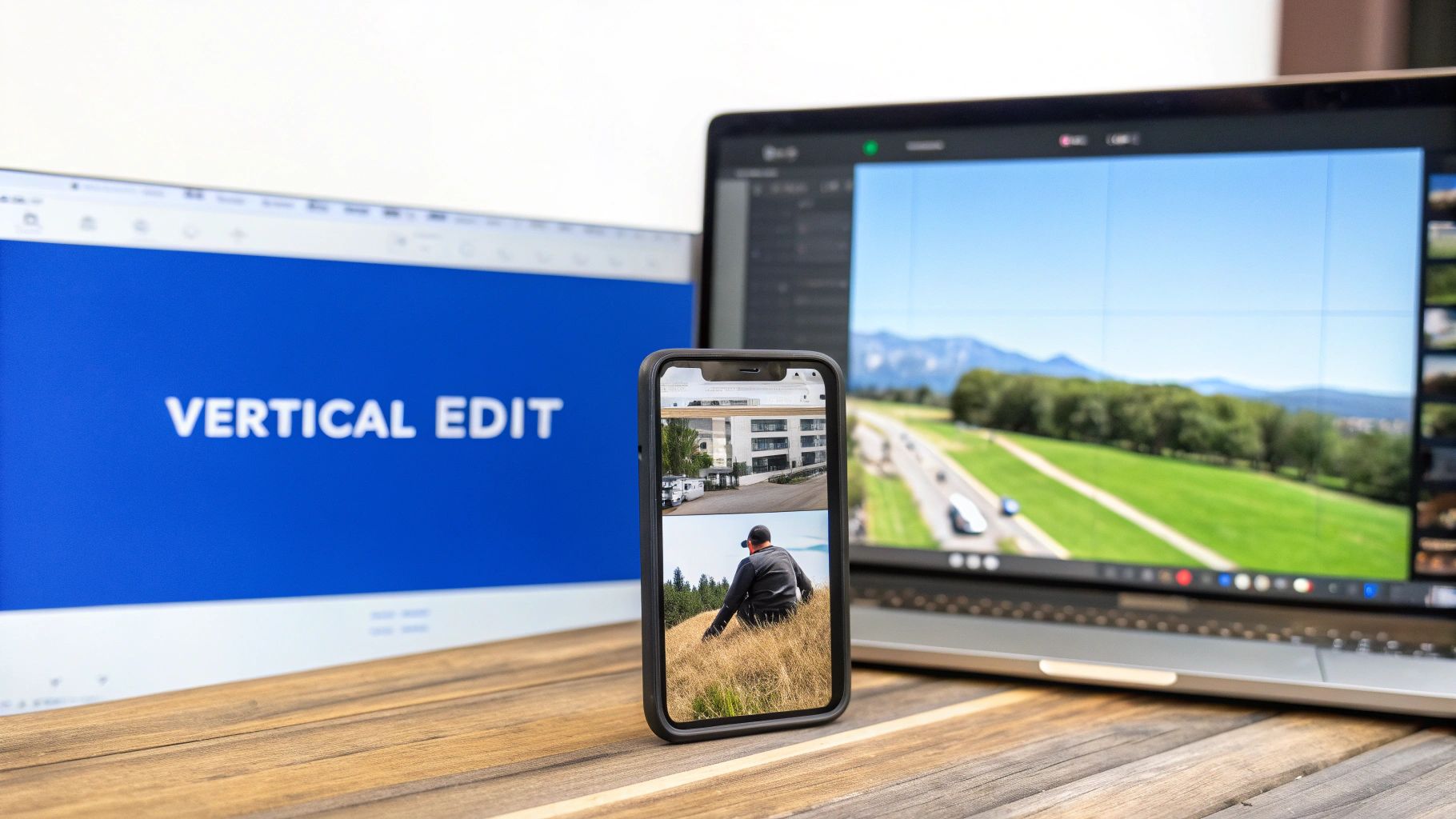
This is where the magic really happens. A lazy crop-and-post just won’t fly on TikTok. A thoughtful edit is what separates a clip that gets swiped past from one that goes viral. Your main goal is to make your YouTube video look like it was born on TikTok, and that all starts with mastering the vertical canvas.
Simply slapping your 16:9 video into the middle of a 9:16 frame with giant black bars is a dead giveaway you're repurposing content. It screams low-effort and almost guarantees low engagement.
Instead, you need to completely reframe the shot. Think of yourself as a camera operator following the most important part of the action. Your editing software is how you pan, zoom, and crop that wide horizontal frame to keep the key subject perfectly centered for someone scrolling on their phone.
This is a crucial step to make sure nothing important gets cut off. For instance, if you're demonstrating a product in a wide shot for YouTube, your TikTok edit should zoom in tight on the product and your hands. This creates a much more intimate, clear, and engaging experience for the viewer.
Capturing Attention in the First Three Seconds
On TikTok, you don't get the luxury of a slow burn intro. You have about three seconds—maybe less—to stop someone from scrolling. Your opening has to hit hard and fast.
Start with the most visually interesting part of your clip or an on-screen text hook that piques curiosity right away.
A great edit is about more than just trimming the fat. It's about pacing. You need to speed up the slower moments and mercilessly cut any dead air or pauses to keep the energy high. It has to match the rapid-fire rhythm of the platform.
Adding dynamic, animated captions isn't just a nice-to-have; it's a necessity. So many people watch with the sound off, so readable text is essential for keeping their attention. In fact, adding closed captions can boost TikTok watch time by a pretty significant margin. For a deeper dive, check out our detailed guide on how to edit a video for TikTok.
YouTube vs TikTok Content Repurposing Checklist
Transitioning content from YouTube to TikTok requires more than a simple format change. Use this checklist as a quick reference to make sure your video is perfectly optimized for TikTok's audience and algorithm.
| Optimization Element | YouTube Original (16:9) | TikTok Repurposed (9:16) |
|---|---|---|
| Aspect Ratio | Landscape (16:9) | Vertical (9:16) – full screen is a must |
| Opening Hook | Slower intros, can build up over 10-30 seconds | Immediate hook needed within the first 3 seconds |
| Pacing | Can have slower, more deliberate pacing | Fast-paced, high energy, no dead air |
| Captions | Optional, often auto-generated | Essential, dynamic, and animated for engagement |
| Sound | Original audio is key | Trending sounds and music are crucial for reach |
| Key Visuals | Wide shots are common to establish context | Tightly cropped, focused on the main subject |
Ultimately, the goal is to create a video that feels native to the platform, not like a recycled afterthought.
Choosing Your Editing Toolkit
You don't need a Hollywood-level editing suite to make killer TikToks. The right tool really just depends on your workflow, skill level, and how much time you're willing to put in.
-
Mobile-First Apps (CapCut, InShot): These are fantastic for quick edits right on your phone. They're incredibly intuitive, come with built-in TikTok formats, and make it super easy to add trending sounds and text animations. CapCut is especially popular because it's owned by the same company as TikTok and integrates seamlessly.
-
Desktop Software (DaVinci Resolve, Adobe Premiere Pro): For more complex edits—like tracking a moving subject or doing advanced color grading—desktop software like Adobe Premiere Pro gives you unparalleled control. There’s a steeper learning curve, for sure, but the professional results can be well worth the effort.
Remember, the best tool is the one you'll actually use consistently. Start with a simple mobile app and only move to more advanced software if you find your creative needs aren't being met.
The sheer volume of content on these platforms is staggering. YouTube sees over 500 hours of video uploaded every single minute, while TikTok gets over 16,000 videos in that same time. This firehose of content means that adding elements like trending sounds can give you a crucial advantage. In fact, these sounds have been shown to drive significantly more interactions on TikTok than on other platforms.
Handling Copyright and Watermarks Like a Pro
Nothing craters your TikTok momentum faster than a copyright strike. Close behind? A clunky watermark from some other app. When you're turning YouTube videos into TikToks, you have to get these two things right—it's non-negotiable for keeping your account safe and getting your videos seen.
The rules for using music are worlds apart on these platforms. YouTube’s Content ID system is famously unforgiving, flagging almost any commercial music it doesn't recognize. TikTok, on the other hand, is built around its massive library of licensed, trending audio. That’s a huge advantage for you.
If your original YouTube video has copyrighted background music, uploading it straight to TikTok is asking for it to be muted or taken down.
Pro Tip: The best move is to always mute the original audio on your YouTube clip when you upload it to TikTok. Then, jump into TikTok's audio library and layer on a trending sound. This sidesteps copyright headaches and tells the algorithm your video is fresh and relevant, boosting its reach.
Why Watermarks Wreck Your Reach
After audio, watermarks are your next big enemy. A lot of free downloaders or video editors will slap their logo on your export unless you pay up. Leaving that on your TikTok is a rookie mistake.
TikTok’s algorithm wants to promote content that feels like it was made for TikTok. A watermark from another app screams "recycled content." This can get your video suppressed, meaning all that work you did goes largely unseen.
Always aim for a clean export with no third-party logos. Here’s how:
- Use Your Originals: The simplest way is to download your own video directly from YouTube Studio, like we covered earlier. No watermarks, ever.
- Pay for Your Editor: If you use a mobile editor, the few bucks for a pro subscription to remove watermarks is one of the smartest investments you can make.
- Watch Out for TikTok's Own Watermark: When you download a video from TikTok, it adds its own watermark. Never re-upload that video to other platforms like Instagram Reels or YouTube Shorts. They know what it is, and their algorithms can penalize you for it, too.
Giving Credit Where It's Due (And Protecting Your Own Stuff)
Finally, a quick word on attribution. If you’re using a clip from another creator (and you've gotten their permission, of course), always give them credit. A simple “via @[username]” in your video description is standard practice and builds goodwill in the creator community.
This goes for your own work, too. While you can't completely stop screen-recording, adding a subtle personal watermark—like your handle tucked in a corner—helps you get credit if your video goes viral and gets reposted everywhere. Just keep it small and clean so it doesn’t look tacky.
Automating Your Repurposing Workflow
Let’s be honest: manually downloading, editing, and posting every single clip is a soul-crushing grind. It’s the kind of repetitive work that leads straight to creator burnout and puts a hard limit on how much you can actually produce. For most creators, this manual process is the single biggest bottleneck holding them back from scaling their presence across multiple platforms.
What if you could get those hours back? Modern automation tools offer a much smarter way to work, turning content repurposing from a tedious chore into a quick, hands-off process. This is where AI-powered platforms can completely change the game.
Shifting From Manual Labor To Smart Automation
Instead of spending your valuable time hunting for clips, reframing shots, and painstakingly adding captions, you can let a tool handle all the heavy lifting. This frees you up to pour your creative energy where it truly matters: making fantastic long-form videos for your main YouTube channel.
Platforms like ShortsNinja are built specifically for this workflow. They can take a simple idea or a link to one of your existing videos and generate multiple short-form clips, complete with AI-generated visuals, surprisingly realistic voiceovers, and auto-captions. This isn't just about saving time; it's about creating a consistent content pipeline that hums along in the background.
The real magic of automation is that it allows you to maintain a high-frequency posting schedule on TikTok and YouTube Shorts without it cannibalizing the quality of your primary content. You can consistently feed the algorithm while your focus is elsewhere.
This flow chart breaks down the essential safety checks for repurposing content—all things an automated system can help manage to keep your accounts safe.
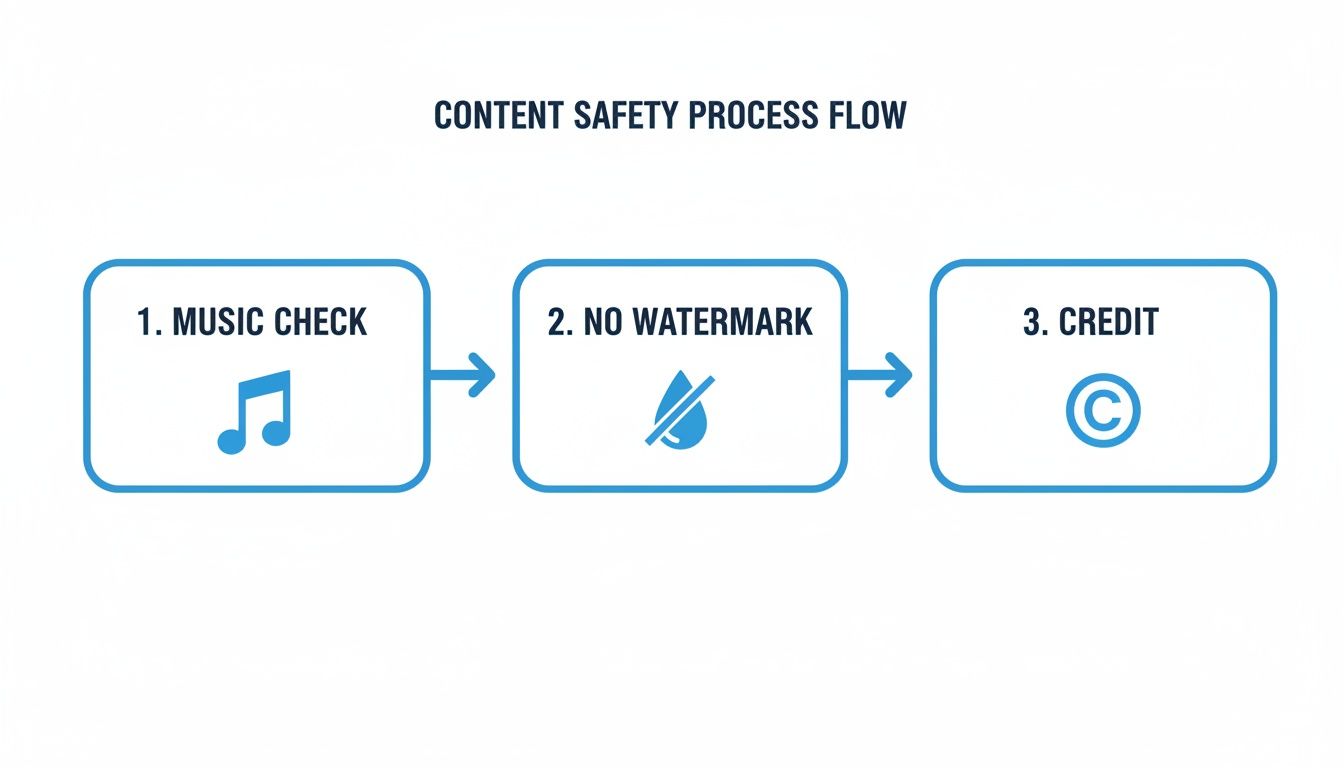
By automating checks for music rights, watermarks, and proper crediting, you seriously cut down on the risks and keep your accounts in good standing with the platforms.
A Modern Creator Workflow
This new approach flips the traditional process on its head. It’s perfect for creating those supplementary clips that drive traffic back to your main videos or for generating entirely new faceless content that expands your brand's reach.
The workflow is incredibly straightforward:
- Input Your Idea: Just start with a topic, a keyword, or even just a link to your long-form YouTube video.
- Generate AI Script and Visuals: Let the AI create a tight script and then source or generate relevant video clips and images to match.
- Add Voiceover and Music: Pick from a library of realistic AI voices in different languages and add some background music.
- Schedule and Publish: Set your posting schedule for TikTok and YouTube Shorts, and let the tool take it from there.
This system takes what used to be hours of brainstorming, scripting, and editing and condenses it into a process that can take as little as five minutes. To see how this works in the real world, check out our guide on automated social media posting. By embracing automation, you can finally post YouTube videos on TikTok at a scale that actually drives meaningful growth—without piling more work onto your plate.
Got Questions About Turning YouTube Videos into TikToks?
Even with the best game plan, a few questions always come up when you're figuring out how to get your YouTube videos onto TikTok. It’s a process with a few moving parts, and honestly, nailing the small details is what makes your content shine.
Here are a few of the most common things creators run into.
Can You Just Post a YouTube Video Directly to TikTok?
Short answer: No, not with a magic "share" button.
You have to download the video file from YouTube to your phone or computer first. Once it's saved locally, you can upload it to TikTok just like any other clip from your camera roll.
But here’s the thing—just uploading it as-is is a huge missed opportunity. The whole vibe is different on TikTok. The audience expects vertical, snappy content, which is why taking the time to reformat and edit your clips is non-negotiable if you want to see any real results.
How Long Can a Repurposed Video Be on TikTok?
TikTok has really opened up its time limits, now letting you upload videos up to 10 minutes long. That's a massive jump from the old 60-second cap and gives you a lot more breathing room.
But just because you can post a 10-minute video doesn't mean you should. TikTok's DNA is still all about short, high-impact clips. When you're pulling from YouTube, the sweet spot is usually somewhere between 15 and 90 seconds. That’s typically enough time to drop a killer tip or share a hilarious moment without your viewer scrolling away.
Your goal isn't to squeeze a mini-YouTube video onto TikTok. It's about finding that one golden nugget that makes people so curious they have to check out your longer stuff.
Is It Okay to Use Copyrighted Music From YouTube on TikTok?
This one is a hard no. Don't do it.
The music licenses for YouTube and TikTok are completely separate worlds. That track you legally used on YouTube will almost certainly get your TikTok slapped with a copyright claim, which means it gets muted or taken down entirely.
The safest and smartest move is to strip the original audio from your YouTube clip. Upload the silent video to TikTok, and then dive into TikTok’s massive library of commercially licensed sounds and trending audio. This keeps your account in good standing and gives your video a much better shot at getting discovered through an audio trend.
Tired of the manual download-edit-upload grind? ShortsNinja uses AI to turn your existing content into a pipeline of high-quality short videos for TikTok, Shorts, and Reels—complete with visuals, voiceovers, and captions. Get your content scheduled in minutes and get back to growing your channels. Try ShortsNinja today and feel the difference.