
Posting a YouTube Short is technically simple: upload a vertical video under 60 seconds from your phone and pop the #Shorts hashtag in the title. Easy, right?
But that’s just the last step. The real work happens long before you hit “upload.”
Your Blueprint for Creating Viral YouTube Shorts
The success of your Short is decided before you even open the YouTube app. The secret isn't just in how you post, but in what you've prepared. You need a blueprint.
Think of it this way: a blueprint turns a pile of random uploads into a reliable engine for channel growth. It's not about fancy editing software; it’s about nailing the core components that make viewers stop scrolling, watch to the end, and smash that subscribe button.
The entire foundation of a great Short rests on getting the technical specs right. These aren't just friendly suggestions—they're the rules of the road for getting your content seen in YouTube's ecosystem.
Mastering the Technical Must-Haves
Every viral Short starts by checking a few non-negotiable boxes. Getting these right is the bare minimum to ensure your video is even eligible for the Shorts feed. A huge piece of this puzzle is mastering the correct yt shorts aspect ratio, which guarantees your video looks perfect on a phone.
To make it easy, here's a quick cheat sheet covering the absolute essentials.
YouTube Shorts Technical Specifications Cheat Sheet
This table breaks down exactly what you need for every Short. Getting these specs right ensures your video not only qualifies but also looks professional and performs well in the algorithm.
| Specification | Requirement | Why It Matters |
|---|---|---|
| Aspect Ratio | 9:16 (Vertical) | This is the native format for smartphones. It fills the entire screen, creating an immersive experience that keeps viewers from swiping away. |
| Length | 60 seconds or less | The Shorts algorithm is built for speed. Anything longer than a minute simply won't be categorized as a Short, no matter what hashtags you use. |
| Resolution | 1920×1080 pixels | Crisp, high-definition video just looks better. Viewers (and the algorithm) favor professional-looking content, which leads to better engagement. |
Nailing these technicals is your ticket to the game. Once you’re in, you have to win the viewer's attention.
The Psychology of the First Three Seconds
With attention spans at an all-time low, the first few moments of your Short are everything. You have about three seconds—maybe less—to give someone a reason not to keep scrolling. This is your hook, and it has to be magnetic.
A great hook doesn't just tell viewers what the video is about. It punches them with an immediate question, sparks intense curiosity, or shows a visually stunning moment that forces them to stop and see what happens next.
For example, don't start with a boring intro like, "Today, I'm going to show you how to bake a cake."
Instead, open with a shot of a perfectly sliced, mouth-watering cake and plaster text on the screen that says, "You're making this one mistake…" This creates an instant information gap that people feel an almost physical need to close.
You can learn more about nailing the creative side in our full guide on how to create Shorts on YouTube. Mastering this foundational strategy is critical before you dive into the nitty-gritty of how to post.
Posting Shorts From Your Phone and Computer
Your viral Short is edited and ready to go. Now for the most important part: getting it in front of viewers. The good news is that YouTube gives you a couple of different ways to do this, whether you’re uploading on the move or from your main editing computer.
The method you choose really just depends on your workflow. Mobile is built for speed and in-the-moment content, while desktop gives you way more control for those polished, pre-edited videos.
Let's break down how to get your Shorts live using both approaches.
The Mobile Workflow for Quick Uploads
Posting straight from your phone is the fastest way to get your content out there. It taps directly into YouTube’s own creation tools, which is perfect for creators who shoot, edit, and post all from the same device.
The whole process is designed for speed and simplicity. You can add trending audio, toss on some filters, and drop in text overlays right inside the YouTube app before you even hit publish. This is a massive advantage when you're trying to jump on trends the moment they pop off.
Getting started is simple:
- Open the YouTube app and tap the big Create button (+) at the bottom.
- Choose Create a Short. From here, you can record a new clip or just pull an existing vertical video from your phone's gallery.
- Then, you can trim your video, add sounds from YouTube's huge audio library, and use tools like Text, Timeline, and Filters to put the finishing touches on your edit.
This visual lays out the essential blueprint for any Short, no matter where you create it.
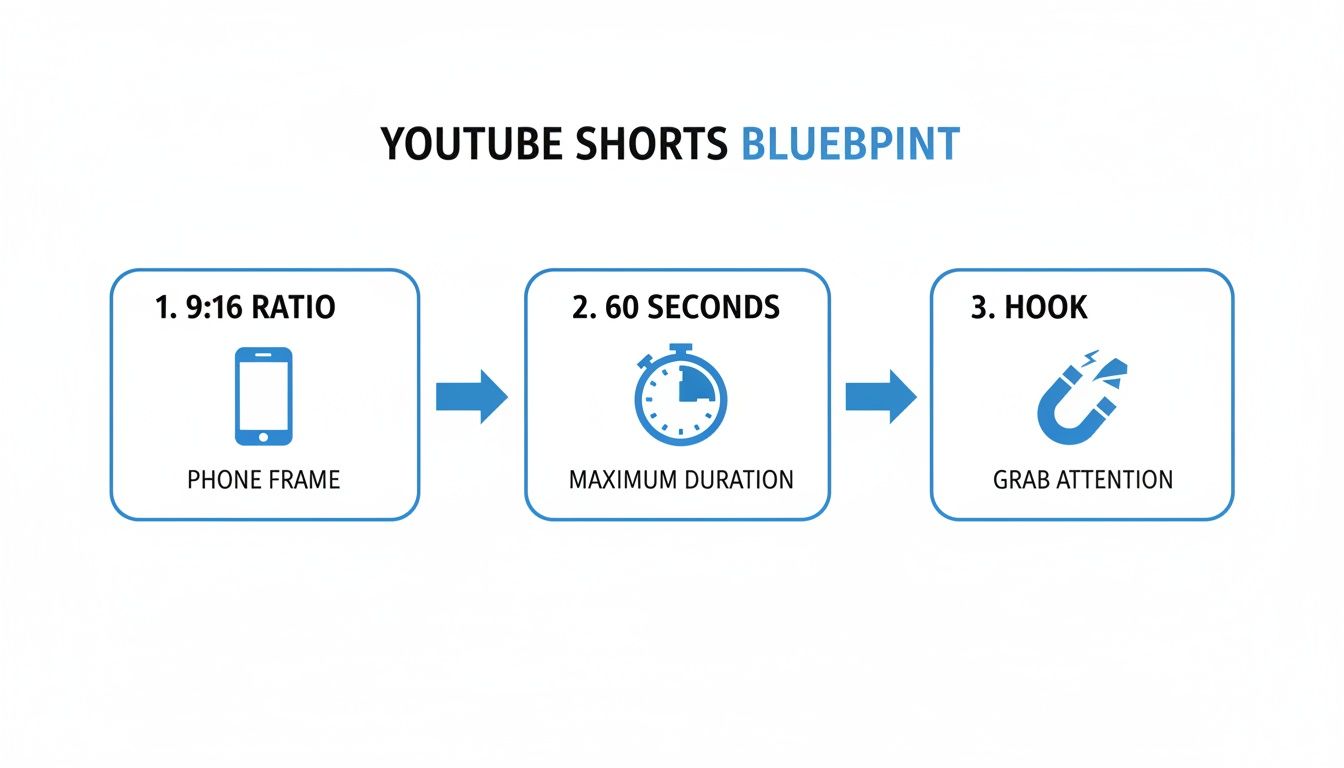
As you can see, a few things are non-negotiable: a 9:16 ratio, a runtime under 60 seconds, and a hook that grabs attention immediately.
The Desktop Workflow for Polished Content
For creators who live in more powerful editing software like Final Cut Pro or Adobe Premiere Pro, uploading from your desktop through YouTube Studio is the way to go. This route gives you the most control over your final video file and all the little details that go with it.
You won't get the in-app creative tools like filters or the Shorts audio library, but you gain the ability to upload high-quality, pre-produced content that looks exactly how you want it to. The key to making sure YouTube recognizes it as a Short is super simple but absolutely critical.
When uploading from a computer, you must include the #Shorts hashtag in either your video's title or description. YouTube's algorithm is pretty smart and can usually identify a vertical, under-60-second video on its own, but this hashtag removes all doubt. It’s a direct signal to the system that your video belongs on the Shorts shelf.
Here’s the straightforward process in YouTube Studio:
- Click the Create icon in the top-right corner and select Upload videos.
- Drag and drop your final video file into the uploader.
- Write your title and description, making absolutely sure to include #Shorts in one of those fields.
- Fill out the rest of the details like audience settings, tags, and thumbnail, then hit publish.
Choosing between mobile and desktop isn't about which one is "better"—it's about what fits your production style. Honestly, many of the top creators use a hybrid approach. They might film on their phone but then do final edits and uploads from a computer for more precision.
Experiment with both to find the rhythm that helps you create your best content consistently.
Optimizing Your Shorts for Maximum Discovery

Uploading your video is just the start. Seriously, the difference between a Short that fizzles out with a few hundred views and one that goes viral often boils down to optimization. This is where you package your content to get the algorithm's attention and make viewers stop scrolling.
Think of your title, hashtags, and other details as signals you're sending to YouTube. They tell the platform exactly who your video is for, helping it land on the right Shorts shelves. Nailing this part gives your content its best shot at finding an audience.
Crafting Titles That Grab Attention
Your title has to pull double duty: it needs to hook a human while also feeding the algorithm the right keywords. A great title is punchy, intriguing, and packed with terms people actually search for. Aim to keep it under 70 characters so it doesn't get awkwardly cut off on mobile screens.
For example, a title like "Cool Card Trick" is forgettable. But what about "This Card Trick Breaks People's Brains"? It sparks curiosity while still containing the core keyword "card trick."
Here are a few title formulas that just plain work:
- The "How To" without the "How To": "Fix a Squeaky Door in 10 Seconds"
- The Shocking Outcome: "I Tried the Viral Recipe and It Was a Disaster"
- The Direct Challenge: "You Won't Believe What This AI Can Do"
A powerful title creates an information gap. It presents a puzzle or a promise that viewers feel they must see resolved, dramatically increasing the chances they'll stop scrolling and watch your Short.
Using Hashtags Beyond the Basics
Okay, everyone knows you need to include #Shorts to get properly categorized. But if you stop there, you’re leaving views on the table. Hashtags are your way of giving the algorithm extra context about your video. The trick is to use a mix of broad and specific tags to cast the widest net possible.
Think of it this way: you have a big net and a smaller, more precise one.
- Broad Hashtags: These are the high-traffic tags that place you in a general category. Think
#DIY,#comedy, or#fitness. - Niche Hashtags: This is how you find your people. Instead of just
#gaming, get specific with#ValorantClipsor#MinecraftBuildHacks. - Branded Hashtags: Got a series going? Use a unique tag like
#My30DayChallengeto help viewers find all the related videos.
Stick to 3-5 highly relevant hashtags in your description. Piling on dozens of unrelated tags just confuses the algorithm and can actually hurt your video's distribution.
The Thumbnail and Playlist Strategy
There's a lot of debate about custom thumbnails for Shorts. While it's true that Shorts often autoplay in the feed without showing the thumbnail, it does show up in other important places—like when your video is shared, embedded, or appears in regular search results. It's a smart move to pick a bright, clear, and compelling frame from your video as the thumbnail.
Finally, don't let your Shorts get lost in the void. Group them into playlists. If you create a playlist like "Quick Kitchen Tips" or "Daily Tech News," you make it easy for people to binge-watch your content. This drives up your channel's total session time, which is a huge signal to the YouTube algorithm that your stuff is worth promoting.
How to Schedule Shorts and Automate Your Workflow
Consistency is the algorithm’s love language. Everyone knows that posting Shorts daily seems like a direct line to growth, but let's be real—it's also a fast track to creative burnout. The secret isn't just grinding harder; it's about building a smart system that works even when you aren't.
This is where scheduling and automation become your secret weapons. Instead of scrambling to get a video out every single day, you can batch-create your content and set it to go live at the perfect moments. You maintain all the momentum while freeing yourself up to think about the bigger picture.
Scheduling Shorts in YouTube Studio
YouTube Studio already has a powerful, built-in scheduling tool that every creator should be using. It lets you upload your finished Shorts in bulk and then strategically drip them out when your audience is most likely to be online. This simple shift turns a daily chore into a focused, once-a-week task.
The process itself couldn't be simpler:
- Upload your Short from your desktop like you normally would.
- When you get to the "Visibility" screen, don't click "Public." Instead, select Schedule.
- A calendar will pop up. Just pick the exact date and time you want your Short to go live.
- Click Schedule, and you're all set. YouTube handles the rest, publishing it for you right on time.
This small change in your workflow is a game-changer. You can knock out an entire week's worth of content in a single afternoon. By doing this, you guarantee you never miss a posting day and consistently hit those peak viewer hours, giving every Short the best possible chance to take off. For a more detailed walkthrough, check out our guide on how to schedule YouTube Shorts.
Unlocking True Efficiency with Automation
While scheduling is a huge step up, automation tools are what really take your workflow to the next level. These platforms are built to handle all the repetitive, soul-crushing parts of content creation, letting you step back and be the strategist.
True scale doesn't come from grinding harder; it comes from building an automated engine that creates content for you. It’s the "create once, publish everywhere" model that allows creators to dominate a niche without the daily manual effort.
This is exactly where tools like ShortsNinja come in, completely transforming how you get from an idea to a published video. Imagine just typing a simple prompt, and an AI scripts it, generates compelling visuals, adds a realistic voiceover, and schedules it across multiple platforms for you.
The power of this approach is backed by hard numbers. Recent reports show that channels uploading Shorts daily saw a 50% year-over-year growth in creators, and 70% of all channels that upload monthly are now posting Shorts. Tools like ShortsNinja make this effortless, automating the entire script-to-post process in minutes using AI from models like Flux and Kling.
This lets you generate faceless videos with voiceovers in over 50 languages and schedule them across different timezones. Many agencies have scaled to millions of views this way, all without ever filming a single clip themselves. You can find more insights in these YouTube Shorts statistics on alloutseo.com.
By combining batch creation, smart scheduling, and powerful automation, you can maintain the relentless posting schedule the algorithm loves without sacrificing your sanity.
Using Analytics to Refine Your Shorts Strategy

Posting consistently is a solid start, but the real growth happens when you understand what's working and do more of it. Think of your YouTube Analytics dashboard as a treasure map—it turns guesswork into a data-driven plan for building a real audience.
Forget getting bogged down in vanity metrics. The goal here is to zero in on the numbers that show how people actually interact with your content. This is how you discover which topics hit home, which hooks grab attention, and which formats get viewers to stick around.
Pinpointing the Metrics That Matter
Not all views are created equal, and to really get a feel for performance, you have to dig into the specific Shorts metrics inside YouTube Studio. This is where you move beyond generic advice and start tailoring content to your unique audience.
Here are the key data points I always keep an eye on:
- Views from Shorts feed: This number tells you how well the algorithm is picking up and distributing your content. A high number here means you're successfully reaching new viewers outside your subscriber base.
- Viewed vs. swiped away: This percentage is your most direct form of feedback. It tells you exactly how many people watched versus immediately scrolled past, revealing the true power of your hook.
- Audience retention: Check the graph to see where viewers are dropping off. If most people bail in the first three seconds, your intro needs a rethink. If they stick around until the end, you’ve found a winning formula.
The "Viewed vs. swiped away" metric is your ultimate truth-teller. A high 'viewed' percentage is a direct signal to the YouTube algorithm that your content is engaging and worth showing to more people.
To get an even deeper understanding, robust YouTube monitoring tools can offer invaluable insights into performance trends and audience behavior. We also have a full guide that breaks down the top 5 metrics for YouTube Shorts growth.
Turning Data Into Actionable Strategy
With this data in hand, you can start making smarter decisions. For instance, if you notice Shorts about a specific topic consistently get high retention, that's a blinking neon sign telling you to create a series around it. This is how you capitalize on trends and build a loyal community.
The sheer scale of the platform makes this data non-negotiable. YouTube Shorts are projected to hit over 200 billion daily views in 2025, and with 70% of those plays coming from non-subscribers, smart optimization is your ticket to going viral.
Data shows the 52 million+ channels posting Shorts see a staggering 186% year-over-year view growth when they nail their hooks and jump on trends. This is where creating a series of Shorts can be a game-changer, and tools like ShortsNinja can take you from idea to a fully published series in just five minutes. By analyzing your performance, you can identify what your audience loves and create more of it with incredible efficiency.
Got Questions About YouTube Shorts? Let's Clear Them Up.
Even with the best game plan, you’re bound to hit a few snags or have questions pop up. That’s totally normal. Most creators run into the same handful of uncertainties when they first dive into Shorts.
Let's walk through some of the most common questions I hear, so you can skip the guesswork and get back to creating.
Can You Actually Make Money from YouTube Shorts?
You absolutely can. The main route to monetization is through the YouTube Partner Program (YPP). The bar for entry isn’t as high as you might think, but there are specific targets to hit.
To get in, you need 1,000 subscribers plus one of the following:
- 4,000 public watch hours on your long-form videos in the last year.
- 10 million public Shorts views in the last 90 days.
Once you’re in the YPP, you start earning a cut of the ad revenue that runs in the Shorts feed. Your share is based on your total views, so the more eyes you get on your content, the more you stand to make. It's a direct numbers game.
Will Posting Shorts Hurt My Main Channel?
This is probably the biggest fear I see from established creators, but it’s a myth that needs busting. The reality is quite the opposite—Shorts are one of the most powerful tools you have for channel growth.
Think of them as trailers or entry points to your broader content world. They expose your work to a massive audience that might have never stumbled upon your longer videos. These new viewers come for a quick, engaging clip, get a taste of your style, and a percentage of them will stick around to see what else you've got. It’s a funnel, and Shorts are the wide-open top.
When Is the Best Time to Post My Shorts?
If anyone gives you a single "best time to post," run the other way. The perfect time isn't a universal secret; it’s unique to your audience and when they are online. General advice often points to weekday afternoons, but your own data is infinitely more valuable.
Your analytics are your best friend here. Go to YouTube Studio, click on the 'Audience' tab, and look for the 'When your viewers are on YouTube' chart. That chart is pure gold.
It tells you, with zero ambiguity, the exact hours your community is most active. Schedule your Shorts to go live right as those peak times begin. This gives your content the strongest possible start, signaling to the algorithm that people are interested, which in turn helps it get pushed out to even more viewers. Test a few of those peak windows and see what works best.
Is the #Shorts Hashtag Still a Thing?
Yep, it sure is. While YouTube’s algorithm has gotten incredibly good at identifying vertical, short-form videos on its own, adding #Shorts to your title or description is still an official best practice.
Think of it as an extra layer of insurance. It's a direct, unmistakable signal to the system that says, "Hey, this is a Short, put me in the Shorts feed." It removes any potential confusion and helps ensure your video gets categorized correctly right from the start, maximizing its chance of being discovered.
Ready to stop grinding and start growing? ShortsNinja uses AI to turn your ideas into a month's worth of high-quality, scheduled Shorts in minutes. Generate faceless videos with realistic voiceovers and let our automation handle the rest. Try it now and see how easy content creation can be at https://shortsninja.com.