
You've probably been here this week. The calendar says you need three more short videos. One idea is half-written in your notes app, another is sitting in your head with no hook, and the third only exists as guilt.
That's the trap most creators stay in. They treat every video like a fresh emergency.
A real content creation workflow fixes that. Not because it makes content less creative, but because it removes the repeat decisions that drain your energy. For short-form video, that matters even more. The format rewards consistency, speed, and volume, but the old brainstorm-record-edit-post loop breaks down fast when you're trying to publish across TikTok, YouTube Shorts, and Instagram Reels.
The better approach is operational. Build a system for ideation, scripting, creation, review, publishing, and tracking. That structure is now standard across modern content teams because it helps content move from concept to publication and supports measurement through metrics like impressions, clicks, CTR, time on page, bounce rate, and conversions, as described in Activepieces' overview of content creation workflows.
Beyond Burnout Your Repeatable Content Workflow
Burnout usually doesn't come from making videos. It comes from making every decision from scratch.
When creators say they're inconsistent, the root problem is often simpler than motivation. They don't have a repeatable system for turning one rough idea into a finished, scheduled video. So each post starts at zero, and zero is expensive.

What the workflow actually looks like
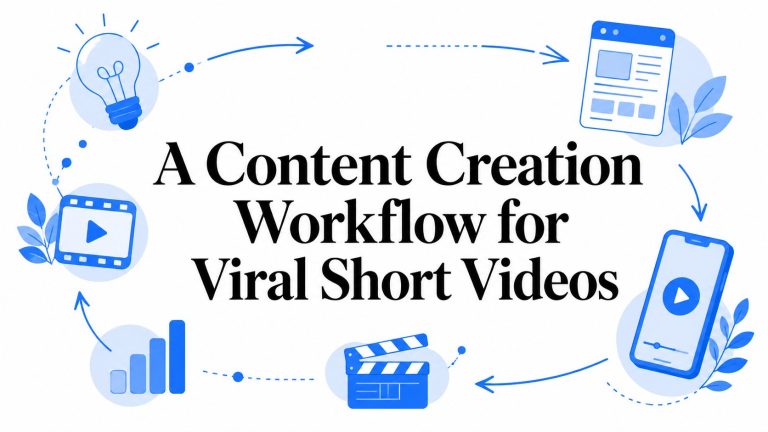
For short videos, the cleanest workflow has five moving parts:
Ideation and planning
Build an idea bank, choose formats, and decide what gets made this week.Scripting and creation
Turn approved ideas into short scripts, assets, voiceover, footage, or AI-generated visuals.Publishing and distribution
Format correctly for each platform, write platform-ready captions, and schedule.Measurement and analysis
Check what held attention, what got shares, and what drove the action you wanted.Optimization and refinement
Rewrite weak hooks, reuse winning concepts, and retire formats that never land.
That's not corporate overhead. It's how you stop wasting your best energy on admin.
Practical rule: If you're deciding what to post on the same day you need to publish, your workflow is broken.
Why structure helps short-form creators more than anyone
Short-form video moves too quickly for a loose process. Trends shift, hooks fatigue, and audience expectations change by platform. A creator who relies on inspiration will always feel behind.
A creator with a system can batch decisions.
Here's the difference in practice:
| Chaotic approach | Repeatable workflow |
|---|---|
| Searches for ideas daily | Pulls from a pre-vetted backlog |
| Writes scripts from scratch | Uses a proven script template |
| Edits one-off | Reuses format and caption styles |
| Uploads manually | Schedules in batches |
| Guesses what worked | Reviews channel-specific signals |
The payoff is simple. You spend less time switching contexts and more time improving what viewers see.
For teams, this also makes handoffs cleaner. Writers, editors, designers, reviewers, and analysts can work through assigned roles instead of stepping on each other. For solo creators, it gives you the same benefit in a smaller form. You know what stage you're in, what decision matters now, and what can wait.
Phase 1 Ideation and Strategic Planning
Monday morning gets expensive fast when the idea list is empty. You burn an hour scrolling for inspiration, another hour trying to force a hook, then editing turns into cleanup for a weak premise. Short-form creators feel this more than anyone because the format rewards volume, speed, and clarity at the same time.
The fix is a planning system that produces usable video ideas before you need them. For short-form, that means an idea bank built for rapid execution, not a vague notes app full of half-topics.
I keep mine in Notion or Trello with columns like Raw Ideas, Validated, Ready to Script, In Production, Scheduled, and Rework. The app is interchangeable. The discipline is not. Your next few weeks of videos should already exist in rough form before production starts.
Build an idea bank that feeds production
A backlog only helps if each idea is specific enough to turn into a 20 to 60 second video without a fresh brainstorming session.
Give every entry a few fields:
Core topic
The subject in plain language, such as pricing mistakes, study hacks, client objections, or side hustle myths.Hook angle
The tension point or opening line. In short-form, the angle often matters more than the topic.Format
Talking head, faceless explainer, screen recording, list, reaction, green screen, or before-and-after.Platform fit
The same idea may need different pacing, framing, or visual treatment on TikTok, Reels, and YouTube Shorts.Why it matters now
A trend, repeated customer question, seasonal timing, new feature, common mistake, or objection you keep hearing.
That last field saves a lot of dead drafts. A topic can be accurate and still underperform if there is no immediate reason for someone to care today.
Validate ideas before they reach the script stage
Many creators lose time by treating ideation like free-form creativity, only to discover halfway through scripting that the concept has no hook, no urgency, or no clear payoff.
Three checks solve most of that.
Start with comments, DMs, sales calls, support tickets, and community posts. Repeated questions are already packaged demand. If the same pain point keeps showing up, it deserves multiple angles, not one video.
Next, study winners in your niche for structure. Ignore the surface topic for a minute and look at the mechanics. What kind of first sentence stopped the scroll? Where did proof show up? How quickly did the creator get to the point? That gives you repeatable patterns without turning your feed into a copy of someone else's.
Then group ideas by theme. One strong theme can produce a week or two of short videos if you break it into mistakes, myths, examples, tools, counterarguments, and case-based takes. For a practical framework for creating short-form content with AI, use that process during planning so each theme already points toward script and asset generation.
Good planning for short-form should feel boring. That usually means the system is working.
Set a cadence your workflow can actually support
Publishing frequency should come after capacity planning, not before. I have seen creators commit to daily posting because it sounds serious, then miss half their schedule because they built no backlog and left every decision for the day of publishing.
A better rule is simpler. Set a cadence based on how quickly you can consistently validate ideas, script them, produce them, and schedule them without rushing quality. Audience type matters too. Student-focused channels can often support a faster rhythm, while business-owner audiences may respond well to fewer, sharper posts tied to clear problems.
The practical goal is sustainability.
If you can reliably ship two strong short videos a week, build around two. Once the idea bank stays full and production stops feeling reactive, increase volume from a stable base instead of forcing it early.
Phase 2 Scripting and AI Asset Generation
A short-form creator can have a full idea bank on Monday and still miss the week because Tuesday turns into script paralysis. The problem usually is not creativity. It is translation. Turning a raw angle into a 20 to 45 second video that sounds natural, fits the platform, and gives the editor enough visual direction to move fast.
Short scripts carry more load than longer content. Every line has to earn its place. If the opening does not create tension or curiosity, retention drops. If the middle wanders, the clip loses shape. If the ending asks for too much, the call to action feels pasted on.
Write for spoken pacing
I script short videos to be said out loud, not for private reading.
That changes the writing immediately. Spoken lines need rhythm, contrast, and clean transitions. Blog-style sentences tend to be too complete, too formal, and too slow for a feed built on thumb-level decisions. A useful check is reading the script once at recording speed. If a line feels awkward in your mouth, it will usually feel awkward in the video too.
A practical structure keeps this under control:
Hook
Open with a problem, a sharp claim, or a specific outcome.Payload
Give one idea room to land. One lesson, one mistake, one example, or one quick process.Close
Point to the next action. Save it, comment, follow, or watch the related clip.
The trade-off is clarity versus coverage. Creators often try to squeeze an entire topic into one short. That usually weakens the video. One strong point delivered cleanly beats five rushed points every time.
AI helps, but handoffs create a new bottleneck
AI can remove the blank-page problem. It can generate hooks, structure rough scripts, rewrite weak openings, and produce alternate versions faster than a human working from scratch. That speed matters when you are producing short videos at volume.
The next bottleneck shows up fast. The script exists, but the scenes, voiceover, captions, and timing all live in different tools. Then the creator becomes the integration layer, copying lines between apps, trimming prompts, fixing mismatched visuals, and trying to keep the original idea intact.

That is where many AI-assisted workflows lose their speed advantage. Separate tools can produce better output in isolated parts of the process, but they also create more review work and more opportunities for the story to drift.
Build scripts in scene-ready chunks
The fix is simple. Write the script in units that map directly to visuals.
Instead of drafting one block of copy, break it into short scene beats. Each beat should answer three questions: what is being said, what should appear on screen, and what feeling or emphasis should the delivery carry. That makes it much easier to generate matching assets and spot weak sections before editing starts.
A practical sequence looks like this:
- Start with one validated topic or angle
- Draft a hook with two or three variations
- Split the body into scene-ready lines
- Assign a visual idea to each line
- Generate voiceover and assets
- Review for pacing, factual accuracy, and scene logic
This is also where integrated tools earn their place. A tool like ShortsNinja combines script generation, AI visuals, voiceover, quick editing, and scheduling in one workflow. The benefit is not magic. It is fewer handoffs, fewer copy-paste errors, and faster revision when the script changes halfway through production.
I would still keep a human review step. AI can write a usable first pass, but it can also flatten tone, overstate claims, or pair a solid line with a weak visual. Short-form moves too fast to publish that blindly.
For creators posting at scale, the winning system is usually the one that keeps scripting, asset generation, and scheduling close together. If your process still breaks apart after the script is done, use a YouTube Shorts scheduler that fits a batch workflow so finished videos do not pile up waiting for manual publishing.
Phase 3 Editing and Automated Publishing
It is 10:40 p.m. The videos are edited, thumbnails are exported, and the only step left is publishing. Then the slow part starts. Title tweaks, caption rewrites, platform checks, publish times, timezone math. That routine is why a lot of short-form systems break after production, even when the creative work is solid.
For short videos, editing and publishing need to behave like one production step. If they stay separate, speed disappears. The whole point of using AI upstream is to remove creative drag. You lose that gain fast if finished clips sit in a folder waiting for manual uploads.
Edit for retention, not perfection
Short-form editing rewards clarity more than polish. I stop editing when the next change no longer improves the viewer's decision to keep watching.
That usually means checking four things.
The first second earns attention
Open on motion, tension, a strong line, or a visual change. Slow starts rarely recover.Captions support the point
Good captions guide the eye to the key phrase. They do not need a new animation on every line.The frame changes before attention drops
A crop, cutaway, overlay, or text shift is often enough. The goal is pace, not clutter.Audio helps comprehension
Music can add energy, but the voice or primary message still has to win.
This is a real trade-off. Extra polish can raise quality a little. It can also cut your weekly output in half. For creators trying to post consistently, the better standard is finished, clear, and on schedule.
Publishing is usually the real bottleneck
Creators who are close to being consistent usually do not have an idea problem by this phase. They have a queue management problem.
Manual publishing adds small decisions every day. Which clip goes out first. Which caption fits this platform. Whether the post should go live now or wait until tomorrow. Those decisions feel minor, but they create friction, and friction kills volume. AI helps you get through scripting and asset creation faster. A publishing system has to protect that speed on the back end.
I treat scheduling as part of editing. Before a video is marked done, it needs a title, caption, platform version, publish slot, and final approval state. If one of those is missing, the job is not finished.
What an automated publishing setup should cover
A useful system does more than hold videos for later. It should reduce repeat decisions and make gaps obvious.
| Need | Why it matters |
|---|---|
| Multi-channel scheduling | One batch should feed every target platform without separate posting rituals |
| Timezone control | Series perform better when viewers can expect a consistent release window |
| Queue visibility | You need to spot empty days, content collisions, and unfinished drafts quickly |
| Repeatable series setup | Ongoing formats should reuse templates instead of being rebuilt each week |
| Final review checkpoint | Automation should hold the line on consistency without publishing obvious mistakes |
If YouTube is part of the mix, a YouTube Shorts scheduler built for batch publishing helps remove the daily upload loop that stalls a lot of creators.
One more rule matters here. Automation should handle distribution, not judgment.
I still want a last human pass for caption errors, bad crops, wrong aspect ratios, or a line that reads differently once the full edit is assembled. The win is not removing oversight. The win is removing repetitive work that does not improve the content.
Manual posting gives more day-to-day control. Automated publishing gives continuity. For short-form creators producing at speed and scale, continuity is usually what keeps the system alive.
Phase 4 Measurement and Continuous Optimization
A content creation workflow isn't complete when the video goes live. Publishing gives you feedback. The workflow only gets smarter if you use it.
The strongest teams decide what success looks like before production starts. That's a practical standard in mature workflows. Content should be measured against channel-specific signals such as conversion rate, time on page, and bounce rate, and those metrics should be defined during ideation so the team knows the target before production, as outlined in Contentful's guidance on content creation workflows.

Decide the job of each video
Short-form creators get into trouble when every video is judged by the same vague standard. One video is meant to drive follows. Another is meant to spark comments. Another is there to send viewers deeper into your funnel.
That means your review should ask job-specific questions.
For awareness videos
Did the opening earn attention and hold enough interest to generate reach and shares?For authority videos
Did viewers stay long enough to absorb the point, and did the comments show understanding?For conversion-focused videos
Did the clip lead people to the intended action?
A single dashboard won't answer all of that. Native platform analytics still matter because each channel surfaces slightly different audience behavior.
For a platform-specific view, this breakdown of the top metrics for YouTube Shorts growth is worth reviewing alongside your own dashboard.
Later in the process, a visual summary can help keep the team aligned on what to watch:
Turn metrics into the next batch of ideas
The primary advantage of measurement is not reporting. It's creative direction.
If a certain hook style consistently wins attention, add more ideas that support it. If a topic gets saves but not comments, that may still be useful. If a format brings weak retention, don't just “try harder” on the same template. Replace it.
Track patterns, not isolated wins. One good video can be luck. Repeated behavior is a signal.
This is also where many creators realize they skipped briefing. They jumped into drafting because the idea felt obvious. Then the video underperformed because it wasn't tied to a clear audience need.
That's why the feedback loop matters. Measurement should push you backward into better planning, not just forward into more output.
Building Your Workflow Toolkit and Templates
You sit down to make five short videos. Forty minutes later, you still haven't recorded anything because the topic ideas are in one app, last week's script is buried in a doc, and the publishing plan lives in your head. That's usually not a creativity problem. It's a systems problem.
For short-form video, the toolkit matters less than the handoff between steps. The goal is speed without chaos. A good setup reduces decisions, keeps assets easy to find, and lets AI handle the repetitive work that slows creators down, especially at the scripting and packaging stage.

A lean toolkit by workflow stage
A small stack usually works better than a sprawling one.
Here's a practical setup for short-form production:
Planning with Notion or Trello
Keep one board for idea capture, prioritization, production status, and publish dates. If an idea can't move through the full pipeline in one place, the system starts to break.Scripting with a template library
Store reusable structures for list videos, myth-busting clips, tutorials, reactions, founder takes, and CTA endings. AI works better when the prompt points to a proven format instead of a blank page.Creation with an AI or editing platform
CapCut, Descript, or a faceless video tool can all work. The trade-off is control versus speed. Full editing tools give more flexibility. AI-heavy tools remove more manual assembly.Scheduling with built-in publishing software
Prioritize queue visibility, recurring series support, and platform-specific export settings. Scheduling should reduce last-minute posting, not create another review bottleneck.Analytics with native dashboards
Each platform surfaces different behavior. Use those views to decide what to remake, what to cut, and which formats deserve a series.
Templates matter more than extra tools
Templates cut hesitation at the exact points where creators usually stall.
Keep these ready:
Script template
Hook, setup, proof, payoff, close.Series template
Topic family, audience problem, recurring angle, CTA style.Weekly production template
What gets scripted, generated, reviewed, and scheduled each day.Review checklist
Brand voice, platform fit, formatting, SEO details where relevant, and factual accuracy.
The practical benefit is consistency under time pressure. Instead of asking how to structure a video every time, you drop the idea into a known format, generate a first draft, and revise only what needs judgment. That is where AI saves real time for short-form creators. Not by replacing creative choices, but by removing the slowest repetitive steps.
Fit the workflow to your audience and bandwidth
Your setup should match the volume you can sustain without making the videos feel rushed. A solo creator publishing educational Shorts needs a different system than a founder posting occasional opinion clips. Copying a larger team's stack usually creates friction, not output.
I've found that the best workflow feels boring in the right ways. Ideas are captured before they disappear. Scripts start from templates instead of a blank page. Assets move through review in a set order. Publishing happens from a queue, not from memory.
If you want to simplify faceless short video production and scheduling in one place, ShortsNinja is one option to test. It supports AI scripting, visual generation, voiceover, editing, and auto-publishing for short-form channels, which makes it useful for creators who want a tighter workflow with fewer tool handoffs.