

When people hear "content automation," they often picture robots writing blog posts. That's not quite it.
Content automation is about using technology to take over the repetitive, manual tasks involved in creating, managing, and publishing your content. It automates the process, not the creativity. This smart shift frees up your team to focus on what humans do best: strategy, big ideas, and connecting with your audience.
Unpacking What Content Automation Really Means
Think of a busy restaurant kitchen. A top chef doesn't spend their day chopping every single onion or measuring every pinch of salt by hand. They have prep cooks and specialized equipment to handle that. This doesn't make the chef obsolete; it makes them more effective. With the grunt work handled, they can focus on designing new dishes, perfecting flavors, and ensuring every plate that leaves the kitchen is incredible.
That's exactly what content automation does for your marketing team. It's the system that chops the onions so your creatives can focus on their culinary genius. It's much more than just a social media scheduler; it's a completely different way of running your content operations. The idea is to build a smart system where technology supports your team at every step, from brainstorming to analyzing the results. For a closer look at the mechanics, this guide on What is Content Automation is a great place to start.
The Core Pillars of Content Automation
Content automation isn't just one tool. It's an entire ecosystem of technologies that work together. The whole process is usually supported by three main pillars.
Let's break down these core components in a simple table.
The Core Pillars of Content Automation at a Glance
| Pillar | Function | Example Technologies |
|---|---|---|
| Content Creation | Generating drafts, creating variations, or producing assets like images and videos from simple text inputs. | AI writing assistants, text-to-image generators, AI video editors. |
| Content Management | Organizing, storing, and preparing content. This includes tagging assets, formatting for different platforms, and managing calendars. | Digital Asset Management (DAM), Content Management Systems (CMS), project management tools. |
| Content Distribution | Pushing finished content out to various channels like social media, email, or blogs at scheduled times or based on triggers. | Social media schedulers, email marketing platforms, marketing automation software. |
These pillars work together to create a seamless flow from an initial idea to a published piece of content that reaches your audience.
The move toward this way of working is already well underway. A recent survey found that about 50% of companies are already using some form of marketing automation. Of those, 58% automate their email workflows, 49% handle social media automatically, and 33% have automated their content management. The trend is clear: efficiency is the name of the game. This whole approach borrows heavily from the principles of workflow automation, which is all about streamlining business processes everywhere.
By automating the mechanics of content, you’re not diminishing its value—you’re amplifying the human creativity behind it. The goal is to build a scalable content engine that runs smoothly, consistently, and efficiently, giving you a powerful competitive edge.
How Content Automation Works Behind the Scenes
To really get what content automation is, you have to look under the hood. It isn't just a single magic button you press; it’s a whole system of technologies and workflows that work together to handle tasks that used to take up a human's entire day. The setup can be pretty straightforward or surprisingly complex, all depending on the tools you're using.
Think about it like the evolution of driving a car. Basic content automation, like scheduling your social media posts in advance, is a lot like using cruise control. Sure, it handles the repetitive task of keeping a steady speed on the highway, but you're still in the driver's seat—steering, braking, and watching the road.
From Simple Rules to Smart Systems
Advanced content automation, on the other hand, is much closer to a fully autonomous vehicle. You just tell it where you want to go, and the car navigates traffic, adjusts its speed, and makes decisions all on its own. In the same way, modern automation platforms can take a simple idea, generate a complete piece of content, tweak it for different channels, and publish it based on audience data, all with very little hands-on effort.
These systems operate by following a sequence of steps, usually kicked off by a specific trigger. For instance, publishing a new blog post could automatically set off a chain reaction that creates a dozen social media updates, a summary for your email newsletter, and even a quick promotional video.
This infographic breaks down the core stages of an automated content workflow.
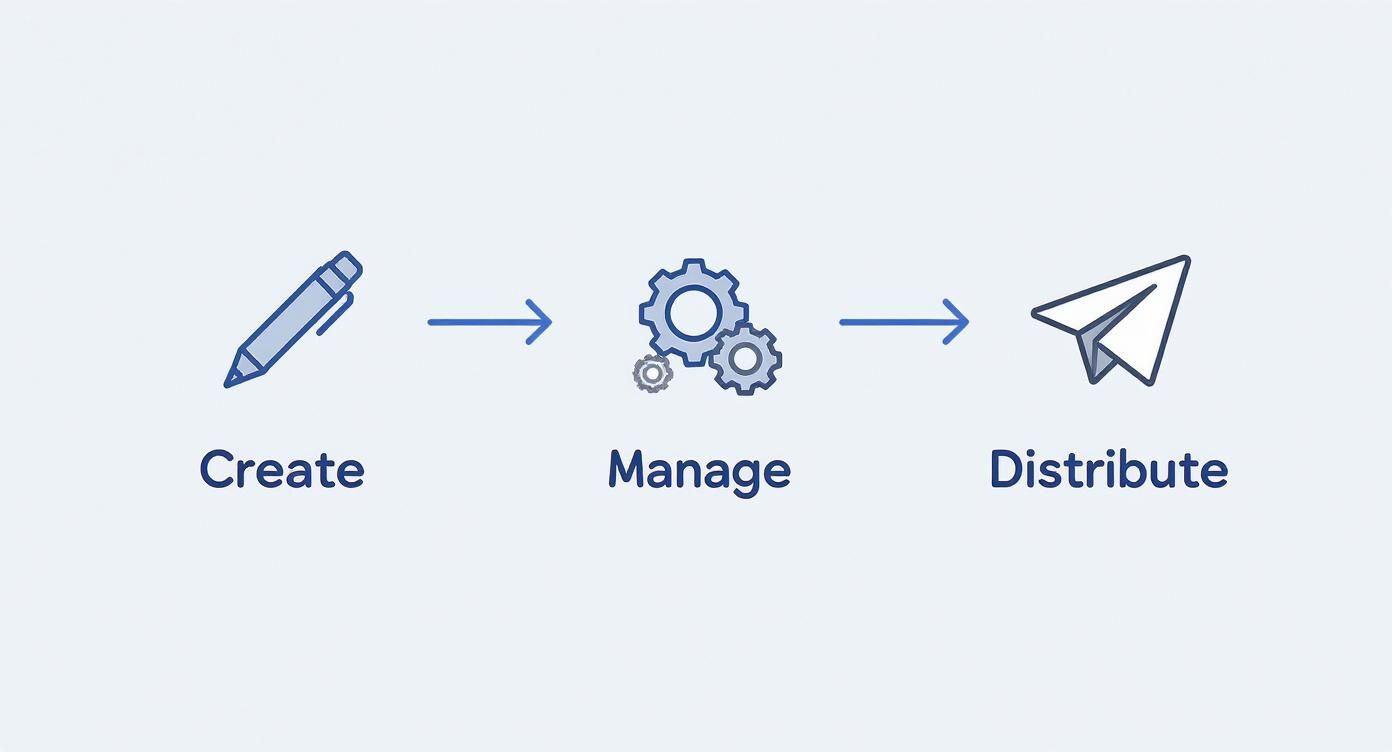
As you can see, automation isn't just about one step. It’s about connecting creation, management, and distribution into one smooth, hands-off process that just works.
A Typical Automated Workflow in Action
Let’s walk through what a common automated workflow looks like from start to finish. It all begins with a trigger—this could be anything from a new row added to a spreadsheet to a specific date on your content calendar.
- Data Ingestion: The system grabs all the necessary info. This could be raw data for a market report, a topic for a blog post, or a link to a long-form video you want to repurpose.
- Content Generation: Using that input, the tool gets to work creating the content. This is where technologies like Natural Language Generation (NLG) step in, turning boring data points into text that people actually want to read. Other powerful AI content creation tools can even generate images or video clips from a simple text prompt.
- Formatting and Optimization: The raw content is then shaped and polished for its final destination. A blog post gets proper headings and SEO tags, while a social media update is customized with the right hashtags and a compelling call-to-action.
- Distribution and Scheduling: Finally, the finished piece is pushed live immediately or scheduled for the perfect time on platforms like your blog, LinkedIn, or YouTube.
The real power isn't just in automating one of these steps; it's in stringing them all together. This creates a seamless production line for your content that runs quietly in the background, freeing up your team to focus on big-picture strategy and genuine creativity.
The Real-World Benefits of Automating Content
Beyond the tech and workflows, what does content automation actually do for your business? The real impact isn't just about saving a few hours here and there. It's about fundamentally changing how your team operates and competes.
It's the shift from a constant grind of manual tasks to a system that creates value on its own.
The first win is almost always a massive boost in efficiency. Think about a small marketing team that burns nearly half its week manually scheduling social media, formatting blog posts, and firing off newsletters. All that repetitive work leaves precious little time for brainstorming new campaigns or figuring out what's actually moving the needle.
By automating those chores, you're essentially handing that time back to your team. Instead of getting bogged down in operational weeds, they can finally focus on high-value strategic work—the kind of creative thinking that sparks real growth.
Unlocking Personalization at Scale
Another huge advantage is the ability to personalize content at a scale that’s just not humanly possible. In today's crowded digital world, generic, one-size-fits-all messages are tuned out almost instantly. Content automation lets you tailor your communications to specific audience segments based on their behavior, interests, and past interactions.
For instance, an e-commerce brand can automatically send follow-up emails with product recommendations based on a customer’s recent browsing history. This gets the right message to the right person at the right moment, making your marketing feel helpful, not intrusive. This targeted approach is a big reason why 74% of businesses report that automation improves both efficiency and engagement.
Driving Tangible Financial Returns
Ultimately, these benefits all circle back to measurable financial returns. When you free up your team, you're not just saving on labor costs; you're reallocating that brainpower toward activities that actually generate revenue. The financial upside is often pretty dramatic.
The return on investment for automation is well-documented. For every dollar organizations spend on marketing automation, they see an average return of $5.44.
This powerful ROI is fueling explosive market growth. The global marketing automation industry is projected to jump from USD 6.65 billion to over USD 15.62 billion by 2030. You can explore more automation statistics to see the full financial picture. By cutting down on operational drag and making your marketing more effective, content automation delivers a clear and powerful competitive edge.
Content Automation Examples You Can Use Today

Theory is one thing, but seeing how content automation actually works is where it all clicks. This isn't just a game for massive corporations with endless budgets. Smart businesses of all sizes are already using automation to take on everyday content challenges, claw back their time, and get way better results.
So, let's look at some real-world examples you could start using right away. These aren't pie-in-the-sky ideas; they're happening right now.
Dynamic Email Newsletters
Picture a local real estate agency. Every week, they need to send out a newsletter with new listings. Manually, this is a total grind. Someone has to track down all the new properties, copy the details, find the best photos, write up little blurbs, and then painstakingly build the email. It’s a multi-hour job that’s just begging for mistakes.
With content automation, that entire workflow gets a facelift. An automated system can:
- Automatically pull data from the agency’s property database (like the MLS) for any new listings.
- Generate descriptions for each house using a set template and a bit of AI magic.
- Slot high-quality images and property specs directly into a pre-designed email template.
- Schedule the finished newsletter to land in subscribers' inboxes every Friday morning, like clockwork.
What used to take hours of manual labor now takes just a few minutes of oversight. This same idea works perfectly for e-commerce stores showing off new arrivals or publishers sending out their latest articles.
Data-Driven Business Reports
Think about the monthly agony of the marketing manager. To build a performance report, they have to log into Google Analytics, every social media account, the company CRM, and more. Then they manually copy-paste all that data into a spreadsheet or slide deck. It's tedious, repetitive, and a terrible use of their expertise.
An automated system can connect to all those data sources through APIs and build the report all by itself.
An automated workflow can grab all the key metrics, populate a branded report template, and even add AI-generated commentary on performance trends. The final report gets emailed to stakeholders on the first of the month, no manual effort required.
Smart Social Media Updates
Posting across a dozen social channels every day is a massive time sink. Content automation tools can step in and run the whole show, from creating the posts to getting them published, ensuring you have a steady presence without the daily grind.
A great example is how AI is transforming visual content creation. For instance, AI product photography for fashion brands allows e-commerce stores to generate an endless stream of professional product shots without a single expensive photoshoot.
A killer social media automation workflow might look like this:
- The Trigger: A new blog post goes live on the company website.
- The Action: The system automatically whips up 5-7 unique social media posts based on the blog's key takeaways.
- The Polish: It generates a fresh image or a short video clip to go with each post.
- The Distribution: It schedules all those posts to go out on LinkedIn, X (formerly Twitter), and Facebook over the next two weeks.
Automated Short-Form Video Creation
The demand for short-form video on platforms like TikTok and YouTube Shorts is through the roof, but actually making all those videos is a huge bottleneck. This is where automation is making some serious waves.
Platforms like ShortsNinja can ingest one big piece of content—like a podcast episode, a webinar recording, or even just a blog post—and automatically chop it up into dozens of snappy, engaging short videos. The system finds the best moments, slaps on captions, adds relevant visuals, and formats everything perfectly for vertical screens.
Suddenly, one asset becomes a month's worth of video content. Problem solved.
Your Step-by-Step Implementation Plan

Jumping into content automation is exciting, but a clear plan is the difference between adding a powerful asset to your team and just adding another tool to your stack. Without a structured approach, you'll get overwhelmed by the options and never see the results you're after.
Think of it like building with LEGOs—you need to follow the instructions to create something amazing. Rushing ahead just leaves you with a pile of mismatched bricks. This five-step roadmap will guide you from your initial idea to a fully functioning automated system.
1. Define Your Automation Goals
Before you even glance at a piece of software, you have to know what you want to achieve. Vague goals like "save time" are a great start, but they aren't specific enough to measure. You need to focus on tangible outcomes.
Are you trying to increase your publishing frequency, make your lead nurturing more effective, or just get a specific, mind-numbing task off someone's plate? Clear objectives are your compass, guiding every decision you make from here on out.
Here are a few examples of strong, measurable goals:
- Increase blog output from four to sixteen posts per month without hiring more writers.
- Reduce time spent on social media scheduling by 80%, slashing it from ten hours a week to just two.
- Improve email click-through rates by 15% using automated personalization sequences.
2. Audit Your Current Workflows
Next, it's time to map out your existing content process from start to finish. This is where you find the bottlenecks, the repetitive tasks, and the spots where mistakes always seem to happen. Your audit will shine a light on the perfect opportunities for automation.
Look for the things that are manual, rule-based, and eat up hours of your day. Those are the low-hanging fruit where automation will make an immediate impact. Manually creating and sending a weekly newsletter is a classic example.
A thorough workflow audit isn't about finding fault; it's about finding opportunities. By pinpointing the exact points of friction in your current system, you can choose tools that solve your actual problems, not just the ones you think you have.
3. Choose the Right Tools
With your goals and workflow analysis in hand, you can finally start looking at platforms. The market is packed with options, from simple schedulers to complex AI-powered suites. Luckily, your audit will help you cut through the noise and focus on tools that fit your specific needs.
For instance, when you're looking at tools for automated social media posting, you need to know how well they'll play with your existing content sources.
Choosing Your Content Automation Platform
The right tool should feel like a natural extension of your team, not another hurdle to overcome. This table breaks down what you should be looking for.
| Feature | What to Look For | Why It Matters |
|---|---|---|
| Integration | Does it connect easily with your CMS, CRM, and social media accounts? | Seamless integration prevents manual data transfers and makes your tools work together as one unified system. |
| Scalability | Can the tool grow with your content needs? Can it handle more volume and complexity? | You need a platform that scales with you. Otherwise, you'll be shopping for a new one in a year. |
| Ease of Use | Is the interface intuitive? Can your team pick it up quickly? | A tool with a steep learning curve can slow down adoption and wipe out any time-saving benefits. |
Making a smart choice here means you'll be set up for success right from the start.
4. Launch a Pilot Project
Don't try to automate everything all at once—that's a recipe for disaster. Instead, start with a small, manageable pilot project. This lets you test your new tools and fine-tune your workflow in a low-stakes environment.
Pick one specific process, like automating your X (formerly Twitter) updates whenever a new blog post goes live, and focus on getting it perfect. A pilot project minimizes risk and gives your team the chance to learn the new system without pressure. It also builds the confidence you'll need for a wider rollout.
5. Scale and Optimize
Once your pilot is running smoothly and showing real results, it's time to scale. Start gradually introducing automation to the other workflows you identified in your audit. This last step is really an ongoing process of monitoring, gathering feedback, and optimizing your system.
Keep a close eye on your key metrics to make sure your automation strategy is hitting its goals. And as your needs change, don't be afraid to adjust your tools and workflows to keep your content engine running at peak efficiency.
Common Mistakes to Avoid on Your Automation Journey
Jumping into content automation feels like a massive step forward, but it's surprisingly easy to trip up if you’re not watching your step. A few common mistakes can turn a great investment into a new set of headaches, so let's make sure you're building a system that helps, not hinders.
One of the biggest traps is the "set it and forget it" mindset. A lot of teams switch on their automation and just expect it to run perfectly on its own forever. This thinking completely ignores changing trends, audience feedback, and the inevitable technical glitch, leading straight to stale, irrelevant, or just plain broken content.
Automation is a powerful assistant, not a replacement for strategy. Your system needs regular check-ups to make sure it’s still aligned with your goals and doing what you expect.
Overlooking the Human Element
Another classic blunder is trying to automate tasks that really need a human touch. Sure, an AI can draft a blog post or schedule your social media, but it can’t replicate the nuance of genuine audience engagement or big-picture strategic thinking.
To get it right, focus your automation on the right kinds of tasks:
- Repetitive Data Entry: Think pulling metrics for reports.
- Manual Scheduling: Lining up posts in a content calendar.
- Basic Content Formatting: Applying templates to drafts.
- Cross-Platform Distribution: Pushing a finished blog post to all your social channels.
Choosing the wrong tools is another way things can go sideways fast. A platform that doesn’t play nice with your existing software or is just too complicated for your team to use will create more friction than it removes. Always run a small pilot project to test a tool's fit before you commit to it.
And finally, remember that automation is only as good as the data you feed it. If you start with poor-quality inputs—like an outdated contact list or messy product information—you’ll only get poor-quality automated outputs. It’s a classic case of garbage in, garbage out that can undermine your entire effort.
Got Questions About Content Automation? We've Got Answers
Stepping into new technology always brings up a few questions. It's totally normal. To clear things up, here are some quick, no-fluff answers to the questions we hear most often about content automation.
Will Automation Make Human Creativity Obsolete?
Absolutely not. The whole point of content automation is to take over the boring, repetitive stuff—think scheduling posts, reformatting content, or pulling data. This actually frees you and your team up to double down on what humans do best: coming up with big ideas, telling great stories, and actually connecting with your audience.
Think of it as the ultimate creative assistant, not a replacement.
Is This Kind of Tech Only for Big Companies?
Not anymore. While huge companies were the first to jump on automation, the tools are now way more accessible and affordable for small businesses, agencies, and even solo creators. Many platforms offer plans that scale right alongside your business, making it a smart move for any team looking to get more done without burning out.
The goal of content automation is to amplify human talent, not replace it. It manages the machine-like tasks so your team can focus on the creative work that drives real growth and engagement.
How Do I Actually Measure the ROI?
Great question. Tracking the return on your investment is crucial, and you can look at it from two angles: the hard numbers and the softer, but equally important, benefits.
Here’s what to track:
- Quantitative Metrics: This is the easy stuff. Look at the hours saved per week, a jump in your publishing frequency, better lead conversion rates, and a lower cost to create each piece of content.
- Qualitative Metrics: This is about the team's well-being and creative output. Are you seeing better consistency across your content? Is your team happier with less grunt work on their plates? Are you finally getting to those bigger, more strategic projects you never had time for?
Ready to put your content on autopilot and reclaim your time? ShortsNinja uses AI to turn your ideas into a month's worth of high-quality short videos in just minutes. Try it for free and see the magic for yourself.