

A video watermark on YouTube is a small, customizable image that creators can overlay on all their videos. But here's what many people miss: it acts as a persistent, clickable subscribe button. It's a built-in feature designed to boost your brand and, more importantly, convert viewers into subscribers right from the video player on desktop.
Your Hidden Tool for YouTube Subscriber Growth
Ever feel like your YouTube subscriber count is completely stuck? It happens. But there’s a powerful feature hiding in plain sight that can make a real difference: the branding watermark. Too many creators just upload their logo and call it a day, completely missing its primary function.
This isn’t just a branding element. It's a persistent, clickable subscribe button on every single video you post.
Think of it as a quiet, non-intrusive call-to-action that’s working for you 24/7. When a viewer on a desktop hovers over your video watermark YouTube automatically pops up a subscribe button. This simple interaction removes the friction of having to leave the video, find your channel page, and then click subscribe.

Unlocking Growth Potential
The real magic of this tool is in its subtlety and effectiveness. Viewers get lost in your content, and the moment they decide they love what you're doing, the watermark gives them an immediate way to subscribe. It's one of the most effective conversion tools on the platform for a few key reasons:
- Always Visible: Unlike end screens or verbal reminders that only appear at certain times, the watermark is present throughout most of the video. This maximizes the opportunity for a click.
- Frictionless Subscribing: It boils the subscription process down to a single click without ever interrupting the viewing experience.
- Reinforces Brand Identity: Consistent use of your logo or a custom "subscribe" image builds brand recognition across your entire video library.
By reframing your perspective on the watermark, you stop seeing it as a passive branding element and start seeing it for what it is: an active growth engine. It’s a foundational piece of any solid strategy focused on https://shortsninja.com/blog/how-to-grow-a-youtube-channel-fast/.
Strategic Implementation is Key
Now, just uploading any old image won't cut it. To really make this work, you need to be strategic. The design, placement, and display timing all play a massive role in its success.
For instance, a watermark designed to look like a standard YouTube subscribe button often crushes a simple channel logo in performance. Why? Because it clearly communicates its function to the viewer, tapping into user habits and making the action feel intuitive.
Thinking strategically about subscriber conversion extends beyond just your videos. Learning how to create a direct YouTube subscribe link can also streamline the path for new followers coming from other places, like your email list or social media bios. This guide will walk you through implementing this feature like a pro, turning a simple overlay into a reliable source of new subscribers.
Adding Your Watermark in YouTube Studio
Ready to add that nifty little subscribe button to all your videos at once? The YouTube Brand Watermark is one of the easiest, most effective growth tools you can set up, and it only takes a couple of minutes. You'll find it tucked away in your channel customization settings.
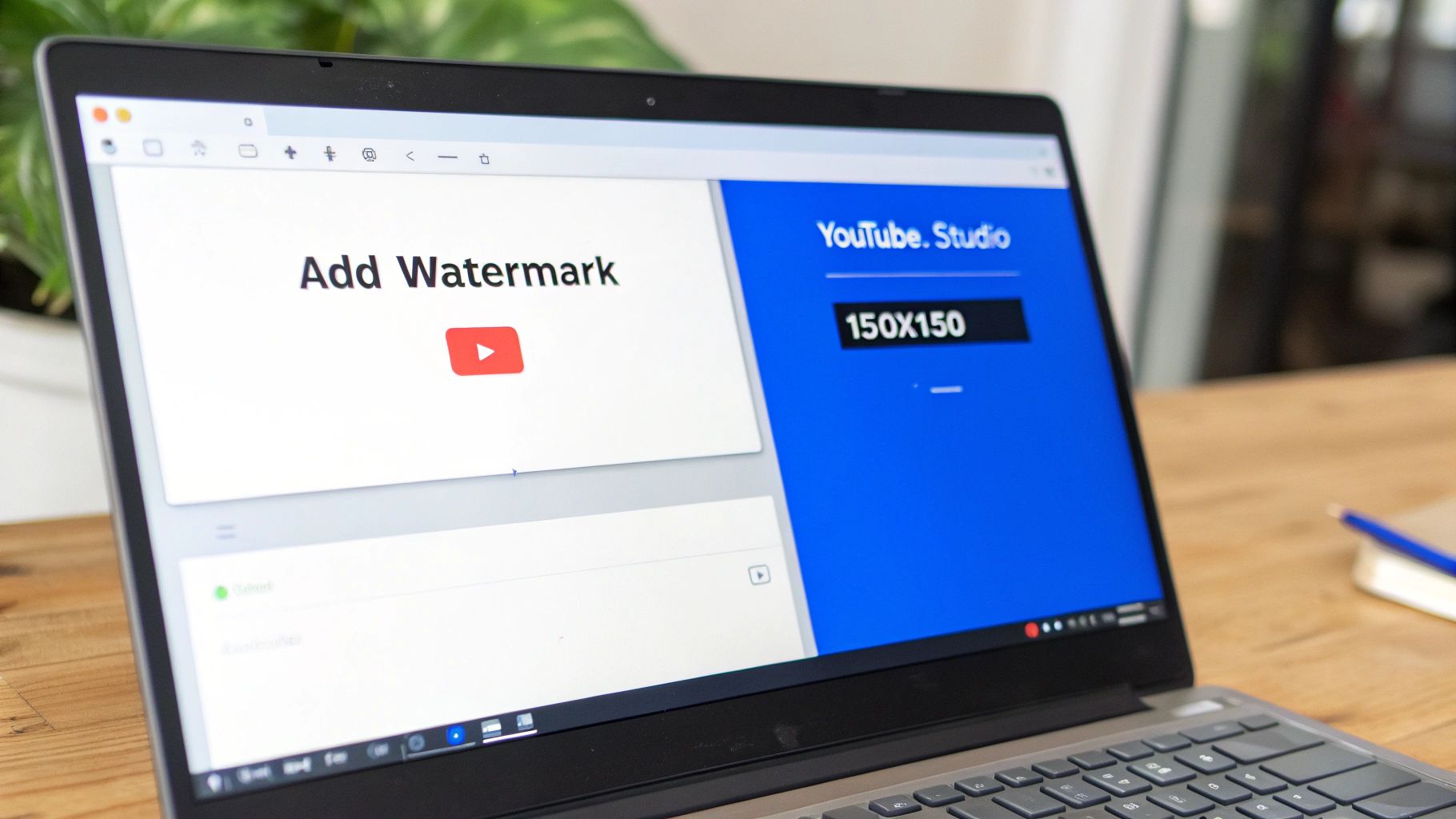
First, head over to your YouTube Studio. Look for "Customization" on the left-hand menu, give that a click, and then pop over to the "Branding" tab. Right there, you'll see the video watermark YouTube section waiting for you. This is where the magic happens.
Choosing Your Display Time
Once you upload your image (make sure it's a square file, at least 150×150 pixels), YouTube gives you three options for when it should appear. Each one has its place, but from years of experience, I can tell you one is leaps and bounds better than the others for actually getting subscribers.
Let's break them down to see why.
Comparing YouTube Watermark Display Times
Here's a quick look at the three display time settings for your YouTube watermark. This should help you decide which one best fits your channel's strategy.
| Display Option | Best Use Case | Potential Drawback |
|---|---|---|
| End of video | Minimalist channels that want zero distractions. | Most viewers leave before the last 15 seconds, so it's rarely seen. |
| Custom start time | Tutorial videos where you need the screen clear for initial steps. | Still limits the time viewers have to click and subscribe. |
| Entire video | Any channel serious about growth. This is the one. | Practically none. It's subtle and becomes visible shortly after the video starts. |
As you can see, there’s a clear winner for creators focused on growth.
For a complete walkthrough of the video creation process, you might want to check out our detailed guide on how to publish a video on YouTube.
The Strategic Advantage of Full Duration
Setting your watermark to display for the "Entire video" is a game-changer. It's such a simple tweak, but the impact is huge. It ensures that no matter when a viewer is most hooked—whether it's at the two-minute mark or ten minutes in—that little subscribe button is always right there, ready for an impulse click.
This constant visibility is a massive advantage on a platform as noisy as YouTube. With 2.7 billion monthly active users watching over a billion hours daily, you need every tool you've got working for you. An always-on watermark is a quiet, persistent nudge to join your community. In fact, some of the most successful creators saw huge gains with this one trick; one famous case study reported a 70% conversion spike just by switching to a watermark that looked like a subscribe button. If you want to grasp the sheer size of the platform, you can explore more YouTube statistics and see why every little edge matters.
Simply put, a full-duration watermark transforms a passive branding element into an active subscriber acquisition tool. It captures impulse decisions from viewers at their peak moment of interest.
After you've uploaded your image and selected "Entire video," just hit the blue "Publish" button in the top right corner. That's all there is to it. YouTube will automatically add this watermark to every single video on your channel, past and future, instantly upgrading your entire library for better growth.
Designing a Watermark That Actually Converts
Throwing your channel logo in the corner of your videos and calling it a day is a rookie mistake. A watermark isn't just about branding—if that's all you're using it for, you're missing the entire point. A well-designed watermark is an active subscriber magnet, not just a passive logo.
The goal here isn't just brand recognition; it's conversion. The best watermarks are designed with a clear call to action (CTA) in mind. They need to feel intuitive, almost like a native part of the YouTube interface, quietly turning casual viewers into loyal subscribers for you.

This is where a little user psychology goes a long way. Your audience is already conditioned to click certain buttons and icons on YouTube. A generic logo doesn't scream "subscribe," but an image that looks just like YouTube's own subscribe button? Now you're talking.
The Famous Backlinko Test
This isn't just a theory; it's backed by some pretty convincing data. The legendary marketing channel Backlinko ran a simple A/B test that became a game-changer. They ditched their standard logo watermark and replaced it with a small design that mimicked YouTube's red subscribe button.
The results were insane. They saw a 70% increase in subscribers coming directly from their video watermark. One small design tweak completely blew their old branding-focused image out of the water simply by telling people what to do. You can read more about this powerful YouTube growth hack and see for yourself how simple changes drive huge results.
This case study is a crucial lesson for every creator: your watermark's design should prioritize function over pure branding. A clear call to action will almost always convert better than a passive logo.
Technical Specs and Design Best Practices
Okay, so you’re ready to create a watermark that actually works. You’ll need to play by YouTube’s rules while also being smart about the design. Getting this right means your image will look crisp and professional without distracting from your actual video.
First, the technical stuff:
- File Format: PNG is your best friend here. It supports transparent backgrounds, which is exactly what you want. A JPG or non-animated GIF will work in a pinch, but PNG is the pro choice.
- Dimensions: It has to be a square. YouTube requires at least 150×150 pixels.
- File Size: Keep it light. The file needs to be under 1MB.
Beyond the specs, the design itself needs to be simple. A busy, complicated image is just going to look like a blurry mess in the corner. Keep it clean.
Creating an Image That Clicks
Your goal is to walk a fine line: create something that’s visible but not distracting. A good watermark should catch the eye just enough to be noticed, but never pull focus from your main content.
Here are a few actionable tips to nail the design:
- Use High Contrast: Pick colors that will pop against most video backgrounds. Red is an obvious choice because it matches YouTube's UI and naturally draws the eye.
- Prioritize Transparency: A PNG with a transparent background is non-negotiable. It lets your watermark float cleanly over the video, avoiding that clunky white or black box that just looks amateur.
- Keep Text Minimal: If you use text, make it short and easy to read. "Subscribe" is really all you need. Forget about small, fancy fonts that will be impossible to decipher at that size.
When you nail these technical and design basics, you can turn the video watermark YouTube feature from a branding afterthought into one of your channel's most reliable growth engines.
Why Watermarks Matter in the Age of AI Content
The world of content creation is getting weird, fast. As AI tools get shockingly good at spitting out videos, YouTube and other platforms are drowning in a sea of low-effort, automated content often called "AI slop."
In this new reality, your simple watermark has a brand new, critical job. It's no longer just about stopping someone from stealing your clip; it’s a powerful signal of authenticity. It’s your stamp of human effort.
This is all about building trust now. When a viewer sees your consistent logo or brand name in the corner, it sends a subconscious signal: a real person is behind this. That tiny visual cue helps you cut through the noise of faceless, soulless videos that are clogging up everyone's feeds.
Standing Out from the AI Slop
The explosion of AI-generated content isn't just a nuisance; it's a massive problem. A bombshell study revealed that over 20% of videos recommended to new YouTube users were blatantly AI-generated, low-quality slop. Those videos racked up a mind-boggling 63 billion views.
In response, YouTube brought the hammer down, terminating 16 of the top 100 most-subscribed slop channels, which had a combined 35 million subscribers. This isn't a minor cleanup; it's a clear signal. You can discover more insights about these marketing trends and see how platforms are fighting back.
This crackdown tells us something vital: YouTube is actively hunting for signs of authenticity. By consistently using a professional watermark, you're sending a clear message to the algorithm and your audience that your channel is the real deal. It’s a smart, proactive move to protect your channel's future.
Even if you're using AI tools like ShortsNinja to help with your workflow, proper branding is more important than ever. A watermark clearly shows you're a legitimate creator using tools responsibly, not a spammer trying to game the system.
In an increasingly automated landscape, your watermark is a declaration of human creativity. It tells your audience, "A real person made this for you," which is becoming one of the most powerful brand assets you can have.
Building Trust Through Transparency
Platforms are also starting to push for more transparency. YouTube and other social media sites are rolling out labels and their own watermarks for AI-generated media to help users tell the difference. YouTube’s own AI video generator, Veo 2, automatically watermarks everything it creates.
By using your own distinct watermark, you get ahead of these platform-wide changes. You stay in control of your brand identity and build a direct line of trust with your viewers. It shows you’re a creator who cares about quality and is proud to put their name on their work.
What used to be a simple branding feature is now a vital part of your strategy for staying relevant and trusted in the age of AI.
Using a Permanent Watermark for Cross-Platform Branding
While YouTube's built-in branding tool is fantastic for driving subscriptions on the platform, its reach pretty much stops there. The moment your video is downloaded or shared elsewhere, that handy little clickable watermark vanishes.
To truly protect your content and keep your brand looking consistent across the entire internet, you need to bake a watermark directly into your video file. This is what we call a permanent or "hard-coded" watermark, and it becomes an inseparable part of your video. Think of it as your digital signature. It travels with your content to TikTok, Instagram Reels, X (formerly Twitter), and anywhere else it ends up, making sure your brand is always front and center.
Total Control Over Your Brand Asset
Baking in a watermark hands you complete creative freedom that YouTube's feature just can't match. You're no longer stuck in the bottom-right corner or with a fixed size.
Instead, you get to call all the shots:
- Precise Placement: Put your logo wherever you want it. A smart move is to place it in a corner less likely to be cropped out by the user interfaces on other platforms.
- Custom Opacity: Dial in the exact level of transparency you're comfortable with. You can make it subtle enough that it doesn't distract from the main event but is still clearly visible.
- Dynamic Effects: Ever thought about having your watermark fade in after a few seconds? Or maybe subtly change position? Your video editor makes all of that possible.
This level of control elevates your watermark from a simple overlay into a sophisticated branding element. It's a key part of a unified visual strategy, especially if you're looking to effectively post your YouTube videos on Instagram and other platforms without losing your brand's footprint.
Your Workflow for Permanent Watermarks
Getting this into your production flow is actually pretty straightforward. All you're really doing is adding your logo as an image or video layer right on top of your main footage timeline in your editor of choice—whether that's Adobe Premiere Pro, Final Cut Pro, or DaVinci Resolve.
Just drag your PNG logo file (make sure it has a transparent background!) onto a track above your video clips. From there, you can resize it, move it around, and tweak its opacity until it looks just right. Once you're happy with it, the only thing left to do is make sure that logo layer stretches for the entire length of your video before you hit export.
A permanent watermark is your content's universal passport. It ensures that no matter where your video travels, your ownership and brand identity travel with it, providing a crucial layer of recognition and theft deterrence.
Beyond Branding: Content Protection
Let's be real: a hard-coded watermark is one of your best defenses against content theft. In a world where freebooting—the unauthorized re-uploading of content—is everywhere, a visible watermark makes your videos a much less appealing target for thieves. It's a clear statement of ownership and makes it incredibly difficult for someone else to pass off your hard work as their own.
For creators who also live stream, this consistency is vital. Weaving a watermark seamlessly across your pre-recorded videos and live broadcasts is a key part of building a complete streaming setup that looks professional and polished. It reinforces your brand identity at every single touchpoint, creating a cohesive experience for your audience. This way, every single piece of content you put out is working to build your brand, no matter how or where people are watching it.
Got Questions About YouTube Watermarks? We’ve Got Answers.
Even the simplest tools can have their quirks, and YouTube's branding watermark is no exception. If you've ever found yourself scratching your head wondering why something isn't working the way it should, you're not alone.
We’ve seen these same questions pop up time and time again from creators. The good news? The fix is usually much simpler than you think. Let's walk through some of the most common snags.
Why Is My YouTube Watermark Not Showing Up?
This is, without a doubt, the number one issue creators run into. Nine times out of ten, the reason is simple: the YouTube Brand Watermark is a desktop-only feature. It just won’t appear for anyone watching on the official mobile app, a tablet, or a smart TV. Given that a huge chunk of views come from mobile, this explains most cases.
Another common culprit is your video's audience setting. If you’ve marked a video as "Made for Kids," YouTube automatically disables features like watermarks to comply with child safety regulations.
If you've ruled those out, it’s time for a quick settings check.
- Head over to YouTube Studio > Customization > Branding.
- Make sure your image is actually uploaded and looks correct.
- Check that the display time is set to "Entire video" for the best visibility.
Still no luck on your desktop? Sometimes a simple browser cache clear is all it takes to jolt it back to life.
Can I Use an Animated GIF for My YouTube Watermark?
Short answer: no. YouTube's native watermark feature only supports static images.
While you can upload a GIF file, the system will just grab the very first frame and display it as a still image. For a much cleaner, more professional look, you should always use a PNG file with a transparent background. This avoids that clunky, solid-colored box appearing around your logo and helps it blend seamlessly into your video.
Don't forget the technical specs! Your image needs to be a perfect square (at least 150×150 pixels) and under 1MB. Sticking to these guidelines ensures your watermark looks sharp and loads properly for everyone.
Does the YouTube Watermark Affect Video SEO?
Not directly. The YouTube algorithm doesn't use the presence of a watermark as a ranking signal. But that doesn’t mean it’s not important.
Think of it this way: a great watermark turns casual viewers into loyal subscribers. When people subscribe, they're sending a powerful signal to YouTube that your content is valuable. This boost in subscribers and engagement tells the algorithm to recommend your videos more often, which can absolutely lead to better rankings and more visibility. It's not a direct SEO tactic, but it’s a critical piece of a healthy channel growth strategy.
How Do I Remove a Watermark From a YouTube Video?
This question really has two very different answers, depending on whose watermark we're talking about.
If you're looking to remove or change your own channel watermark, it's easy. Just go back to YouTube Studio > Customization > Branding. You'll see your current watermark—just hover over it and click "Remove." Done.
However, if you're trying to remove a permanent, hard-coded watermark from someone else's video, you should stop. Attempting to crop it out, blur it, or cover it up is usually a bad idea and can land you in hot water for copyright infringement. The best practice is to always have control over your own watermarks before you ever hit the upload button.
Ready to create high-quality, engaging videos without the hassle? ShortsNinja uses AI to turn your ideas into compelling faceless content in minutes, complete with scripting, visuals, and voiceovers. Try ShortsNinja today and see how easy content creation can be!