

A TikTok video scheduler is more than just a convenience—it's a core tool for automating your content workflow. It lets you plan, upload, and publish videos at specific times without having to be glued to your phone. This simple shift transforms your posting strategy from reactive to proactive, making sure you’re consistently showing up when your audience is most active.
Why Your TikTok Strategy Needs a Video Scheduler
Posting whenever you feel like it just doesn't cut it anymore. TikTok's feed is incredibly crowded, and if you want to grow, you need a strategy. This is where a TikTok video scheduler becomes your secret weapon, turning the daily grind of posting into a smooth, well-oiled growth machine. It’s all about working smarter, not harder.
The biggest win here is getting a leg up on the algorithm. When you schedule posts for peak audience activity, you give your content its best shot at getting seen, liked, and shared. Consistency also signals to the algorithm that you're a serious creator, which can earn you better visibility on the coveted "For You" page.
Reclaim Your Time and Prevent Burnout
Constantly worrying about what and when to post is a recipe for burnout. A scheduler frees you from that daily pressure. Instead of scrambling, you can batch-produce your videos in one go—maybe knock out a whole week's worth of content in a single afternoon—and then set them to go live automatically.
This workflow is a game-changer.
- Time Efficiency: You can condense hours of scattered work into one focused block.
- Creative Freedom: With the logistics handled, you can pour all that saved energy into making better, more creative videos.
- Burnout Prevention: Ditch the stress of last-minute posting and get your work-life balance back.
The goal isn't just to post more; it's to post more effectively without draining your creative spirit. A scheduler takes care of the repetitive stuff so you can focus on what actually matters: your content and your community.
Master a Competitive Platform
The competition on TikTok is no joke. Think about this: users upload a staggering 16,000 videos every single minute. That adds up to over 23 million videos a day. With that kind of volume, a randomly timed post is like a whisper in a hurricane. You can dig into more stats on TikTok's competitive landscape from Sprout Social.
This is where having an organized system makes all the difference.
Having an integrated dashboard allows you to manage everything—from creation to scheduling—in one place. It turns a chaotic process into a simple, automated workflow that gives you a real competitive edge.
Building Your Automated Content Machine
Shifting from posting everything by hand to an automated system is how you start winning back your time and actually scaling your content. This initial setup is quick, painless, and gets your content engine humming. The whole point is to build a direct pipeline from your ideas straight to your TikTok feed.
The backbone of any good TikTok video scheduler is a dead-simple, secure connection to your social accounts. Inside ShortsNinja, this is just a few clicks. You’ll authorize the connection to your TikTok profile, which gives us permission to publish videos for you. It's a one-time thing that makes sure everything you schedule in the future goes live without you having to lift a finger.
Dialing in Your Dashboard for Efficiency
Once your account is linked up, the next move is to get your dashboard working for you. This isn’t about fiddling with a bunch of confusing settings; it's about tailoring the tool to your workflow.
For example, setting your primary timezone is a small step that makes a huge difference. It means when you schedule a video for 9 AM, it actually posts at 9 AM for your target audience, not just whenever it happens to be 9 AM where you are.
Think of this as setting the ground rules for your content machine. You can also lock in default preferences, like caption styles or go-to music choices, which cuts down on repetitive tasks later. The goal is to slash as many clicks as possible between creation and scheduling.
When you fine-tune these small details upfront, you're not just saving a few seconds per video. You're building a system that saves you hours every single week, turning a chaotic process into a smooth, predictable one.
Nailing Down Your Core Workflow
With the technical stuff out of the way, you can focus on the actual workflow. This is the repeatable process that will quickly become second nature. It’s less about following rigid steps and more about creating a fluid motion from idea to scheduled post. The real magic of an integrated system is that you create and schedule all in one place.
A typical workflow might look like this:
- Feed the Idea: Kick things off with a simple prompt or topic for the AI video generator.
- Let the AI Cook: The AI handles the script, voiceover, and initial visuals.
- Quick Polish: Tweak a few things, drop in your logo, or swap a scene you don't love.
- Schedule It: With a single click, the finished video lands on your content calendar.
Seriously, this whole sequence can take less than five minutes per video. No more juggling different apps for scripting, editing, and scheduling. It’s all right here.
For a deeper dive into the strategy behind this, our guide on automated TikTok posting breaks down how this kind of workflow can seriously boost your output and engagement. This streamlined approach gets you ready to schedule your first AI-generated video in minutes and lays the foundation for a truly automated content strategy.
Creating and Scheduling a Video in Minutes
What if you could take a simple idea and turn it into a ready-to-post TikTok video in the time it takes to finish your morning coffee? That’s the reality with a good AI-driven tiktok video scheduler. It turns what used to be a multi-hour chore into a quick, straightforward workflow.
The whole process kicks off with a simple prompt. Forget spending hours trying to write the perfect script. Instead, you can feed a single sentence into a tool like ShortsNinja. For instance, a prompt like "three surprising facts about ancient Rome" gives the AI everything it needs to generate a full script and a professional-sounding voiceover in seconds.
Right away, you’ve skipped past the biggest creative roadblocks: writer's block and the hassle of recording and editing audio. The AI handles the grunt work, giving you a strong foundation to build on.
From AI Draft to Polished Video
Once the script and voiceover are done, the AI starts filling your video timeline with relevant clips and images. These aren't just random stock videos; they’re contextually matched to what’s being said in the script. Your role shifts from content creator to creative director.
You can quickly swap out any visuals that don't quite hit the mark, drop your brand's logo in as a watermark, and pick some background music to nail the right vibe. This whole customization stage is designed to be fast and intuitive—think quick adjustments, not deep, technical editing.
The real magic is in the integration. Since the video generator and scheduler are built into the same platform, you can say goodbye to the annoying steps of downloading, converting, and re-uploading files.
This automated process creates a clear path from connecting your account to getting your content scheduled.
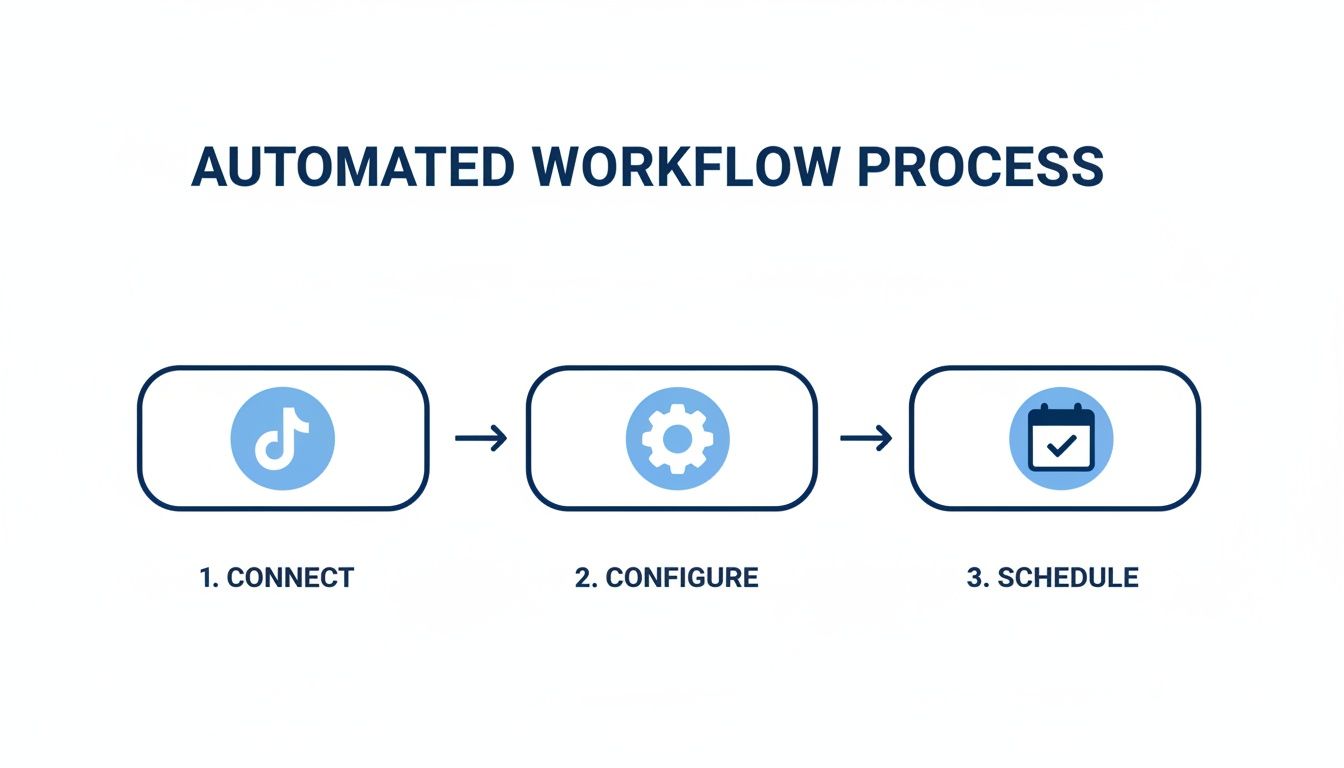
This workflow isn't just a one-off trick. It’s a repeatable system that makes content production a predictable and reliable part of your overall strategy.
The Final Click: Sending to the Scheduler
With your video looking sharp, the final step is just one click. No more exporting the file, logging into TikTok, and uploading it manually. You just send it straight to the integrated content calendar. From there, you can pick the exact date and time for it to go live, write your caption, add your hashtags, and you're all set.
This is how you achieve consistency, which is everything on a platform with this much potential. TikTok had over 1.057 billion users worldwide as of 2023, and that number is expected to hit 2.35 billion by 2029. The opportunity is huge, but so is the competition. Having a tool that helps you post strategically isn't just a nice-to-have; it's essential for growth.
Of course, before you start scheduling individual posts, you need a solid game plan. Building an effective content calendar is the framework that gives every scheduled video a clear purpose.
By shrinking hours of work into a five-minute task, you can easily build a backlog of quality content ready to go. If you want a more technical walkthrough, check out our guide on https://shortsninja.com/blog/how-to-schedule-a-tiktok-post/ for all the details. This approach frees you up to focus on the big picture—your strategy and ideas—while automation takes care of the execution.
Using Advanced Scheduling for Global Reach
Once you’ve got the hang of the basics, it’s time to turn your **TikTok video scheduler** into a tool for global expansion. This is where you graduate from simple automation to building a content machine that works around the clock, even when you aren’t. It’s all about making sure your videos land perfectly, no matter where your audience is scrolling.
Think of advanced scheduling features as the engine that transforms your workflow from a simple convenience into a powerful growth strategy. You can stop worrying about when to post and focus entirely on what to post, knowing the delivery is already optimized for maximum impact.
Tap into International Audiences with Timezone Support
Let's say you have followers in New York and London. Posting at 8 PM Eastern Time is great for your U.S. audience, but your followers in the UK are fast asleep. A top-tier scheduler completely eliminates this problem with built-in timezone support.
This feature lets you schedule content based on your viewer's local time, not yours.
This one tweak is a massive advantage. It means your video can drop at 8 PM in every major city you target, hitting each segment of your audience during their peak evening doomscrolling hours. You’re no longer sacrificing engagement in one region to capture it in another—you're maximizing it everywhere.
Pro Tip: Dive into your TikTok analytics to see where your top followers are. If you notice a growing audience in Australia, start scheduling a few posts specifically for their prime time. It's a small effort that can nurture a whole new market.
Automate Multi-Part Video Series
Episodic content is gold for keeping viewers hooked and coming back for more. Whether it's a five-part tutorial or a week-long product reveal, a scheduler makes managing it almost effortless. Instead of remembering to manually post each clip every single day, you can upload the entire series at once and set it to publish sequentially.
This hands-off method guarantees a consistent narrative flow that keeps your audience engaged. No more missed posts or awkward gaps in the story—just a smooth, reliable stream of content that builds anticipation for whatever’s next.
A Real-World Scenario
Imagine you're a marketing agency running a "30-Day Fitness Challenge" for a client on TikTok. The campaign requires a brand new workout video every day for a month.
- Manual Posting: This would be a daily nightmare. You'd be logging in, uploading, writing captions, and posting at the exact right time, every single day, for 30 straight days. The margin for error is huge.
- With a Scheduler: The agency can film, edit, and upload all 30 videos in a single batch. They then schedule each video to go live at 7 AM in the client's target timezone, creating a perfectly consistent campaign that literally runs itself.
This approach doesn't just save dozens of hours; it ensures the campaign runs flawlessly, which builds viewer trust and habit.
When you move from basic scheduling to these more strategic tactics, the difference in your efficiency and reach becomes crystal clear. The table below breaks down just how big of a shift this can be for any serious creator or brand.
Manual Posting vs Automated Scheduling with ShortsNinja
For anyone still on the fence, seeing the direct comparison between manual posting and using a dedicated scheduler like ShortsNinja really puts the benefits into perspective. One is a daily chore; the other is a strategic asset.
| Feature | Manual Posting on TikTok | Automated Scheduling with ShortsNinja |
|---|---|---|
| Time Investment | Daily, hands-on effort for every post. Time-consuming. | Batch upload and schedule weeks of content in one session. |
| Consistency | Prone to human error, missed posts, and inconsistent timing. | Flawless, automated posting ensures a reliable content calendar. |
| Global Reach | Limited to one timezone, sacrificing engagement in others. | Posts are delivered at peak times in every target timezone. |
| Series Management | Requires daily manual uploads for each part of a series. | Upload an entire series at once and automate sequential publishing. |
| Strategic Focus | Focus is on the repetitive task of posting. | Frees you up to focus on content creation and strategy. |
| Efficiency | Inefficient for managing multiple accounts or high-volume content. | Ideal for agencies, brands, and creators managing robust pipelines. |
Ultimately, manual posting keeps you stuck in the day-to-day grind. An automated scheduler elevates your workflow, allowing you to execute a much smarter, more impactful content strategy with a fraction of the effort.
Smarter Scheduling for Better Results
A scheduler is a powerful piece of kit, but your strategy is what turns it into a genuine growth engine. Simply queuing up videos and hoping for the best isn't enough; you've got to be smart about it. Let's move beyond just posting randomly and get into the practices that actually deliver results and—just as importantly—save you precious time.
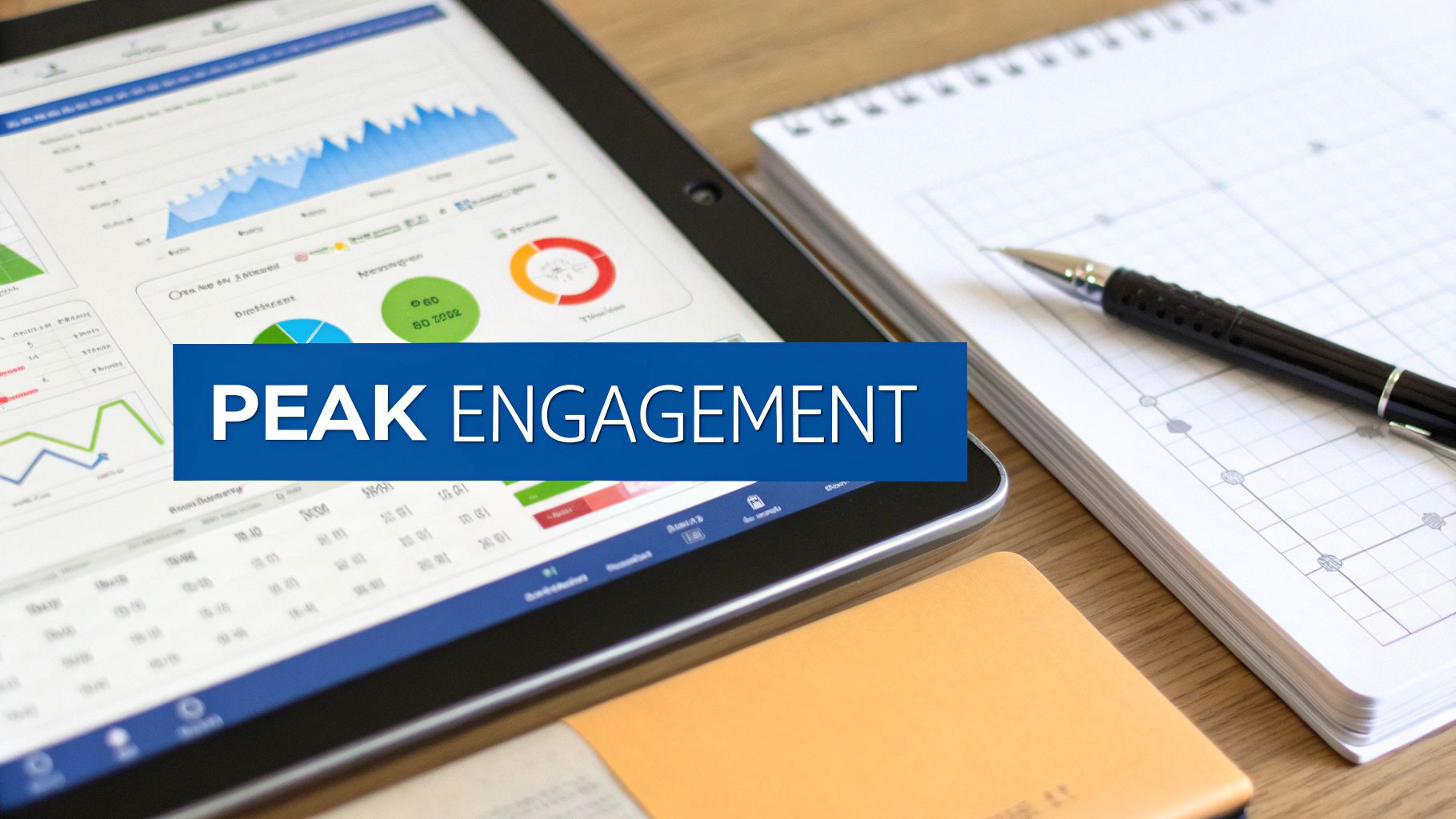
First thing's first: find out when your audience is actually awake and scrolling. Dive into your TikTok Analytics and head straight for the "Followers" tab. This dashboard is gold. It shows you the exact days and hours your audience is most active. Scheduling your content to go live during these peak windows is probably the single easiest win you can get for boosting that all-important initial engagement.
Work Smarter with Content Batching
One of the biggest game-changers that comes from using a tiktok video scheduler is the ability to batch-create your content. This just means setting aside a dedicated block of time—say, a couple of hours on a Sunday afternoon—to knock out an entire week’s worth of AI-generated videos all at once.
This completely transforms your workflow. Seriously.
- You stay in the zone. Instead of constantly switching gears between creating and posting, you can get into a creative flow and stay there.
- The daily pressure vanishes. That frantic "what am I going to post today?" scramble is completely gone.
- Consistency is guaranteed. Life gets busy, but your TikTok feed doesn't have to take a hit. Your content goes out like clockwork, no matter what you've got going on.
When you batch your creation and schedule everything in advance, you free up so much mental energy to think about the bigger picture—strategy, new ideas, and engaging with your community—instead of just logistics. You can find tons of inspiration from the 10 best AI tools for TikTok scheduling that can make this process even smoother.
Your scheduler handles the when, freeing you up to perfect the what. This simple shift in workflow is how top creators maintain a high-quality, consistent presence without burning out.
Refine Your Strategy with Data
Your job isn't over once a video is scheduled. The final piece of the puzzle is looking at the performance data to make your future posts even better. Check out your best-performing videos. What time did they go live? Which hashtags did you use? What was the hook?
For truly next-level planning, I highly recommend creating an effective content calendar. This helps you organize your videos and make sure you’re putting out a diverse, engaging feed. Think of it as a living document that you constantly update with insights from your analytics. This is how your scheduling efforts get smarter and more effective over time.
Got Questions About TikTok Schedulers? We've Got Answers
Jumping into the world of automation can feel like a big shift, and it's natural to have a few questions. Using a TikTok video scheduler is a game-changer for your workflow, so let's clear up some of the most common things people wonder about.
One of the first concerns I hear is about flexibility. What happens if a huge trend explodes overnight and your perfectly scheduled video suddenly feels… well, a little behind the times? It’s a totally valid worry, but any scheduler worth its salt is built for exactly this scenario.
Can I Edit a Video After It Has Been Scheduled?
Yes, absolutely. Any solid TikTok video scheduler, including ShortsNinja, gives you a content calendar or queue where you can see everything that’s lined up. As long as a video hasn't actually gone live, you have full control to jump in and make changes.
This kind of flexibility is non-negotiable. It means you can easily:
- Reschedule the post if the timing just doesn’t feel right anymore.
- Tweak the caption to jump on a trending hashtag or add a more relevant hook.
- Delete the post entirely if you decide to pivot to a completely new idea.
Think of your schedule as a game plan, not a prison. It's there to provide structure, but you’re always in the driver's seat.
How Does an AI Video Generator Work with a Scheduler?
This is where things get really exciting. When an AI video generator and a scheduler are integrated, you get a seamless pipeline that takes you from a rough idea all the way to a published post. Instead of juggling separate tools for scripting, editing, and scheduling, it all happens under one roof.
An integrated platform completely cuts out the tedious steps of downloading and re-uploading files. The whole process—from generating a video with AI to slotting it into your content calendar—becomes one fluid motion.
You kick things off by giving the AI a prompt. It handles the script, voiceover, and visuals. Once you’ve made your final tweaks, you just send the finished video straight to the scheduler's queue without ever leaving the platform. This is the kind of streamlined workflow that lets you create and schedule an entire week's worth of content in a single afternoon.
What Is the Best Posting Frequency on TikTok?
While there’s no single magic number that works for everyone, the most successful accounts all have one thing in common: consistency. If you're just starting out, aiming to post 3 to 5 times per week is a fantastic goal.
This frequency keeps your content flowing steadily, which helps you stay on the good side of the TikTok algorithm and keeps your audience coming back for more. A scheduler makes this goal feel totally achievable by taking away the daily pressure of creating and posting on the fly. You can batch-create your videos and let the automation handle the rest.
Ready to overhaul your content strategy and get your time back? ShortsNinja combines a powerful AI video generator with a robust scheduler to automate your entire TikTok workflow. Start your free trial today and see how easy it is to grow your channel.