
Stories aren't just for campfires or bedtime anymore. In the world of video, they're the single most powerful tool you have to connect with an audience. A great story can turn a forgettable 30-second clip into a memorable experience, and that's the secret sauce behind almost every piece of viral short-form content.
Why Stories in Video Capture Attention
Ever found yourself glued to a 30-second video, wondering why it made you laugh, feel inspired, or even want to buy something? The answer is storytelling, an art form as old as humanity itself. Long before we had algorithms, we had narratives to share knowledge, build communities, and make sense of our world.
That ancient wiring in our brains hasn't gone anywhere—it's just moved online. When a video presents information in a story format (think beginning, middle, and end), it lights up the parts of our brain tied to emotion and memory. This is a process called neural coupling, and it essentially tricks the viewer's brain into internalizing the message as if it were their own experience.
The Science Behind Viral Narratives
On fast-paced platforms like TikTok and Instagram, the need for a good story is more critical than ever. You have about three seconds to convince someone to stop scrolling. A video without a narrative hook is just static in an endlessly loud feed.
Think about any viral animal rescue video. It doesn't just show a cute puppy. It tells a story: the struggle of the rescue, the transformation during recovery, and the happy resolution of finding a forever home. That emotional rollercoaster is precisely what makes you hit the share button.
A story, at its core, is a journey. It takes your viewer from one emotional state to another. That’s infinitely more powerful than just rattling off facts or showing a product feature without any context.
This emotional connection isn't just a "nice-to-have." It drives real results for creators and brands:
- Increased Watch Time: If viewers are invested in the outcome, they’ll stick around to see how the story ends.
- Higher Engagement: Stories that trigger strong emotions like joy, surprise, or empathy get more likes, comments, and shares. It's that simple.
- Improved Brand Recall: A memorable story makes your brand or message stick long after the viewer has scrolled away.
The Growing Demand for Video Stories
The world’s appetite for video is absolutely massive and shows no signs of slowing down. Projections indicate that by 2025, an incredible 3.78 billion people will be watching digital video. Platforms like YouTube alone are expected to hit 2.5 billion users. This isn't a passive audience; they're actively looking for compelling stories that resonate. If you want the full picture, you can find a ton of insightful video marketing statistics to back this up.
At the end of the day, mastering video storytelling isn’t about having the fanciest camera or the slickest editing software. It’s about understanding what makes people tick and using narrative to build a genuine connection. Before you even think about the technical side of things, getting this part right is the most important step you can take.
Here's a quick cheat sheet on the narrative ingredients that really matter.
Key Storytelling Elements for Viral Videos
A quick look at the core narrative ingredients that turn a simple clip into an unforgettable story, with real-world examples for short-form video.
| Element | Function in Video Storytelling | Quick Example |
|---|---|---|
| Hook | Grabs attention in the first 3 seconds. Poses a question, presents a problem, or shows something unexpected. | "You've been cleaning your sneakers wrong your whole life." |
| Conflict | The challenge or obstacle the "character" (a person, a product, an idea) must overcome. This creates tension. | A dirty, scuffed-up shoe that seems impossible to clean. Quick cuts show failed cleaning attempts. |
| Resolution | The "aha!" moment where the conflict is solved. Provides a satisfying conclusion and delivers value to the viewer. | A simple, unexpected cleaning hack is revealed, and the shoe looks brand new. The final shot is the sparkling clean sneaker. |
These three elements—hook, conflict, and resolution—are the universal language of storytelling, and they're your best bet for making content that truly connects.
Actionable Frameworks for Crafting Your Story

Knowing why stories work is one thing. Actually making them, over and over again, is another. This is where a good framework comes in. It’s not about following rigid rules, but about having a reliable roadmap to turn a spark of an idea into a structured narrative that pulls viewers in from the first frame to the last.
Think of it as the blueprint for your video's emotional journey. Without a solid structure, even the coolest visuals can feel random and fail to hold attention. With one, you build an experience that feels satisfying and sticks with people long after they’ve scrolled past.
The Classic Hook Conflict Resolution Arc
This is the absolute bedrock of storytelling. You’ll find it everywhere, from blockbuster movies to 15-second TikToks, because it mirrors how we experience life: we run into problems, and we look for a way out. Its universal appeal makes it a killer framework for just about any video.
Here’s the breakdown:
- The Hook: This is your first 3 seconds. It’s not just an intro; it’s a promise. Grab them with a bold question, a shocking statement, or a problem they know all too well. Imagine a video opening on a messy, cluttered desk with the text, "My workspace was a disaster, and it was killing my productivity."
- The Conflict: Here’s where you build the tension. This is the struggle, the challenge, the "messy middle" that gets the viewer invested in the outcome. Our creator could show quick cuts of trying to organize—piling papers, buying useless containers, and looking totally fed up.
- The Resolution: This is the payoff. The problem gets solved, the question gets answered, and you deliver the value you promised. The creator discovers a simple organization hack. We see a time-lapse of the chaotic desk transforming into a clean, functional space, ending on a deeply satisfying shot of the final result.
This arc is incredibly versatile. It works for product demos (problem: tangled cables; resolution: our sleek organizer), tutorials, and personal stories. If you need a hand turning your ideas into a script, our guide on script writing for beginners is a great place to start.
The Problem Agitate Solve Formula
If the classic arc is for general storytelling, the Problem, Agitate, Solve (PAS) formula is its persuasive cousin. It’s perfectly tuned for marketing and any content designed to get people to act—whether that’s making a purchase, signing up, or just hitting the follow button.
The goal isn't just to state a problem; it's to make the viewer really feel it.
PAS works because it connects with the viewer's pain points on an emotional level before offering relief. It validates their struggle, making the solution feel not just helpful, but necessary.
Let's see it in action:
- Problem: State the viewer's pain point clearly and directly. (e.g., "Tired of spending hours creating content with little to show for it?")
- Agitate: This is the secret sauce. You poke the bruise by digging into the emotional fallout of the problem. (e.g., "You're burning out, your channel isn't growing, and you feel like you're constantly falling behind.")
- Solve: Introduce your solution as the simple, obvious answer to that amplified pain. (e.g., "Here’s how our tool helps you create a week's worth of videos in 30 minutes.")
This structure is a beast for explainer videos. A whopping 73% of video marketers are focused on creating explainers, and it’s no wonder—87% of consumers have been convinced to buy something after watching a brand's video. Frameworks like PAS are exactly why.
The Before After Bridge Technique
For any story about transformation, the Before, After, Bridge (BAB) model is king. It’s visual, impactful, and screams value from a mile away. This is your go-to for fitness results, home renovations, learning a new skill, or showing the real-world impact of your product.
It works by showing a clear, desirable change.
- Before: Show the starting point—the world of problems, "Point A." For a fitness coach, this might be a clip of a client struggling with their workout form.
- After: Reveal the dream outcome. This is the aspirational "Point B"—a vision of what’s possible. Now we see the same client crushing their workout with perfect form.
- Bridge: Explain how you get from Before to After. This is your product, your service, your secret sauce. It's the "how"—the three key exercises, the coaching program, the meal plan that made it all happen.
The magic of BAB is in its simplicity. The viewer instantly gets the value because the transformation is right there on the screen. Your "bridge" becomes the only logical next step for anyone stuck in the "before" and craving the "after."
Comparing Story Frameworks for Short-Form Video
Choosing the right framework depends on your video's goal. Are you telling a personal story, trying to sell a product, or demonstrating a transformation? This table breaks down which model to use and when.
| Framework | Best For | Core Components |
|---|---|---|
| Hook, Conflict, Resolution | General storytelling, tutorials, personal anecdotes, and engaging narratives. | 1. Hook: A strong opening to grab attention. 2. Conflict: The central challenge or struggle. 3. Resolution: The satisfying conclusion and payoff. |
| Problem, Agitate, Solve | Marketing, sales videos, and persuasive content designed to drive action. | 1. Problem: Identify a clear pain point. 2. Agitate: Amplify the emotional impact of the problem. 3. Solve: Present your product/service as the solution. |
| Before, After, Bridge | Transformation stories, case studies, product demos, and skill-based content. | 1. Before: Show the initial, undesirable state. 2. After: Reveal the ideal, transformed state. 3. Bridge: Explain how to get from Before to After. |
Each of these frameworks taps into a different psychological trigger, but they all share a common goal: to structure your message in a way that’s compelling and easy for a fast-scrolling audience to digest. Pick the one that fits your story, and you'll have a powerful tool for creating videos that truly connect.
Bringing Your Video Story to Life Visually

You’ve nailed the script—the soul of your story is ready. Now it’s time to give it a body. The visuals and sounds you layer on top are what will turn words on a page into an experience that pulls viewers in.
This is where your story's emotional rhythm is truly set. Every choice, no matter how small, shapes how your audience feels. Getting the right mix of pacing, visuals, and audio is what separates good stories in video from unforgettable ones.
Mastering the Art of Pacing
Pacing is the heartbeat of your video. It’s how you control the story's rhythm to hold attention and guide emotions. Nail it, and your viewers are glued to the screen. Get it wrong, and they’re gone before your story even has a chance to unfold.
The biggest mistake I see is a flat, monotonous pace. The real magic is in the contrast. Use a flurry of rapid-fire cuts—maybe changing shots every one or two seconds—to inject energy or deliver a burst of information. Then, pull back. Let a longer, slower shot linger to give a key moment or a stunning visual the space it needs to land.
Think of it like a real conversation. You wouldn't speak in a monotone drone, so why should your video? The editing rhythm needs to follow the story’s emotional journey. For a closer look at how the pros handle this, check out the techniques used in professional service video production to craft compelling brand narratives.
Elevating Your Visuals on a Budget
You don’t need a Hollywood budget to make your videos look incredible. A few smart tricks can give your content a polished, professional feel, even when you're working with limited resources.
- Animate Static Images: The Ken Burns effect—that slow, subtle pan and zoom on a still photo—is your best friend. It breathes life into static images and stops your video from feeling like a boring slideshow.
- Use Dynamic Text Overlays: On-screen text is for more than just subtitles. Use bold, animated text to hammer home key points, introduce ideas, or pose questions. Stick to your brand's fonts and colors, but don’t be afraid to make it pop.
- Source Purposeful B-Roll: Your B-roll footage needs to do more than just fill space; it has to advance the story. If your voiceover talks about "feeling overwhelmed," show a shot of a cluttered desk or someone looking stressed. This makes your narrative more concrete and relatable.
- Generate AI-Powered Imagery: When stock footage just doesn't cut it, AI image generators are a lifesaver. They can create custom visuals that perfectly capture the tone and message of your story. You can explore some powerful AI image tools for viral visual content creation to start producing unique assets in seconds.
Each of these techniques adds a layer of professionalism that makes a huge difference.
The Crucial Role of Sound Design
Visuals are what people see, but audio is what they feel. Too many new creators treat sound as an afterthought, but it’s easily responsible for 50% of the viewing experience. Bad audio will absolutely torpedo a great video.
Your audio is the invisible hand guiding the viewer's emotions. The right background music can make a scene feel epic, sentimental, or urgent, while a flat voiceover can drain all the life from a fantastic script.
Pay close attention to these two elements:
- Background Music: Pick a track that actually matches the mood. Is your story inspirational, mysterious, or lighthearted? Most platforms have royalty-free libraries you can use. Just be sure to set the volume low enough that it supports the narrative without drowning out the voiceover.
- Voiceover Quality: Your voice is a powerful storytelling tool. Always record in a quiet room to kill background noise. Speak clearly and with expression, changing your tone and speed to keep listeners locked in. You can get surprisingly good results from a smartphone if you control the recording environment.
Putting a little extra effort into your visual and audio production is what makes content feel professional. It’s the final step in bringing your carefully crafted stories to life.
How to Optimize Stories for Each Platform
Creating a powerful story is just the start. The narrative that blows up on TikTok might completely tank on YouTube Shorts, and there's a simple reason for that: every platform is its own world. Each has a unique culture, a tricky algorithm, and an audience that expects something different.
Think of it like being a comedian. A joke that absolutely crushes it in a small, intimate club might get nothing but crickets in a giant stadium. The delivery, the timing, even the joke itself needs to be tweaked for the venue. It's the exact same game with your stories in video.
Tailoring Your Story for TikTok
TikTok is all about speed, trends, and spontaneous energy. This is the place where creators get rewarded for jumping on trending audio, memes, and challenges almost instantly. Your stories here need to be fast, snappy, and often under 30 seconds. Get to the good part immediately.
The TikTok crowd values authenticity and a good laugh more than anything. A super polished, corporate-style video usually feels awkward and out of place. Instead, you'll want to lean into the features that make the platform what it is.
- Use Trending Audio: Don't just slap on some background music. Build your entire story around a trending sound. Let the audio set the pace and guide the emotional journey of your narrative.
- Leverage Text-to-Speech: That classic robotic voice is a core part of TikTok culture. Using it for narration makes your story feel native to the platform right away.
- Embrace Lo-Fi Aesthetics: Perfectly shot and edited videos can feel a bit sterile here. A slightly shaky camera or some raw, unfiltered content can make your story feel way more genuine and relatable.
Crafting Stories for Instagram Reels
Instagram Reels strikes a balance between TikTok's raw chaos and YouTube's more polished feel. Trends are still a big deal, but there’s a much bigger emphasis on high-quality visuals and aspirational storytelling.
Since Reels are baked into the wider Instagram world, aesthetics really matter. Your stories should look good and match your brand's overall vibe. The audience here is often scrolling for inspiration, tutorials, and behind-the-scenes peeks. If you want to maximize your reach, figuring out how to test the best times to post on Instagram is a huge help for getting in front of your audience when they're most active.
Storytelling on Reels is about blending inspiration with information. Think of it as a mini-tutorial or a beautiful visual diary. The goal is to create something that's both helpful and aesthetically pleasing enough for someone to save to a collection.
Optimizing Narratives for YouTube Shorts
YouTube Shorts is where you'll find slightly more in-depth, value-driven stories. Even though the format is short, the audience is coming from the main YouTube platform, where they're used to learning something. Your stories here can push the time limit, often running up to the full 60 seconds.
This is the perfect spot for condensed educational content, quick-tip tutorials, and teaser narratives that pull viewers toward your longer videos. Storytelling is the engine that drives this engagement, especially when you consider that video is projected to make up 82% of all internet traffic by 2025. This isn't just a trend; it's backed by serious money, with global spending on video ads expected to blow past $190 billion in 2025—a pretty clear sign of its power.
A winning strategy for Shorts usually involves:
- A Clear Value Proposition: Kick off your story by immediately telling the viewer what they're going to learn or get out of it.
- Narrative Teasers: Use a Short to tell the beginning of a bigger story. Then, point viewers to the full-length video in the description or comments.
- Evergreen Content: While trends are less of a factor here, stories that solve a specific problem can have a much longer shelf life and keep racking up views for months.
For a deeper dive into what works where, check out our guide on the best video lengths for TikTok, YouTube, and Instagram.
Streamlining Production with ShortsNinja
You’ve got a killer story idea. The script is tight, the hook is perfect, and you know it’ll connect. But now comes the hard part: production. This is where even the best stories in video get stuck. Finding the right visuals, recording a voiceover, editing it all together, adding subtitles… it’s a grind that can take hours.
This is where a smarter workflow changes everything. Modern tools can collapse that entire process from hours down to just a few minutes, letting you scale your content without watering down your stories. By plugging a platform like ShortsNinja into your process, you get to skip the tedious work and stay focused on the narrative itself.
From Script to Polished Video in Minutes
The whole idea is to automate the most repetitive, time-sucking parts of video creation. Forget spending an hour digging through stock footage sites or doing endless takes to get a voiceover right. AI can now handle that heavy lifting.
It’s a simple process. You start with your finished script—the story you’ve already perfected. Just paste it into the platform, and the AI gets to work analyzing the text, mapping out scenes, and generating a complete first draft of your video. It comes with visuals, a voiceover, and subtitles already baked in.
Think of that AI-generated draft as your starting canvas. From there, you just need to make a few tweaks to get everything perfect, turning what used to be a chore into a quick, creative editing session.
Generating Scenes and AI-Powered Visuals
Once your script is in, the AI’s first job is to break it down into individual scenes. This is absolutely critical for short-form video, where every shot has to count and the pacing needs to be snappy.
Then, you get to choose the visual style. Do you want photorealistic images? Something animated? Maybe a more artistic, abstract vibe? ShortsNinja gives you different AI models to generate visuals that perfectly match the tone of your story. If you don't love an image it creates, just regenerate it with a click or upload your own.
The real magic here is narrative alignment. The AI isn’t just grabbing random pictures. It’s reading the context of your script to generate visuals that actually reinforce the story you’re trying to tell. That’s how you get a video that feels cohesive and professional right from the start.
Adding Professional Voiceovers and Subtitles
A great story needs a great voice. Instead of messing with microphones and recording software, you can pick from a library of hyper-realistic AI voices. These aren't the clunky, robotic voices from a few years ago; they have real tonal range, different accents, and can even convey emotion.
One of the most powerful features is multilingual support. You can take one script and instantly generate voiceovers in dozens of different languages. It’s an incredibly efficient way to adapt your stories for a global audience without re-recording and re-editing every single video.
And since so many people watch videos on mute, the platform automatically generates perfectly synced subtitles. No more tedious manual alignment. The timing is handled for you, saving you a massive headache.
This diagram shows how you can take one core story and quickly adapt it for major platforms like TikTok, Reels, and Shorts.
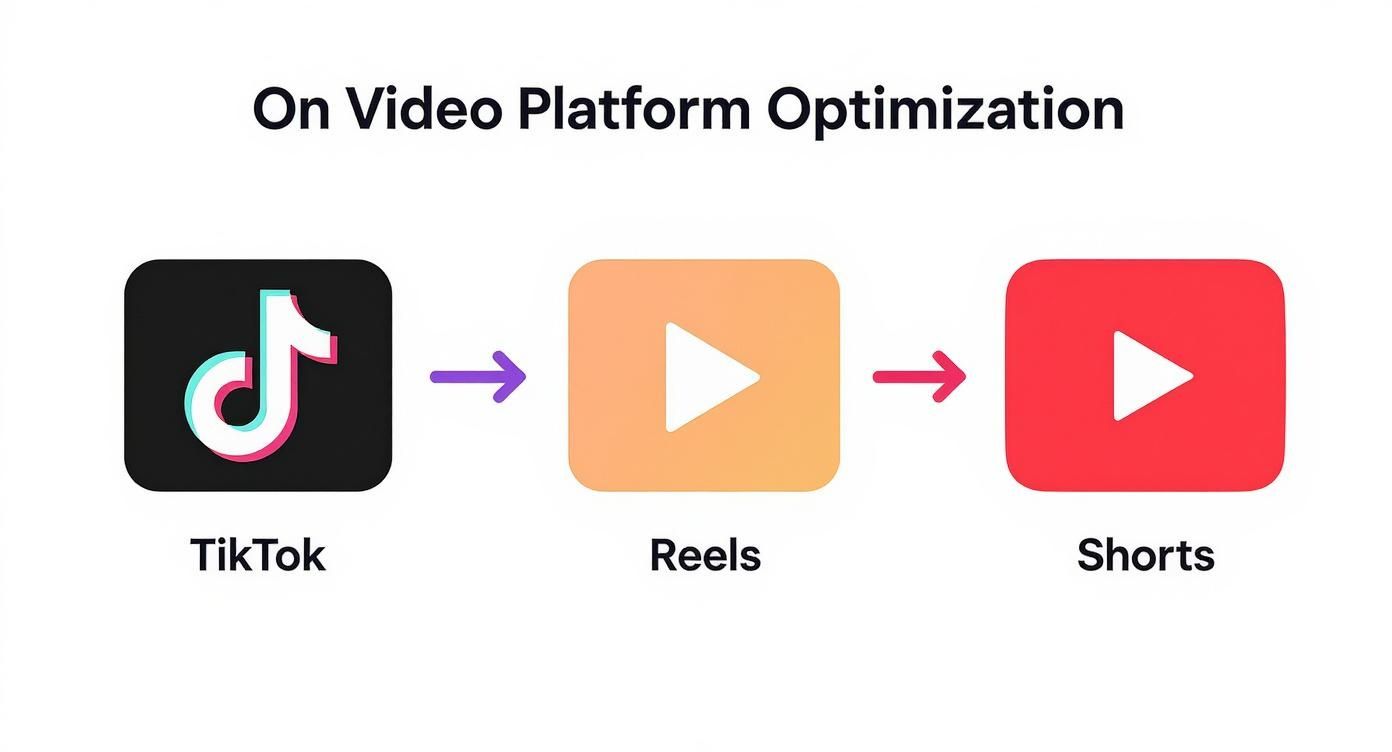
It’s a clear look at how a consistent production workflow lets you make content that feels native to each platform’s unique vibe.
A Powerful Workflow for Consistent Output
By pulling all of these steps into a single, unified workflow, you eliminate the friction that slows creators down. No more bouncing between five different apps for scripting, image generation, voice recording, and video editing.
This screenshot of the ShortsNinja platform shows just how clean the interface is.
It really is a simple three-part flow: script, visuals, and final edits. That’s all it takes to produce a high-quality, faceless video in a fraction of the usual time.
Ultimately, integrating a tool like this is about more than just speed—it’s about consistency. When you can reliably pump out high-quality stories in video every single day, you build momentum. You grow your audience. And you give your narratives the best shot they have at going viral.
Common Questions About Stories in Video
If you've ever felt like you're spinning your wheels trying to figure out video storytelling, you're not alone. Every platform seems to have its own set of unwritten rules, and creators often get hung up on the same handful of questions. Let's clear the air and tackle some of the most common challenges with straight, actionable answers.
Getting these fundamentals right is the key to moving forward with confidence and turning your ideas into videos that actually connect with people.
How Long Should a Story Be in a Short Video?
This is the million-dollar question, isn't it? The honest answer is that it completely depends on the platform and your audience's notoriously short attention span. The golden rule is simple: be as concise as your story allows. Every single second has to earn its keep.
For platforms like TikTok and Instagram Reels, viewer habits are all about speed. You should aim for the 15-30 second sweet spot. That’s just enough time for a snappy hook, a quick hit of conflict, and a resolution that feels satisfying. On YouTube Shorts, you get a little more breathing room. You can stretch your stories up to the full 60-second limit, which works well for slightly deeper narratives or quick how-to guides.
But here's the real secret: the total length doesn't matter nearly as much as the first three seconds. If your hook doesn't land instantly, the rest of your brilliant story might as well not exist.
Can You Tell Compelling Stories Without Showing Your Face?
Absolutely. In fact, faceless videos can be incredibly powerful because they put the story front and center. When viewers aren't focused on a person, they're free to get completely lost in the narrative you're building with visuals and sound.
The trick is to make sure your production elements are strong enough to carry the emotional weight.
- Visuals: Think dynamic stock footage, slick custom animations, or beautifully designed text that pops off the screen. Your visuals have to do the heavy lifting.
- Voiceover: Your voice becomes the main character. It needs to be clear, full of expression, and paced just right to guide the viewer’s emotions.
- Sound Design: Never, ever underestimate the power of music and sound effects. They are your secret weapons for building atmosphere, creating tension, and making your story feel alive.
Tools like ShortsNinja are built for this exact purpose. It makes sourcing great visuals and generating a professional-sounding voiceover incredibly easy, letting your faceless stories shine.
What Is the Single Most Important Element of a Video Story?
While every part of a story matters, the hook is without a doubt the most critical piece of the puzzle in the blink-and-you'll-miss-it world of short-form video. You have less than three seconds to stop someone from scrolling past your content forever.
A strong hook isn't just a simple intro; it's a promise you're making to the viewer. It sparks instant curiosity and tells them exactly why they should stick around. It might be a provocative question, a shocking visual, a problem they can relate to, or a bold, controversial statement. Without a killer hook, even the best story is dead on arrival.
Where Can You Find Good Ideas for Video Stories?
Story ideas are hiding everywhere—you just have to train yourself to spot them. The best inspiration often comes directly from the people you're trying to reach. Start listening closely to their pain points, questions, and frustrations.
Dive into the comment sections on your own videos and those of others in your niche. Lurk in relevant forums like Reddit or Quora to see what people are really struggling with. Use keyword research to find out what your audience is actively searching for. Trending topics, your own personal experiences, and customer success stories are all pure gold. Keep a running list so you never find yourself staring at a blank screen again.
Ready to turn those ideas into stunning videos in minutes? ShortsNinja uses AI to automate the entire production process, from script to visuals and voiceover. Start creating compelling faceless content today at shortsninja.com.