
Tired of the endless TikTok content treadmill? I get it. The pressure to post constantly is real. But what if I told you there's a way to turn that daily scramble into a calm, strategic process? The secret isn't creating more content—it's scheduling it. You can schedule TikTok posts directly on desktop or through a handful of great third-party tools, and it's a total game-changer for growth.
This isn't just about saving time. It's one of the core strategies I see successful creators use to get ahead of the algorithm.
Why Scheduling TikTok Posts Is a Growth Superpower
Let's dig into why scheduling is more than just a convenience. The TikTok algorithm loves, and I mean loves, consistency. When you're posting on a regular schedule, you're signaling to the platform that you’re a reliable creator. That consistency often gets rewarded with better visibility on the For You Page.
But consistency isn't just about posting every day. It's about posting at the right time. Dropping your content just as your audience is scrolling can make a massive difference in your reach. Scheduling lets you hit those peak engagement hours every single time, even if they're late at night or in a completely different time zone.
Once you get into the rhythm of scheduling, your entire workflow changes for the better. Here’s what I’ve seen happen time and time again:
- You Win Over the Algorithm: Posting consistently at the best times helps you build momentum. The algorithm starts to see you as a dependable source of good content.
- Your Content Quality Improves: When you batch create and schedule everything in advance, you can finally stop stressing about the logistics. All that mental energy can go back into being creative.
- You Can Reach a Global Audience: Got followers on the other side of the world? No problem. Schedule your posts to go live during their prime time, not yours.
- You Actually Get a Break: Say goodbye to posting on weekends or late at night. Let automation handle the publishing so you can step away, avoid burnout, and keep the creative juices flowing.
The Power of Automation
Ultimately, scheduling lets you build a real system for growth. Instead of feeling like you're constantly reacting to the platform, you get to be proactive and plan ahead. It's so much easier to map out your ideas when you're using a solid TikTok content calendar template to plan themes and series weeks in advance.
Automation tools like ShortsNinja take this a step further. They can turn content management from a tedious, manual chore into a set-it-and-forget-it operation. This frees you up to focus on the one thing that actually matters: making great videos people want to watch.
Using TikTok's Native Scheduling Tools
If you're just dipping your toes into scheduling, TikTok's own built-in tools are a great place to start. They’re free, baked right into the platform, and get the job done without needing any outside software. They definitely have their quirks and limitations, but knowing how to use them is a solid skill for any creator.
The most practical option is scheduling from your desktop browser. This gives you a clean, simple interface to upload videos you've already polished and set them to go live later. It's perfect when your video is ready to go and you just need to get it in the queue.
There is a mobile scheduling option, but it comes with a big catch: you need a TikTok Business Account. If you have one, you'll find the scheduler tucked away in the final steps before you post.
Scheduling on a Desktop Browser
Most people stick with the desktop scheduler because it’s so straightforward. Just log into your TikTok account on your computer, hit the "Upload" button, and drop in your video file. After that, you can write your caption, pop in some hashtags, and pick a cover image.
The magic happens when you toggle the "Schedule video" option. A little calendar and time selector will appear, letting you pinpoint the exact moment you want your video to hit the For You Page.
Pro Tip: Keep your captions and hashtag sets in a separate doc. This makes the desktop process fly by. You can just copy, paste, set the time, and you’re already onto the next video.
Understanding the Limitations
While convenient for quick posts, TikTok’s scheduler has a few major drawbacks that you'll likely run into as you start posting more seriously. Knowing these limitations helps you figure out when it's time to upgrade to a more powerful tool.
- 10-Day Scheduling Window: You can only schedule posts up to 10 days out. This works for planning week-to-week, but it’s a no-go for long-term strategies, like mapping out a full month of content or prepping for a big holiday launch.
- No Bulk Uploading: Every single video has to be uploaded and scheduled one by one. If you’ve just batch-created a dozen videos for the week, you still have to go through the same tedious process for each, which eats up a ton of time.
- No Post-Schedule Editing: Once a video is scheduled, it's set in stone. Spot a typo in your caption? Want to swap out the cover image? Your only option is to delete the scheduled post and start the entire upload process all over again.
These pain points are exactly why so many creators and marketing teams eventually move on from the native tools. When you’re posting multiple times a day or planning content weeks ahead, the manual effort and short scheduling window create a huge bottleneck. It stops you from truly putting your content on autopilot and getting your time back.
Automating Your Content with ShortsNinja
Sooner or later, you'll hit the limits of what TikTok's built-in scheduler can do. That's when automation platforms become the next logical step. Tools like ShortsNinja can essentially put your entire TikTok strategy on autopilot, shifting your workflow from a daily grind to a set-it-and-forget-it system. This is the secret sauce for top creators who seem to post constantly without ever burning out.
Instead of just scheduling finished videos, you can generate them from the ground up. It all starts with a simple idea. You feed the platform a topic, and its AI models get to work writing a script, sourcing relevant clips, and even producing a voiceover. This completely sidesteps the creative bottleneck many of us face.
From Idea to Auto-Published Video
First things first, you'll need to connect your TikTok account, which gives the platform the green light to publish on your behalf. Once that's done, you can jump straight into the creation studio.
Let's say you want to make a video about "three productivity hacks for remote workers." You just type that concept in. The AI will then script out a short, punchy video. From there, you get to fine-tune everything—you can tweak the script, swap out any visual clips you don't love, or pick a different voiceover that better fits your brand. This control is crucial for making sure the final video feels authentically yours.
After you give the video your stamp of approval, it’s time to schedule it. This is where things get really powerful for anyone looking to schedule TikTok post batches. Forget the 10-day limit; you can plan out your content calendar for weeks, or even months, in advance.
The real win here is achieving consistency at scale. You can sit down for an hour on Monday and have a high-quality, engaging video ready to go live every single day for the rest of the month.
The basic process for native scheduling is pretty linear: you prepare your content, upload it, and pick a time.
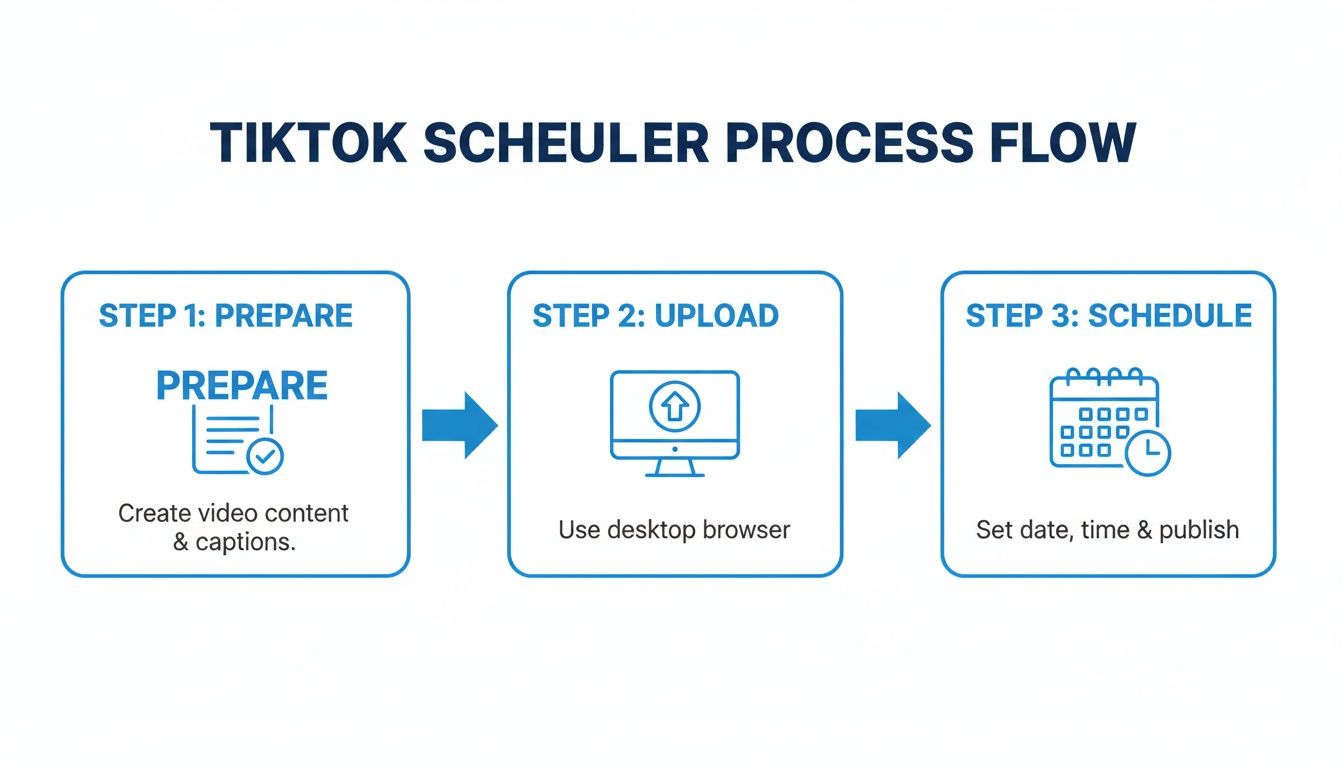
This visual really drives home the manual, step-by-step nature of TikTok's own tool—the very thing automation platforms are designed to move you away from.
Game-Changing Automation Features
True automation isn't just about scheduling. It’s about smart features that handle all the tedious parts of content management, freeing you up to focus on the big picture.
- Content Series Automation: Got a multi-part series in mind? You can create all five parts, set them to post once a day, and let ShortsNinja handle the entire rollout automatically.
- Timezone Management: If you have a global audience, you can schedule posts to go live in their local timezones. The system even accounts for daylight saving, so your content always drops at peak viewing hours.
- Set-It-and-Forget-It Workflow: The whole point is to minimize your daily screen time. A few minutes in the ShortsNinja dashboard can replace hours of manual uploading, captioning, and publishing every week. You can get a deeper dive into the mechanics of this by reading up on automated TikTok posting.
While ShortsNinja is hyper-focused on video automation, it's always smart to see what other AI tools are out there. Platforms like Wikio AI, for instance, offer a different set of features that might complement your creative process.
Ultimately, bringing a dedicated automation tool into your workflow is about buying back your time. It makes posting high-quality content frequently a sustainable reality, shifting your role from a day-to-day content creator to a long-term content strategist.
Comparing TikTok's Native Scheduler with ShortsNinja
Deciding between scheduling directly on TikTok and using a third-party tool comes down to your goals. TikTok's native scheduler is fine for casual use, but for serious creators and brands, an automation platform like ShortsNinja offers a massive upgrade in efficiency and features.
Here's a quick side-by-side look:
| Feature | TikTok Native Scheduler | ShortsNinja |
|---|---|---|
| Scheduling Window | Limited to 10 days in advance | Plan weeks or months ahead |
| Content Creation | Manual upload only | AI-powered video generation from a prompt |
| Batch Scheduling | One video at a time | Schedule entire series automatically |
| Timezone Options | Limited to your local time | Schedule in any global timezone |
| Analytics | Basic in-app metrics | Advanced performance tracking (coming soon) |
| Automation Level | Low (manual process) | High (fully automated workflow) |
The takeaway is pretty clear. While TikTok's tool gets the basic job done, it's designed for simple, one-off scheduling. If you're looking to scale your content, save time, and manage a consistent posting calendar without the daily hassle, a platform like ShortsNinja is built for exactly that.
Finding Your Audience's Peak Engagement Hours
Making a video that has a shot at going viral is only half the battle. If you hit "publish" while your audience is asleep or stuck in meetings, you're basically shouting into an empty room.
This is exactly why figuring out when you schedule TikTok post uploads is just as critical as the content itself. The real goal is to drop your video right when your community's activity is hitting its peak.
Of course, there are some general benchmarks that give you a decent starting point. Think about the rhythm of a typical day: morning commutes (7-9 a.m.), lunch breaks (12-2 p.m.), and evening wind-downs (7-9 p.m.) are usually safe bets. These are the windows when people are most likely scrolling their For You Page.
But let's be real—those are just averages. Your audience is unique, and so are their scrolling habits. The secret to unlocking maximum engagement is buried in your own data.
Dive Into Your TikTok Analytics
The ultimate source of truth here is TikTok's own analytics suite, which comes standard with any Business or Creator account. It’s a goldmine of data that shows you precisely when your followers are most active, completely taking the guesswork out of the equation.
Here’s how you can find this data:
- Head to your profile and tap the three lines in the top-right corner.
- Select Creator Tools or Business Suite.
- Tap on Analytics, then flip over to the Followers tab.
- Scroll down until you see the Follower activity section.
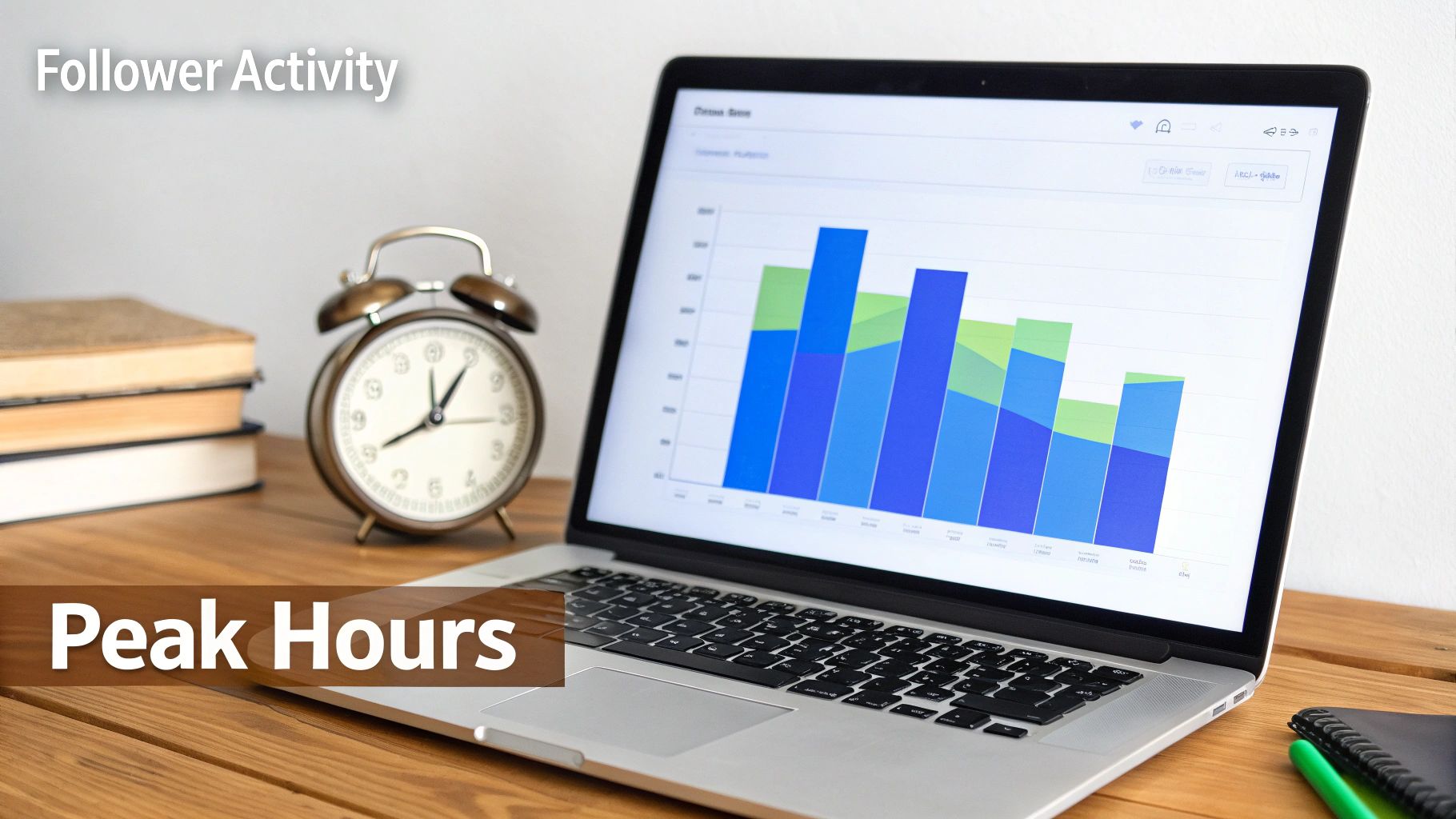
What you'll find is a detailed graph breaking down the days and hours your followers were most active over the last week. This isn't generic advice; it's personalized data that pinpoints your specific golden hours. If you want to get even more granular with these metrics, our full guide on the best time to post on TikTok breaks it all down.
The real power of scheduling comes from aligning your content calendar with these personalized peak times. If your analytics show a huge spike at 8 p.m. every Thursday, you now have a data-backed reason to schedule your best content for that exact slot.
Understanding Broader Posting Trends
While your own analytics should always be your North Star, it doesn't hurt to keep an eye on wider platform trends. For example, multiple studies have shown that Wednesday is a top-performing day to post, with some reports indicating engagement rates can be up to 22% higher than the daily average.
These trends are often tied to predictable human behavior, like pre-work scrolling and afternoon slumps that drive a ton of activity. Knowing these general patterns gives you another layer of insight to add to your strategy.
Managing Time Zones for a Global Audience
But what happens when your followers are scattered all over the world? If your analytics show a big chunk of your audience is in New York (EST) and another is in London (GMT), posting at 8 p.m. EST means it’s already 1 a.m. for your UK followers. Not ideal.
This is where strategic scheduling really shines. You have two main ways to handle this:
- Target Your Largest Segment: Focus on the peak time for the biggest slice of your audience pie.
- Alternate Time Zones: Schedule posts to hit peak hours in different major regions throughout the week. Maybe Monday is for your North American audience, and Tuesday is for your European fans.
This level of audience awareness is a fundamental marketing principle. In fact, looking at how other platforms track customer engagement metrics can give you a much broader perspective on user behavior. When you combine your specific data with these broader trends, you can build a posting schedule that’s not just consistent, but incredibly effective.
Advanced Strategies for Viral Content Scheduling

Once you've got the basics down, it’s time to start thinking like a real content strategist. Going viral isn't just a lucky shot in the dark—it's about building momentum. The secret sauce is creating smart, automated content series that get your audience hooked and keep them coming back for more.
Think about it. Imagine you have a killer five-part series on a trending topic in your niche. Instead of remembering to post one video each day, you can use an automation tool like ShortsNinja to build out the entire story arc in one go. You can schedule TikTok post one to drop on Monday, the next on Tuesday, and so on.
Suddenly, you're not just posting random videos. You're creating a multi-day event that trains your followers to anticipate your next move and actively check your profile for updates.
Fine-Tuning Your Posting Frequency
"How often should I actually post?" It's a question I hear all the time. TikTok itself recommends posting 1-4 times per day to stay on the algorithm's good side. For most people, that sounds like a one-way ticket to burnout. But with scheduling, it's not only possible—it's strategic.
Posting multiple times a day isn't about spamming your followers. It's about strategically spacing your content to hit different segments of your audience as they come online.
- Morning Motivation: Schedule an inspiring or educational video to catch people during their morning scroll.
- Midday Quick Tip: Drop a short, high-value tip when everyone's taking a lunch break.
- Evening Entertainment: Save your most engaging, trend-driven content for the evening when users are relaxed and ready to be entertained.
Spacing your posts by at least a few hours is a non-negotiable. This gives the algorithm enough time to push each video to a fresh audience, so your content isn't competing with itself. It also helps you avoid any potential spam flags.
A Real-World Scheduling Example
Let's walk through a practical scenario. We know that Tuesday is a monster day for TikTok engagement. The data shows that posts on Tuesday evening can pull in up to 40% more shares, with 9 AM and 4 PM being absolute sweet spots for interaction. You can dig into more of these prime posting times on Loyoly.io.
Here's how you could play this:
- Schedule your "hook" video for 9 AM on Tuesday. This is part one of a two-part series. Its only job is to grab attention and introduce a problem or a cliffhanger.
- Schedule the "payoff" video for 4 PM on Tuesday. This is part two, delivering the solution or the big reveal right as evening engagement starts to spike.
By using automation, you can set this entire sequence up days or even weeks ahead of time. You've officially moved from just posting content to executing a precise, data-backed plan designed for maximum impact.
Common TikTok Scheduling Questions
Once you start scheduling your TikToks, a few questions always seem to pop up. Getting straight answers helps you build a workflow that actually works without all the guesswork. Let's tackle the most common uncertainties creators run into.
Can I Edit a Scheduled TikTok Post?
This is a big one, and the answer really depends on how you're scheduling.
If you’re using TikTok's own scheduler, the answer is a hard no. Once a video is scheduled, it's locked in. Caption, cover, hashtags—all of it. Spot a typo after you hit schedule? Your only move is to delete the entire post and start the upload process all over again. It's a real pain.
This is exactly where third-party tools shine. Something like ShortsNinja gives you a flexible dashboard where you can tweak everything—the caption, hashtags, privacy settings—right up until the moment it’s set to go live. No frantic deleting and re-uploading required.
Does Scheduling Posts on TikTok Hurt Engagement?
This myth just won't die, but the answer is simple: absolutely not. The TikTok algorithm couldn't care less whether you uploaded a video manually or scheduled it ahead of time. It treats them exactly the same.
In fact, scheduling almost always improves engagement in the long run. Why? Because it allows you to consistently post when your audience is most active. Hitting those peak hours sends a strong signal to the algorithm that your content is relevant and timely.
The algorithm rewards consistency above all else. Scheduling is simply the most reliable tool for achieving that consistency without burning out.
How Far in Advance Can I Schedule TikToks?
Your planning window is completely tied to the tool you're using. TikTok's built-in desktop scheduler puts a pretty tight leash on you with a strict 10-day limit. This can be a huge headache if you're trying to plan content around a holiday, a product launch, or a longer video series.
This limitation is a major reason why serious creators and brands turn to external platforms. Tools like ShortsNinja get rid of that barrier, letting you schedule your content weeks or even months in advance.
Is a Business Account Required to Schedule Posts?
Yes, but only if you're using TikTok's native scheduling tools. To access them, you’ll need to switch to a Business Account. The good news is that it’s free and easy to do in your settings, and it also unlocks TikTok's own analytics dashboard, which is pretty useful.
If you'd rather not switch, third-party schedulers give you more freedom. Many can connect to any account type, whether it’s a standard Creator account or a Business one.
Ready to stop worrying about these limitations and put your TikTok growth on autopilot? ShortsNinja lets you generate, edit, and schedule your content months ahead of time with powerful AI tools. Give it a try and see how much smoother your workflow can be.