
If you're still pouring all your effort into static images on Instagram, you're playing yesterday's game. To make videos for Instagram that actually perform, you need a different mindset. It's all about short, snappy formats like Reels, a hook that grabs attention within the first three seconds, and delivering real value before asking for anything in return.
The whole platform is a video-first world now, and success means optimizing everything—from the video's dimensions to its captions—for someone scrolling on their phone.
Why Instagram Video Is the Ultimate Growth Engine
Let's be real: Instagram's algorithm has fundamentally changed. This isn't a minor tweak; it's a seismic shift. Video, and especially Reels, is no longer just another content format on the menu. It's the main course. Understanding this is the first step to unlocking some serious growth.
This video-first reality creates a massive opportunity. A lot of creators and brands feel intimidated by video. They see high barriers to entry—fancy cameras, complicated editing software, and endless hours of work. But that perception is your advantage. A smart, strategic approach, supercharged with AI, lets you sidestep those traditional hurdles and consistently pump out high-quality videos.
The Undeniable Power of Reels
The numbers don't lie, and they're all pointing in one direction. Instagram Reels have absolutely exploded, with over 2.5 billion active users engaging with them every single month as of 2025.
Think about that. Videos now account for a staggering 85% of all Instagram traffic. If you're not posting video, you're practically invisible.
And when it comes to engagement, Reels are in a league of their own. Influencer Reels hit an average engagement rate of 2.08%, easily beating carousels (1.7%) and single photos (1.17%). Traditional feed videos? They're trailing at a measly 0.42%. Plus, Reels get reshared more than 4.5 billion times every single day. The takeaway is crystal clear: prioritizing Reels can put your visibility into overdrive. For a deeper dive, check out the latest Instagram video marketing statistics.
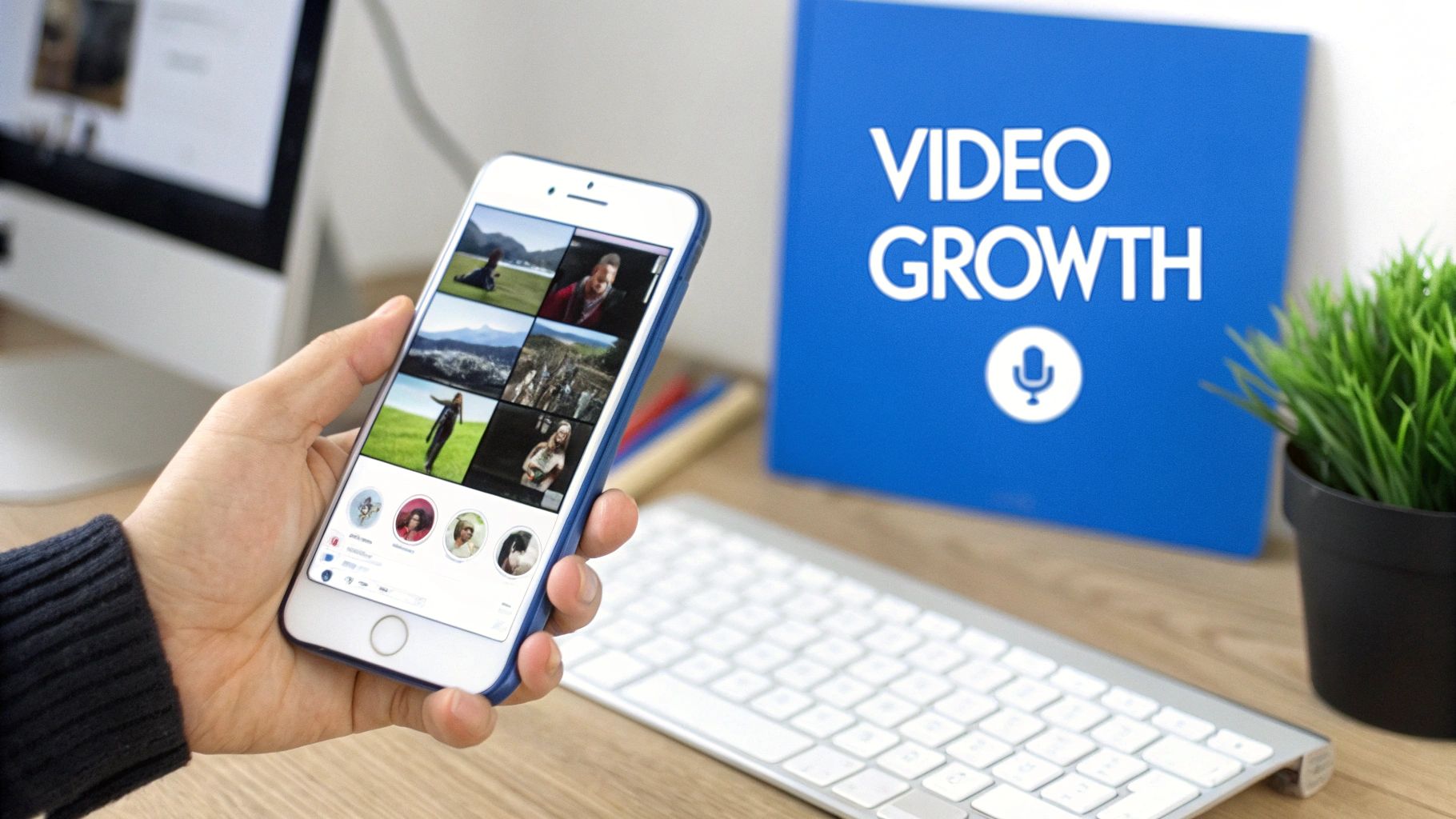
This is what a modern Instagram feed looks like—it's dominated by Reels and other dynamic video content. Short-form video is the main way people consume content now, pushing static posts further down the priority list.
Your Strategic Advantage in a Crowded Space
So, how do you tap into this trend without completely burning out? The key is to work smarter, not harder. Instead of losing hours to scripting, filming, and manual editing, you can let AI tools like ShortsNinja handle the heavy lifting.
The goal isn't just to create a video. It's to build a sustainable system for producing high-impact video over and over again. That's what separates the accounts that plateau from the ones that see exponential growth.
By turning simple ideas into fully-formed videos complete with AI-generated visuals and voiceovers, you get to skip the most time-sucking parts of the process.
This guide is your roadmap. We'll walk through an actionable workflow, covering everything from choosing the right format and scripting a killer hook to leveraging AI and tracking your results. It's everything you need to finally master how to make videos for Instagram that actually move the needle.
The Three Pillars of a Video That Actually Gets Views
Before you even think about hitting record or typing a prompt into an AI, the fate of your Instagram video is pretty much sealed. The kind of content that goes viral or builds a real connection isn't a happy accident—it’s built on a rock-solid foundation. If you want to consistently create videos that people actually watch and act on, you need to nail three things before you start creating.
This planning stage is what separates the creators who are always chasing views from those who build loyal followings. It’s all about being intentional.
Pillar 1: Choose Your Format Strategically
Not all Instagram videos are created equal, and where you post matters. A lot. The format you choose changes everything—who sees it, how they engage, and what you’re trying to accomplish. This is your first big decision.
- Instagram Reels: This is your engine for reach. Full stop. The algorithm is built to push Reels to people who have no idea who you are. Think of it as your billboard on the digital highway, perfect for grabbing the attention of a cold audience.
- Instagram Stories: This is where you build relationships. Stories are for your existing crew—the people who already follow you. Use them for the raw, behind-the-scenes stuff, Q&As, and daily check-ins. They feel personal and temporary, which is great for building trust.
- Instagram Feed Videos: These are for your die-hard fans. Now that these are often rolled into the Reels tab, think of them as the deeper-dive content. This is where you post your tutorials, detailed explanations, and case studies for the people who want more from you.
The magic happens when you use them together. A Reel brings someone new in, your Stories make them feel like they know you, and a solid Feed video turns them into a true fan or customer.
Pillar 2: Craft a Script That Stops the Scroll
You have maybe three seconds to stop someone from swiping past your video. In a world of infinite content, a boring start is a death sentence. A good script isn't just about what you say; it's about structuring your message so it hits hard and fast.
Every single successful video script, no matter how short, has three key parts.
The Hook, the Value, and the Call-to-Action. This simple framework is the backbone of almost every high-performing video on Instagram. Getting this right is non-negotiable.
Let's break down how to nail each one.
The Hook (Your First 3 Seconds)
Your hook has to be a "pattern interrupt"—something that jolts the viewer out of their mindless scrolling. It should spark instant curiosity or make a bold claim.
- Problem-Focused Hook: "You're editing your videos all wrong. Here's why."
- Contrarian Hook: "Stop setting goals. Do this instead if you actually want to be productive in 2025."
- Visual Hook: Open with a stunning, weird, or completely unexpected visual before you cut to your main point.
The Value (The Meat and Potatoes)
Okay, you've got their attention. Now deliver. This is where you give them the goods, quickly and clearly. No rambling.
- For a "3 Life Hacks" video: Don't waste time. Immediately show the three hacks with quick cuts and bold text overlays.
- For a "How-To" tutorial: Start by showing the incredible final result, then break down the simple steps to get there.
The Call-to-Action (The "Now What?")
Your video needs a job. What do you want the viewer to do next? A great CTA is specific, easy, and gives them a reason to act right now.
- Engagement CTA: "Comment the word 'GUIDE' below and I'll DM you my free template." This juices your engagement, which tells the algorithm your content is hot.
- Follow CTA: "If this was useful, follow me for more daily tips on [Your Niche]."
- Share/Save CTA: "Send this to a friend who needs to hear it" or "Save this for later!"
Pillar 3: Define Your Visual Style
Last but not least, you need a consistent look. This is what makes your content instantly recognizable, even with the sound off. A strong visual style screams professionalism and builds brand recognition. This is especially crucial when using AI tools like ShortsNinja, as you need to guide the AI to generate visuals that actually look like you.
Before generating a single image, figure out your visual DNA:
- Color Palette: Pick 3-5 core colors that fit your brand's vibe. Are you bright and punchy, or more muted and minimalist?
- Mood & Tone: Is your brand funny, inspiring, educational, or a bit edgy? This choice will dictate everything from your music to your text animations.
- Typography: Choose 1-2 go-to fonts for your on-screen text. The number one rule is readability—make sure they're crystal clear on a tiny phone screen.
By locking in these three pillars—format, script, and style—you're not just making videos anymore. You're building a system. This turns the content creation guessing game into a strategic process, giving every single video a clear purpose and a much, much higher chance of success.
Using AI to Create Stunning Videos in Minutes
Alright, you’ve got your game plan. You know the format, you have a solid script structure, and you’ve picked a visual style. Now for the fun part: actually making the video.
This is where a lot of creators get stuck. They think they need a fancy camera, complicated editing software, and hours of free time to film and cut everything together. But what if you could skip all that? What if you could go from a simple idea to a polished, ready-to-post Instagram video in just a few minutes?
That’s exactly what AI-driven video creation makes possible. Tools like ShortsNinja are completely changing the workflow, turning what used to be a multi-day process into something simple and automated. You really don’t need to be a professional videographer or editor anymore to consistently churn out high-quality, engaging content.
The New Workflow: From Idea to Final Cut
Think about the old way of making Instagram videos. It was a whole ordeal: brainstorming, scripting, location scouting, filming, and then sinking hours into editing. AI basically squashes that entire timeline into a few clicks, making it possible for anyone to become a video-making machine.
Let's say you want to create a 60-second faceless Reel on "3 Productivity Hacks for Entrepreneurs." Instead of writing a full script and then spending forever hunting down the perfect stock footage, your new process is much simpler:
- Drop in your idea: You start with a basic prompt, just like you would with ChatGPT. Something like, "A 60-second video for entrepreneurs about three powerful productivity hacks."
- Let AI write the script: The tool instantly generates a script that follows the proven formula we talked about—hook, value, and a clear call-to-action.
- Generate the visuals: This part is wild. The platform automatically creates a sequence of unique, relevant video clips to match the script, using advanced AI models like Flux to generate visuals from scratch.
This is the simplified, AI-powered process for making videos that actually get noticed.
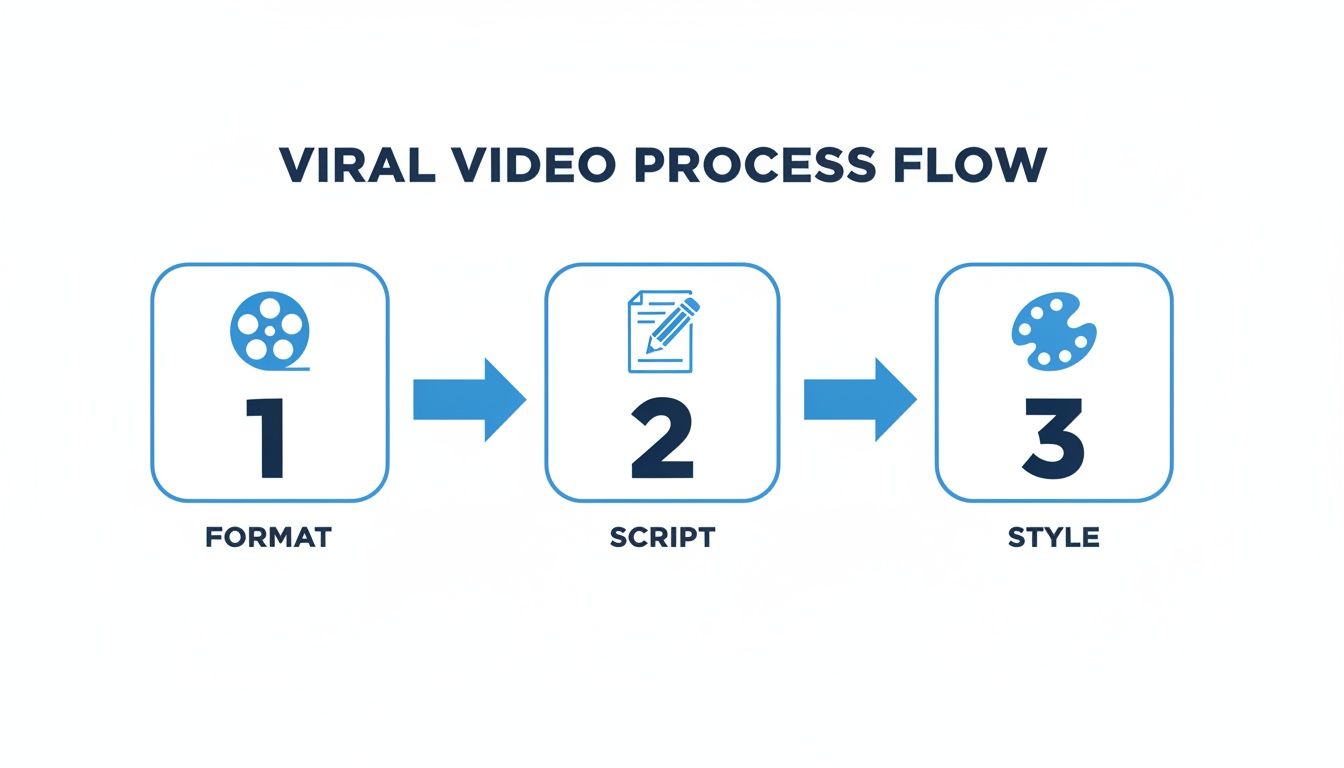
By locking in your format, script, and style, you create a repeatable system that gets results without leading to creative burnout.
Powerful AI Models Without the Headaches
Behind the curtain, these platforms are running on some seriously advanced tech. The cool part is, you get all the benefits without needing a computer science degree to understand it. When you use a tool like ShortsNinja, you’re tapping into a whole suite of powerful models.
- For Visuals: Forget boring, overused stock footage. These tools can use models like Flux or MiniMax to generate completely new, context-aware video clips that perfectly fit your script. Your videos end up looking unique, not like a carbon copy of everyone else’s.
- For Voiceovers: You can also ditch the robotic, monotone narration. You get access to hyper-realistic AI voices from providers like ElevenLabs or OpenAI. These voices sound human, can convey emotion, and add a professional touch to your faceless videos. You can even choose from over 50 languages to reach a global audience.
Key Takeaway: The real power of AI here isn't just about speed; it's about access. It gives you the capabilities of a full production studio right in your browser, opening up high-quality video creation for everyone.
This change is happening at the perfect time, as Instagram has gone all-in on video in 2025. Video content is expected to drive 82% of all internet traffic, and Reels are leading the charge. What's interesting is that longer Reels—those over 60 seconds—are now getting more than double the views of shorter ones. To jump on that trend, you need a tool that can produce great content, fast.
A Practical Example, Broken Down
Let’s go back to our "3 Productivity Hacks" video. After you plug in your idea, the ShortsNinja interface shows you the generated script. You can easily tweak it—maybe you want to make the hook a little punchier or change the CTA.
Once the script is good to go, you pick a voice. For an entrepreneurial audience, you might choose a confident, clear male voice. Then, you hit "Generate" and watch it happen. The AI goes through the script line by line and creates a matching video clip for each part.
- "Feeling overwhelmed by your to-do list?" might generate a clip of a messy desk or a stressed-out animated character.
- "Try the Pomodoro Technique…" could create a slick visual of a timer counting down.
- "…and watch your focus skyrocket" might show an upward-trending graph or even a rocket launching.
In less than five minutes, you have a fully finished video with perfectly synced visuals, a professional voiceover, and captions. It's a game-changer. For a deeper look at the mechanics, you can learn more about how to create Reels with AI in our dedicated guide. If you're looking to understand the broader landscape of using artificial intelligence in your content, check out this excellent guide to AI-powered content creation.
This method isn’t just a shortcut; it's a strategic advantage that lets you produce content at a scale and quality that used to be out of reach for solo creators and small teams.
Editing and Optimizing Your Video for Instagram
You've used AI to generate the core of your video, but the job's not done yet. Now comes the human touch—the part where you polish your creation and get it ready for the Instagram stage. Skipping this step is like baking a cake and forgetting the icing. Sure, the foundation is there, but the real magic is in the finishing details.
This final polish is what separates an average video from one that stops the scroll and drives real engagement. Let’s walk through the optimization checklist I use before hitting "publish" on any video.
Get the Technical Specs Right
First things first, let's talk formatting. Instagram is a vertical-first world, and if your video doesn't fit the frame, it’s going to look amateurish. Nobody wants their hard work awkwardly cropped, killing the visual impact before anyone even sees the content.
Making sure your video fits the platform’s preferred dimensions is non-negotiable.
- Aspect Ratio: For Reels and Stories, 9:16 is the gold standard. It’s the full-screen vertical format that users expect and the algorithm loves.
- Resolution: Always aim for high-quality 1080p (1080 x 1920 pixels). This keeps your visuals crisp on modern phones without making the file so massive that it takes forever to load.
Fortunately, most video editors have presets for this. Inside ShortsNinja, for instance, you can adjust this with a single click. It's the easiest win you'll get in this whole process.
To make it even simpler, here’s a quick reference table for the most common formats.
Instagram Video Technical Specifications
This is a handy reference for the optimal technical settings for each Instagram video format.
| Video Format | Aspect Ratio | Recommended Resolution | Max Length |
|---|---|---|---|
| Reels | 9:16 | 1080 x 1920 pixels | 90 seconds |
| Stories | 9:16 | 1080 x 1920 pixels | 60 seconds |
| Feed Video | 4:5 or 1:1 | 1080 x 1350 pixels | 60 minutes |
| Live | 9:16 | 1080 x 1920 pixels | 4 hours |
Getting these specs right from the start ensures your video looks professional and performs its best.
Add Your Creative Polish
With the technical stuff out of the way, it’s time for the fun part—adding creative touches that make the video truly yours. Even AI-generated clips need a little finessing to match your brand's vibe and what's currently trending. There are plenty of powerful but easy-to-use AI video editing tools that can help with this without a massive learning curve.
Here’s where I focus my energy:
- Trim and Tighten: Watch the video from start to finish. Any weird pauses? Clips that drag on a second too long? Get rid of them. Trim the fat. Every single second has to earn its place.
- Add Dynamic Text Overlays: A huge chunk of users watch with the sound off, so text overlays are your best friend. Use bold, readable fonts to call out key points, ask a question, or drive home your call-to-action.
- Use Trending Audio: Slapping a popular song or sound on your Reel can give it a serious visibility boost. The Reels tab makes it easy to see what’s hot right now. Just make sure the audio’s vibe actually fits your video’s message.
Pro Tip: Don't just add music; use it. Try syncing your cuts and transitions to the beat. It’s a small detail that makes a video feel incredibly dynamic and satisfying to watch, which can do wonders for your watch time.
Maximize Your Reach with Captions and Hashtags
Okay, your video looks great. But the text you pair it with is just as important for its discoverability and overall impact.
Write a Caption That Connects
Your caption is more than just a description. It's your chance to add context, tell a quick story, or start a conversation. Kick it off with a strong hook that makes people want to tap "more." I find that ending with a question or a clear call-to-action is the best way to get the comments rolling.
Use a Tiered Hashtag Strategy
Hashtags are how new people find your content. A random spray-and-pray approach just doesn't work anymore. You need a structured, tiered strategy.
Here’s how I break it down:
- Broad Hashtags (1-2): Think big, high-volume tags like
#digitalmarketingor#entrepreneur. They cast a wide net but are super competitive. - Niche Hashtags (3-5): Now get specific. Instead of
#fitness, try#homeworkoutideasor#bodyweighttraining. This connects you with a more targeted, engaged audience. - Community Hashtags (2-3): These are tags for your specific subculture, like
#creativeentrepreneursor#womeninbusiness. They build community and attract loyal followers.
This balanced mix helps the algorithm figure out exactly who your video is for, upping the odds it lands on the right Explore pages. If you're running paid campaigns, diving deeper into Instagram Ad Optimization can give you an even greater edge. By following this optimization checklist, you're setting every video up to be technically sound, creatively engaging, and strategically positioned for success.
Scheduling Content and Analyzing Performance
Getting your video created and polished is a huge win, but let's be real—hitting "publish" isn't the finish line. It's the start of the next race. The real secret to growing on Instagram isn’t just making a great video; it’s about showing up consistently and actually understanding what happens after you post.
This is where scheduling and a little data-diving become your best friends. The algorithm loves consistency, but trying to post manually every single day is a surefire way to burn out. Tools that let you schedule your content, like the one built into ShortsNinja, are absolute game-changers.
Automate Your Posting for Consistent Growth
Imagine sitting down once and lining up your entire week’s worth of Instagram videos. That’s the freedom a scheduler gives you. It takes your content strategy from a frantic, day-to-day scramble to a calm, organized system.
You can batch-create your videos, upload them, and set them to go live at the perfect time for your audience—even if you’re asleep or on vacation. That consistency is a huge signal to the Instagram algorithm. Sporadic posting kills your momentum, but a steady stream of content keeps your audience hooked and tells Instagram you're a creator worth showing to new people.
Here’s why this small shift in your workflow is so powerful:
- Keeps Your Momentum: A regular schedule tells the algorithm your account is active and relevant.
- Frees Up Your Time: You can actually focus on creating better content instead of just the admin task of posting.
- Hits the Right Time: Post when your audience is most active to maximize that crucial initial engagement, no matter what you're doing.
Diving Into Your Instagram Insights
Once your video is out in the wild, the real learning begins. I see so many creators post a video and immediately start stressing about the next one. That's a massive mistake. Your analytics are a goldmine of feedback, telling you exactly what your audience loved and what they scrolled past.
Instagram’s built-in analytics, called Insights, can feel like a lot at first. But you don’t need to be a data scientist. Just a few key metrics will give you 80% of what you need to make your next video even better.
Don't get lost in vanity metrics like likes. The numbers that truly matter are the ones that measure attention and intent: how long people watched, and what they did next.
Instead of obsessing over the like count, zero in on the data that shows genuine engagement. These are the numbers that will actually help you figure out how to make videos for Instagram that connect.
Key Metrics That Actually Matter
To build a smart, data-driven feedback loop, just focus on these four performance indicators. They tell a clear story about how valuable and compelling your content really is.
- Watch Time and Audience Retention: This is arguably the most important metric of all. It shows the average amount of time people spent watching and, even more critically, the exact point where they dropped off. If you see a huge dip in the first three seconds, your hook needs work. If they're re-watching a specific part? That’s a giant clue about what they find most valuable.
- Saves: When someone saves your video, they’re bookmarking it for later. This is an incredibly strong signal to Instagram that your content has high value and isn't just a fleeting piece of entertainment. A high number of saves often convinces the algorithm to push your content to a much wider audience.
- Shares: Shares are basically digital word-of-mouth. Someone liked your video so much they sent it directly to a friend or posted it in their Stories. It’s a huge vote of confidence and one of the best ways to attract new followers who are already primed to like your content.
- Comments: While a like is a passive tap, a comment is active engagement. It means your video was compelling enough to make someone stop, think, and actually type out a response. This is a fantastic indicator that you've sparked a real conversation.
By checking these metrics regularly, you'll start to see patterns. Do videos that ask a question get more comments? Do "how-to" tutorials get more saves? This is how you stop guessing and start creating content you know will perform. For a deeper dive, our guide on how to analyze Instagram Reels insights breaks it all down step-by-step.
Common Questions About Instagram Video Creation
Even with a solid game plan, it's easy to hit a few roadblocks when you start making videos for Instagram. Let's tackle some of the most common questions I hear from creators so you can get back to what matters: making content that actually connects with people.
These are the little things that can kill your momentum, but the fixes are usually pretty simple. Getting them sorted out now will save you a ton of headaches later on.
How Long Should My Instagram Videos Be?
This is the million-dollar question, and the answer is always, "it depends." The old advice to just "make it shorter" is officially dead. Instagram's algorithm cares way more about watch time and retention now.
- For Reels: Your goal is to keep people hooked until the very end. Lots of viral Reels are under 15 seconds, but don't be afraid to go up to the full 90 seconds if your tutorial or story needs it. A high retention rate on a longer Reel is pure gold for the algorithm.
- For Stories: Keep these clips short and sweet. Aim for under 15 seconds per frame. People tap through Stories fast, so long, rambling segments are a surefire way to get skipped.
- For Feed Videos: You can technically go up to 60 minutes here, but let's be real. Unless you've got a super-engaged audience that wants long-form content from you, stick to the 1-3 minute range.
The new golden rule isn't about hitting a specific number. It’s about being as long as you need to be to make your point, and not one second longer. If the content is good, they'll watch.
Can I Use Popular Music in My Videos?
Using trending audio is one of the fastest ways to get more eyes on your content, but navigating music rights on Instagram can feel like a minefield. Here’s the simple breakdown.
Personal vs. Business Accounts
- Personal/Creator Accounts: You get the keys to the kingdom—Instagram’s full music library with millions of popular songs. Using audio straight from the Reels tab is generally safe for your regular content.
- Business Accounts: Your options are a bit more limited. You get access to a library of royalty-free music to protect you (and Instagram) from copyright lawsuits. Using a hit song without the proper license is a risky move that could get your video muted or taken down.
If you have a business account and really want that trending vibe, your best bet is to find a royalty-free track that captures a similar mood or just create your own original audio.
Do I Need to Show My Face to Succeed?
Absolutely not. We're seeing a massive rise in "faceless" accounts that prove one thing: value builds a following, not visibility. You can build a hugely successful brand on Instagram without ever stepping in front of the camera.
This is where AI tools like ShortsNinja are a complete game-changer. They let you generate compelling visuals and voiceovers that do the storytelling for you.
Here are a few faceless styles that are crushing it right now:
- Text-over-B-roll: Pair aesthetic stock footage or AI clips with on-screen text and a trending song.
- Screen Recordings: The go-to format for any kind of app or software tutorial.
- Hands-Only Demos: Think unboxings, product setups, or recipe videos where only your hands are the star.
- Animated Text Videos: Use simple apps to make your message pop with dynamic text animations.
At the end of the day, your success comes down to your ability to teach, inspire, or entertain—not whether your face is in the frame.
Ready to stop guessing and start creating high-performing Instagram videos in minutes? ShortsNinja uses AI to automate everything from scripting and visuals to voiceovers, letting you build a powerful content engine without the burnout. Try ShortsNinja for free and see how easy it is to grow your channel.