
Pasting a YouTube link on Facebook feels like the obvious, easy thing to do. But in reality, it's often the single worst way to share your video with your Facebook audience.
If you want your content to actually get seen, the best method is to download your video from YouTube and upload it directly to Facebook. This is what we call a native upload, and it gets the VIP treatment from Facebook's algorithm, leading to way more reach and engagement.
Why Sharing YouTube Links on Facebook Kills Your Reach
It’s tempting, I get it. You just copy the link, paste it into a new post, and hit publish. It takes five seconds. The problem is, doing this sends a huge red flag to Facebook's algorithm: you're trying to pull users away from their platform.
Social media platforms are walled gardens. Their number one goal is to keep users scrolling, watching, and engaging within their own ecosystem. When you share a YouTube link, you're essentially putting up a giant billboard for a competitor. Facebook sees this and immediately throttles your post's visibility. The result? A post that barely any of your followers will ever see, completely defeating the purpose of sharing it.
The Power of Native Uploads
When you take the extra minute to upload your video file directly to Facebook, it becomes "native" content. And the platform absolutely loves it.
This unlocks powerful, engagement-driving features that you just don't get with a link. The biggest one is silent autoplay. As users scroll through their feed, your video will immediately start playing without sound, grabbing their attention and pulling them in.
Think of it like this: Facebook is throwing a party. It wants everyone to eat the snacks and listen to the music it's providing. If you show up trying to get people to leave and go to the party next door (YouTube), the host isn't going to be too happy with you.
This simple chart really drives the point home, showing the massive difference in potential reach.
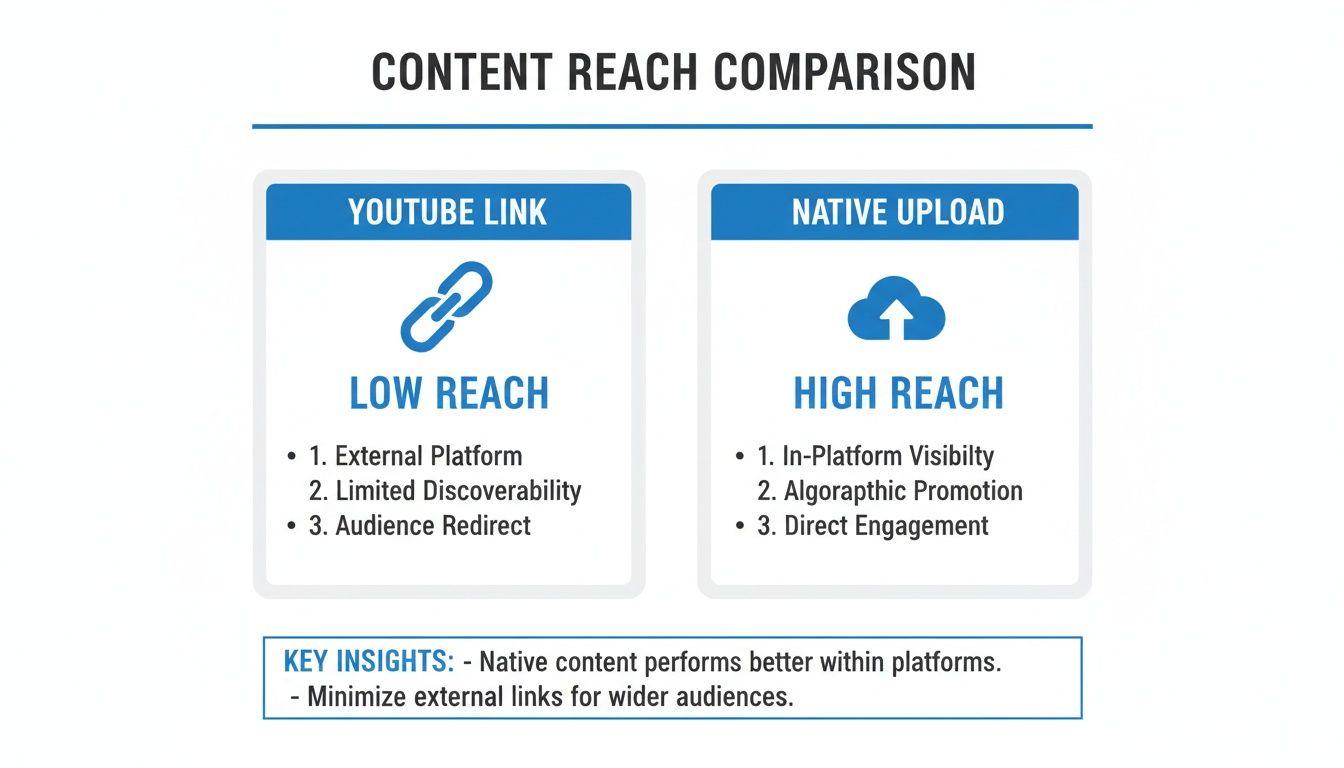
As you can see, the path to getting more eyeballs on your content is clear. Native uploads are built to win on Facebook.
For a quick breakdown, here's how the two methods stack up against each other.
YouTube Link Sharing vs Native Facebook Upload
This table gives you a side-by-side look at the key differences in performance and features.
| Feature | Sharing YouTube Link | Native Facebook Upload |
|---|---|---|
| Algorithm Priority | Low | High |
| Autoplay in Feed | No (shows a static thumbnail) | Yes (silent autoplay) |
| User Experience | Requires a click to leave Facebook | Seamless, in-feed viewing |
| Engagement Potential | Lower | Significantly Higher |
| Customization | Limited to the link preview | Full (custom thumbnail, title, captions) |
| Analytics | Basic (clicks) | Detailed (views, watch time, retention) |
The verdict is pretty clear. While sharing a link is faster, the benefits of uploading natively—from better reach to deeper analytics—are too significant to ignore for any serious creator or marketer.
Understanding Platform Behavior
With over 8 billion daily video views, the Facebook video environment is enormous, but it plays by its own set of rules. The algorithm always gives native content the upper hand, and videos created with Facebook's specific viewing habits in mind perform the best.
For example, a staggering 85% of Facebook videos are watched without sound. This means adding captions to your native uploads isn't just a nice-to-have; it's absolutely critical for grabbing and holding attention.
It also helps to understand the technical side of how platforms process links. Things like Open Graph previews and debugging can get a bit nerdy, but a poorly formatted link preview can sink your post's performance before anyone even has a chance to ignore it.
At the end of the day, choosing to upload natively isn't just a small tweak. It's a fundamental part of any smart content distribution strategy. You're not just posting a video; you're giving it the best possible shot to connect with your audience and succeed on a new platform.
The Gold Standard: Direct Download and Upload
While it takes a few extra clicks, directly downloading your video from YouTube and re-uploading it to Facebook is, by far, the most powerful way to share it. Think of it less as a chore and more as giving your content a proper, customized introduction to a new audience. This is how you unlock the full benefits of a native Facebook video, especially that all-important in-feed autoplay.
The process kicks off in your YouTube Studio, not on Facebook. By downloading your own video file, you completely sidestep any copyright headaches and guarantee you have the highest quality version ready for its new home.
Getting Your Video from YouTube Studio
First things first, you need to grab the actual video file. Thankfully, YouTube makes this incredibly simple for your own content.
- Head over to YouTube Studio. Log in to your YouTube account and go straight to your Studio dashboard.
- Find your library under the "Content" tab in the left-hand menu. This will show you a list of every video you've ever uploaded.
- Hover your mouse over the video you want to share. Click the three-dot menu icon that appears and simply select Download.
That's it. Your video will save to your computer, usually as an MP4 file, which is the perfect format for Facebook. For the best results, make sure your original video was exported in at least 1080p resolution. That high-definition quality will look sharp and professional scrolling through the Facebook feed.
Uploading Natively to Facebook
With the MP4 file safely on your computer, it's time to head over to your Facebook Page or profile. This is where you re-introduce your content specifically for the Facebook crowd.
On a desktop, just start a new post and click the "Photo/Video" button to select your downloaded file. As the video uploads, Facebook will open a pretty robust set of options where the real magic happens. This is your chance to craft an entirely new experience.
The key is to treat this as a fresh piece of content, not a copy-paste job. Your Facebook audience has different expectations and consumes videos differently than your YouTube subscribers. A little customization goes a long, long way.
For example, you'll want to write a brand new, compelling description that hooks viewers immediately and encourages them to comment, like, and share right there on Facebook. This same mindset applies when you want to learn how to post your YouTube video on Instagram, because every platform needs its own unique touch.
Customizing for Maximum Impact
This is the most critical part of the whole process. Just dumping the file on Facebook isn’t enough. You need to tailor it to the platform to squeeze out every bit of organic reach and engagement.
- Craft a Facebook-Specific Title: Your YouTube title was probably optimized for search. Your Facebook title should be conversational and designed to stop the scroll.
- Write an Engaging Description: Ask questions. Use emojis. Tag other pages or relevant people to spark a conversation directly in the post.
- Choose a Captivating Thumbnail: Don't let Facebook just pick a random, blurry frame from your video. Upload a custom thumbnail that is bright, clear, and makes people curious.
- Add Relevant Tags: Use tags to help Facebook's algorithm understand what your video is about. This seriously increases its chances of being shown to the right people.
By taking these few extra steps, you're not just learning how to post a video on Facebook from YouTube—you're learning how to make it win there.
How to Share a YouTube Link Strategically
While native uploads are the gold standard for reach, let's be realistic—sometimes you just need to share a link quickly. But there’s a smart way and a lazy way to do it. Just pasting the URL and hitting "Publish" is a huge missed opportunity. To make this method work, you have to give your audience a compelling reason to leave Facebook and watch your video somewhere else.
Your goal is to turn a simple link drop into an enticing invitation. Instead of letting the default YouTube thumbnail and title do the heavy lifting, you need to frame the post yourself.
This all starts with writing captivating intro text that sparks curiosity. Don't just announce the video; tease the most valuable or entertaining part. For instance, instead of a flat "Check out my new video," try something like, "I spent 10 hours testing five different methods, and the results for #3 completely shocked me. See the full breakdown on my YouTube channel!"
When Sharing a Link Makes Sense
This method isn’t always the wrong choice. In certain situations, strategically sharing a YouTube link is the most logical move. The key is to be intentional about it.
Consider these scenarios where a direct link is actually the best tool for the job:
- Driving Traffic to a Premiere: If you’re launching a YouTube Premiere, the whole point is to get everyone watching in the same place at the same time. Sharing the link is essential for funneling your Facebook audience to that live event.
- Engaging in Facebook Groups: Many creator or community-focused Facebook Groups have a more relaxed attitude toward external links. In these spaces, sharing your latest tutorial can be a great way to provide value without the algorithm penalty you’d face on your Page's feed.
- Cross-Promoting a Series: When you want to drive long-term subscribers to your channel, sending them to a specific video within a popular playlist can be incredibly effective.
The core idea is to treat the Facebook post as the movie trailer, not the full feature film. Your text, and even a custom graphic, should act as a hook that convinces people the click is worth their time.
Crafting the Perfect Call-to-Action
Your post absolutely must have a clear and direct call-to-action (CTA). You're asking people to take an extra step, so you need to tell them exactly what to do and why they should bother. Don't be vague.
A strong CTA makes the benefit obvious. For example, a post might say, "The full, step-by-step guide is waiting for you on YouTube—click here to master this skill in under 10 minutes!" This frames the click not as leaving Facebook, but as gaining a specific benefit.
By mastering how to post a video on Facebook from YouTube strategically, you can turn a low-reach tactic into a powerful traffic driver when you use it at just the right moments.
Using Automation to Work Smarter, Not Harder
Manually downloading every video from YouTube and re-uploading it to Facebook gets the job done, but let's be real—it's a massive time sink. For busy creators trying to manage multiple platforms, that repetitive cycle is a fast track to burnout. This is where a smarter approach comes in, one that helps you stay consistent and post high-quality content without the constant grind.
Instead of losing hours to repetitive tasks, you can lean on third-party services built for this exact problem. These tools are the bridge between your platforms, streamlining how you post a video on Facebook from YouTube by doing the heavy lifting for you. It isn't about cutting corners; it's about reclaiming your time so you can focus on what really matters—creating awesome content.
Why Automation Is a Game Changer
The true power of these tools isn't just moving a file from point A to point B. It’s about building efficiency and consistency right into your workflow, which are both critical for growing your audience.
- Batch Scheduling: Imagine getting a full week or even a month of Facebook video content planned and scheduled in one sitting. Automation tools let you set it and forget it, guaranteeing a steady stream of content hits your feed at the perfect times.
- Time Zone Optimization: If your audience is scattered across the globe, you can schedule posts to go live when viewers in different regions are most active. This maximizes that crucial initial engagement without you needing to wake up at 3 AM.
- Platform-Specific Customization: Many services let you tweak your titles, descriptions, and thumbnails for each platform right from their dashboard. No more manually editing every single post for every single platform.
For anyone new to this, getting a handle on what social media automation actually is can be a great starting point. It’s less about robotic, impersonal posting and more about creating an intelligent content distribution system.
Choosing the Right Automation Tool
Not all automation platforms are built the same. As you start looking at options, the key is to find one that actually fits your needs as a creator. Some tools are simple schedulers, while others are full-blown content repurposing machines.
Start by thinking about your main goals. Are you just looking for a reliable way to schedule posts? Or do you want a tool that can automatically grab your latest YouTube video, reformat it perfectly for Facebook's feed, and post it with a custom caption? The more advanced the features, the more time you'll save in the long run. Taking some time to explore different tools for automated social media posting will help you lock in the perfect fit for your workflow.
The best automation strategy feels seamless. It just works quietly in the background, freeing you up to engage with your community and plan your next big video, rather than getting stuck in the weeds of uploading files.
At the end of the day, bringing automation into your process is a strategic move. It empowers you to post consistently and effectively across platforms, which is one of the most reliable ways to grow an audience. By working smarter, you give your content the best possible shot at success on both YouTube and Facebook, all without spreading yourself too thin.
Optimizing Your Video for the Facebook Feed
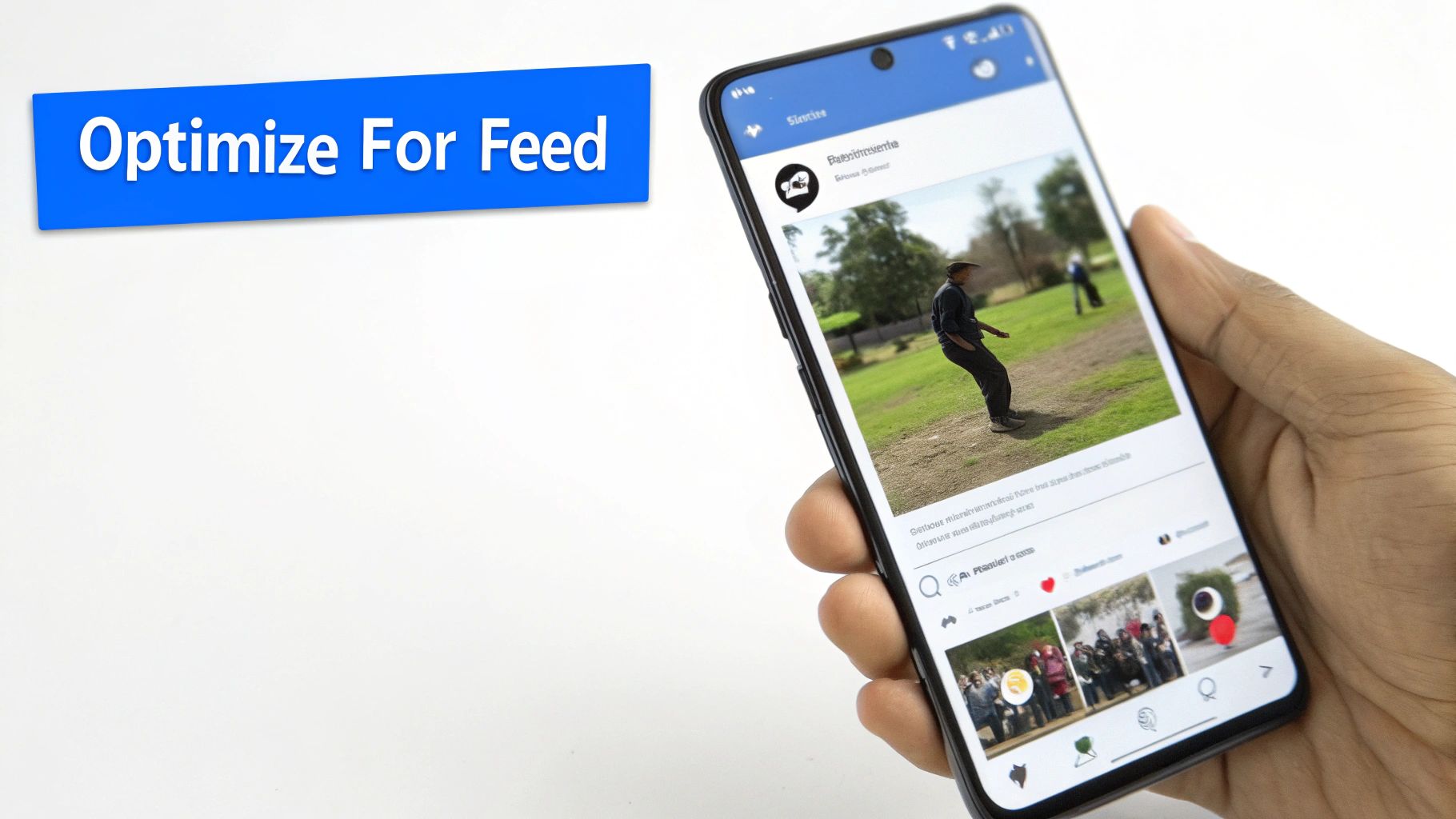
Uploading your video natively is a great first step, but the real work starts now. You have to adapt your content for how people actually use Facebook. A video that crushes it on YouTube can easily get ignored if you don't tweak it for the fast-scrolling, mobile-first, and often silent Facebook feed.
This isn't about reinventing your video. It's about repackaging it to stop the scroll. The average person scrolls through hundreds of feet of content every single day. Your video needs to be an undeniable thumb-stopper from the very first frame.
Format for Mobile Success
On YouTube, the standard 16:9 landscape format is still king. But on Facebook? It’s a liability.
The vast majority of users are on their phones, holding them vertically. A wide video just looks tiny and gets lost between huge black bars on the screen. To grab attention, you need to maximize your screen real estate.
- Square (1:1 aspect ratio): This is a fantastic, safe bet. It takes up way more screen space than landscape and looks great in most places on Facebook.
- Vertical (4:5 aspect ratio): This is even better for the main feed. It fills almost the entire vertical screen on a phone, making your video feel immersive and impossible to miss.
Seriously, editing your horizontal YouTube video into a square or vertical format is one of the most powerful changes you can make. It shows you made the content for Facebook, not just copied it over.
Win the First Three Seconds
You have a tiny window to convince someone to stop scrolling. The first three seconds are everything—they absolutely must be captivating. Don't waste that precious time with slow-fading logos or the long, drawn-out intros that might work on YouTube.
Your opening needs to be a hook, not a handshake. Jump straight into the action, show a compelling visual, or ask a provocative question right away. If you don't earn their attention in three seconds, you've already lost them.
This comes down to a fundamental difference in how people use each platform. YouTube viewers have already decided to click and watch. Facebook viewers are just passively scrolling and need to be convinced to stop.
Design for a Silent Experience
A staggering number of videos on Facebook are watched with the sound off. If your video needs a voiceover or dialogue to make sense, you're alienating a huge chunk of your potential audience.
The solution is simple but powerful: burned-in captions.
These are captions that are permanently part of the video file itself, not the optional closed captions you can turn on and off. They make sure your message lands whether the user has their sound on or not. Think of them as an essential visual element, not just an add-on.
This extra effort pays off. Marketers consistently report that Facebook delivers the highest ROI among social platforms at 28%, beating both Instagram and YouTube. This high return is often tied to creating content that perfectly fits user behavior—like watching silently. You can discover more insights about social media ROI that really drive home why these platform-specific tweaks are so valuable.
Finally, make sure to switch up your calls-to-action (CTAs). A classic YouTube CTA like "Don't forget to subscribe and hit the bell!" makes no sense on Facebook. Instead, use CTAs that encourage immediate, platform-native engagement:
- "Tag a friend who needs to see this!"
- "What do you think? Let me know in the comments below!"
- "Share this if you agree!"
By optimizing for format, speed, silence, and engagement, you’re not just uploading a video. You’re launching a piece of content that’s truly built to win on Facebook.
Common Questions About Posting Videos
Even with the best strategy, a few questions always seem to pop up when you're trying to get your YouTube videos onto Facebook. Let's tackle some of the most common ones I hear from other creators.
Does Facebook Penalize YouTube Links?
Yes, absolutely. While Facebook doesn't have an official "penalty" on the books, its algorithm is designed to keep users on its platform. When you share a YouTube link, you're doing the exact opposite—sending people away.
Because of this, Facebook will naturally throttle the reach of that post. A natively uploaded video is a first-class citizen in the Facebook ecosystem; a YouTube link is just a visitor passing through. The difference in organic reach isn't just noticeable, it's immediate.
Can I Get a Copyright Strike for Uploading My Own Video?
Nope, you're in the clear. You can't get a copyright strike for downloading your own content from YouTube and re-uploading it to Facebook. You own the rights to your original work, so you're free to post it wherever you want.
The only time you'd run into trouble is if the original YouTube video already contained copyrighted material, like music or movie clips you don't have a license for. If YouTube flagged it, there's a good chance Facebook's system will, too. Stick to royalty-free music or get the proper licenses to stay safe.
Is It Better to Schedule or Post Immediately?
Scheduling is almost always the smarter long-term play. It's the key to maintaining a consistent posting schedule without having to be glued to your screen 24/7. Consistency is a massive signal to the algorithm and your audience.
A consistent schedule trains your audience to expect content from you. Posting your videos at the same time each day or week builds anticipation and turns casual viewers into loyal followers.
You can use the tools built into Facebook's Creator Studio or a third-party service to get this done. It lets you batch your work and post when your audience is most active—even if you're not.
What Is the Best Video Length for Facebook?
For the main news feed, videos between one and three minutes tend to perform best. That length is the sweet spot for grabbing attention, delivering real value, and wrapping up before someone gets the itch to keep scrolling.
Of course, the "perfect" length really depends on your content and your audience. Here's a quick breakdown:
- Under 60 seconds: Ideal for Reels, quick-fire tips, or anything designed to go viral.
- 1-3 minutes: The sweet spot for most tutorials, explainers, and general storytelling.
- 3+ minutes: Best reserved for deep dives, interviews, or episodic content aimed at your most dedicated followers.
The best way to know for sure is to experiment. Dive into your Facebook Page Insights and see where your viewer drop-off rates spike. That data will tell you exactly how long your audience is willing to stick around.
Ready to grow your channels on autopilot? ShortsNinja uses AI to turn your ideas into a steady stream of high-quality videos for YouTube, TikTok, and Instagram, handling everything from scripting to scheduling. Get started today at https://shortsninja.com.