
You can't just dump a YouTube video onto TikTok and expect it to work. It's a completely different game. The real trick is to strategically edit your horizontal YouTube video into a vertical, fast-paced clip that feels native to TikTok, complete with its own captions, sounds, and hashtags. Get that right, and you can tap into a massive new audience.
Why Bother Repurposing YouTube Videos for TikTok?
Turning your long-form YouTube content into snappy TikToks is hands-down one of the smartest growth hacks out there. Instead of grinding out every single video from scratch, you get to dive back into your library of high-effort content and give it a second life. This isn't just about saving time—it's about smart content amplification.
The reason this works so well is that it lines up perfectly with how people watch videos now. TikTok users want quick, punchy moments, and those "gold nuggets" are probably already buried inside your longer YouTube videos. By pulling them out, you can:
- Massively Expand Your Reach: You're putting your content in front of a totally different crowd, one that might never have stumbled upon your YouTube channel.
- Boost Your Content Velocity: The TikTok algorithm loves it when you post often. Repurposing lets you keep up a steady schedule without hitting burnout.
- Maximize Your ROI: You squeeze every drop of value from the time, effort, and money you already sank into making your original YouTube videos.
Before you start slicing up your videos, it helps to understand just how different these two platforms are. They're built for completely different viewing experiences.
YouTube Long-Form vs. TikTok Short-Form At a Glance
Here’s a quick rundown of the fundamental differences to keep in mind as you adapt your content.
| Feature | YouTube (Long-Form) | TikTok |
|---|---|---|
| Orientation | Horizontal (16:9) | Vertical (9:16) |
| Pacing | Slower, more detailed | Fast, high-energy, quick cuts |
| Attention Span | Longer, viewers are invested | Seconds, gotta hook them fast |
| Audio | Primarily original audio/voiceover | Trending sounds, music clips |
| Captions | Optional, often auto-generated | Native, styled, often burned-in |
| Discovery | Search, recommendations, browse | "For You" Page algorithm, trends |
Thinking about these key distinctions will help you make smarter editing choices instead of just awkwardly cropping a horizontal video.
The Power of Posting Frequency
The TikTok algorithm is hungry, and it rewards consistency. By 2025, the platform is expected to hit 1.9 billion monthly active users, making it a goldmine for creators who can feed the machine. We've seen data from over 150,000 accounts that proves it: creators who went from posting once a week to just 2-5 times weekly saw a 17% jump in views per post. That number climbs to 34% for those posting 11 or more times a week. It’s clear—a steady flow of content is your ticket to growth.
The core idea is simple: every YouTube video you’ve ever made is a treasure trove of potential TikToks. A 10-minute video essay could contain five to ten distinct, shareable clips perfect for vertical short-form.
Cross-Platform Synergy
The real goal here isn't just to get TikTok followers. It's about creating a feedback loop between your platforms. A viral TikTok can act like a "trailer" for your more in-depth YouTube content. Someone who loves a 60-second highlight is way more likely to click over to your channel to see the full story, driving traffic and subscribers right where you want them.
To get the most out of your existing library, you should explore some game-changing content repurposing strategies. Getting good at this is fundamental to building a solid online presence. For a deeper dive, check out our guide on advanced content repurposing strategies. It's all about working smarter, not harder.
Find Your Gold: Choosing the Right Moments to Repurpose
Let's be real: not every second of your long-form YouTube video is built for TikTok's breakneck speed. The absolute first step—and honestly, the most important one—is learning how to spot the gems. Think of your YouTube library as raw ore; your job is to mine the gold nuggets that will actually shine on TikTok.
This means you have to re-watch your own stuff with a totally new perspective. Forget the overall narrative arc. Instead, scan for individual moments that stand on their own and pack a punch without needing the five minutes of context that came before them.
Pinpointing High-Impact Clips
So, what makes a clip "TikTokable"? It's less of a science and more of an art, but you'll get a feel for it quickly. As you scrub through your videos, keep an eye out for these moments:
- Powerful Hooks: That killer intro from your YouTube video? The first three seconds are often designed to stop the scroll. That's a ready-made TikTok.
- Quick Tutorials or Tips: Did you spend 45 seconds explaining a single, game-changing tip? Isolate it. That's perfect for the "edutainment" crowd on TikTok.
- Surprising Reveals: The moment you dropped a wild statistic, revealed a crazy result, or had a big "aha!" moment? That's your clip. Pure gold.
- Funny Outtakes: Genuine, unscripted bloopers are often the most relatable content you have. People love seeing the human side of creators.
- Dramatic Storytelling Beats: If you're telling a story, find the climax or a moment of peak tension. Those emotional spikes translate beautifully to short-form.
The goal here is simple: find bits that deliver a complete thought or feeling almost instantly. If someone has to have seen the rest of your video to get the joke, it’s not going to land on TikTok.
Get Your Hands on the High-Quality Source File
Alright, you’ve pinpointed a few killer clips. Now for the practical part: you need a high-quality version of your own video. You could use some online YouTube downloader, but the best way—the only way, really—is to use your original source file.
Why? Because your original file has the highest possible resolution and bitrate. When you download from YouTube, you're getting a compressed version. If you take that already-compressed file and then crop, edit, and re-render it for TikTok, all those little imperfections and compression artifacts get magnified. The result? A blurry, unprofessional-looking mess.
You can grab your original file straight from your YouTube Studio:
- Head over to the "Content" tab.
- Hover over the video you want.
- Click the three-dot menu icon that appears.
- Hit Download.
This gives you a pristine MP4 file, setting you up for a crisp, clean TikTok that looks like it was made with care.
One last thing, and this is critical: Only ever repurpose your own content. Seriously. Grabbing someone else's video and reposting it is a fast track to a copyright strike, content removal, or even an account ban. This whole strategy is about building on your hard work, not someone else's. Get this selection and prep phase right, and the rest of the process becomes so much smoother.
Editing Your Video for a Vertical World
Okay, you’ve picked out the perfect high-energy clip from your YouTube video. Now for the fun part: giving it a full TikTok makeover. You can't just upload the original file—that'll leave you with ugly black bars on the top and bottom, instantly signaling to viewers that this content wasn't made for them. To win here, you need to think vertical-first.
This is more than just cropping. It's about completely reimagining how the story gets told inside that tall, skinny 9:16 frame. The goal is to make your video feel so native to TikTok that nobody would ever guess it started as a widescreen YouTube video.
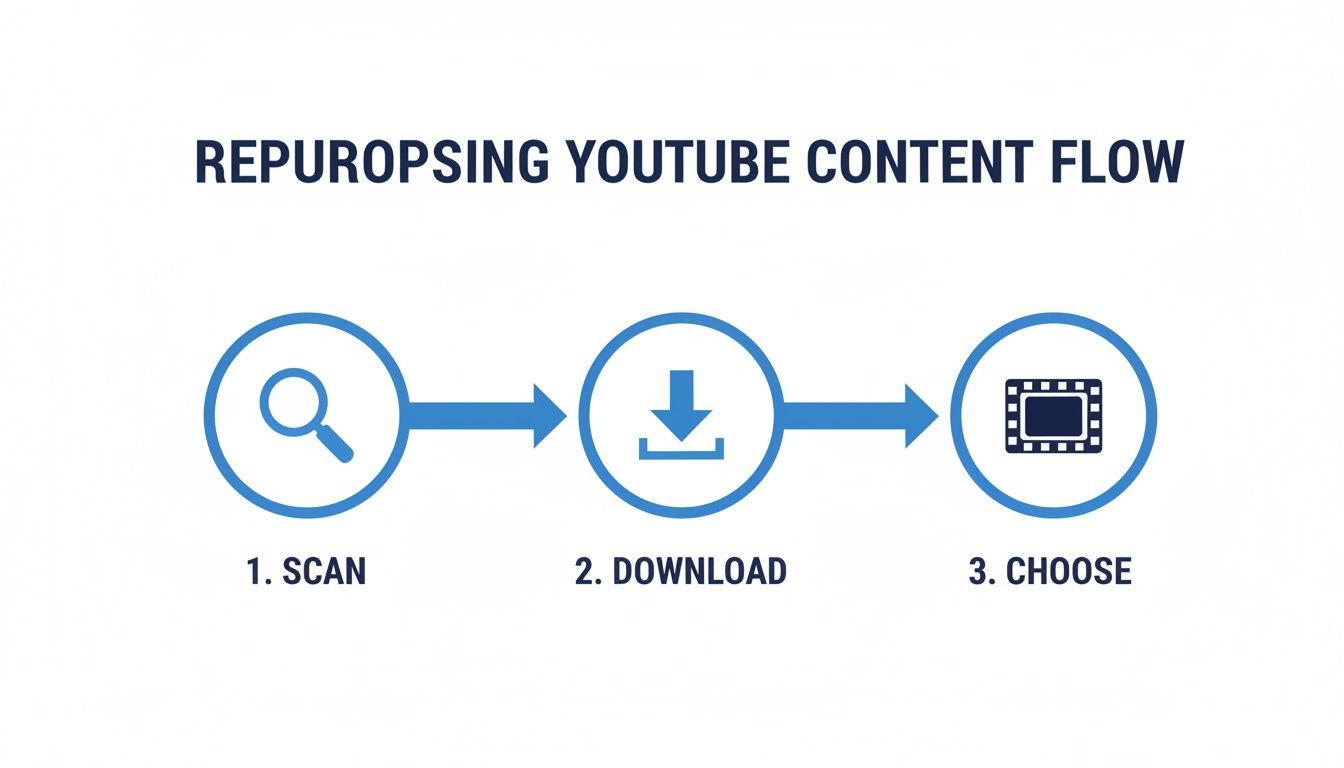
This simple flow chart breaks it down: scan your library, grab the source file, and pick the perfect moment. Editing only starts after you’ve found the clip with the most potential.
Master the Art of Reframing and Punching In
First things first, you need to reframe the shot. A 16:9 YouTube video shows a ton of horizontal space, but on TikTok, the action has to fill the screen from top to bottom. This is where a technique I use all the time, called "punching in," is an absolute game-changer. It’s just a fancy term for digitally zooming in to make your subject the star of the show.
Let's say your YouTube video has a wide shot of you at your desk, with monitors and bookshelves in the background. For TikTok, you’ll want to punch in tight on your face and upper body. The background details don't matter anymore; the focus is on you—your expressions and what you're saying.
This isn’t a "set it and forget it" crop, either. If you move around in the original clip, you'll need to use keyframes in your editor to track that movement. This keeps you centered in the frame and makes the video feel dynamic, preventing you from awkwardly drifting out of the shot.
Add Dynamic Native Captions
On TikTok, captions are everything. A massive number of people scroll with the sound off, so your words need to make an impact visually. Don't even think about just exporting the plain subtitles from YouTube. You need to create big, bold, native-style text overlays that are part of the action.
Here are a few styles that work really well:
- Word-by-Word Animation: Use an app like CapCut to make captions appear one word at a time, synced perfectly to your speech. It’s a super popular style for a reason—it pulls viewers in and makes key phrases pop.
- Bold Colors and Fonts: Go for bright, high-contrast colors. A vibrant yellow or green font with a black outline will stand out against almost any background.
- Sprinkle in Emojis: Weave relevant emojis into your text. It adds personality and helps you speak the native language of the platform.
The trick is to treat your text like another visual element, not just a transcript at the bottom of the screen. For a deeper dive, check out our dedicated guide on how to edit a video for TikTok.
Create a Faster, More Aggressive Pace
The rhythm of a great TikTok is worlds away from a typical YouTube video. Your long-form content probably has natural pauses, transitions, and moments where you slow down to explain something. On TikTok, every single second has to earn its place.
Your editing mission is to be ruthless. Trim every ounce of "dead air"—every unnecessary pause, every "um" or "ah," and every moment where the energy dips. The final product should feel energetic, concise, and relentlessly forward-moving.
This aggressive trimming is what creates that high-energy, can't-look-away feeling. You might take a three-minute segment from a YouTube video and chop it down to a 60-second TikTok, making dozens of tiny cuts to tighten the pace and keep the momentum sky-high.
Automate the Heavy Lifting with AI Tools
Let's be real: manually reframing, captioning, and trimming dozens of clips is a massive time sink, especially if you want to post consistently. This is exactly where AI-powered tools can completely change your workflow. Platforms like ShortsNinja are built to do this repetitive work for you.
Instead of getting bogged down in an editing timeline for hours, you can let an AI handle it. Here's a look at how it generally works:
- Give It Your Video: Just drop in the link to your long-form YouTube video.
- AI Does Its Thing: The tool scans your video and its transcript to find the juiciest, most engaging moments.
- Automatic Reframing: The AI automatically crops the best clips into a vertical 9:16 format, using subject tracking to ensure the speaker or main action stays perfectly centered.
- AI-Powered Captions: It transcribes the audio and spits out animated, native-style captions, often with options to customize the look and feel.
- Visual Boost: Some of the more advanced tools can even find or generate relevant B-roll to layer into the clip, making it way more visually interesting.
By handing off these tedious steps to an AI, you can shrink a multi-hour editing slog into just a few minutes. This is how you scale your content production, feeding the TikTok algorithm a steady diet of high-quality clips without burning yourself out.
Optimizing Your Post to Win the Algorithm

A perfectly edited video is a fantastic start, but it’s only half the battle. To really make an impact when you post a YouTube video on TikTok, you have to play by the platform’s rules.
That final screen before you hit "Post" is where the magic happens. What you do in those last moments—from the caption to your hashtags—can be the difference between a few dozen views and genuine viral potential.
You're essentially feeding the TikTok algorithm clues about your video. Get this part right, and TikTok will push your content onto more "For You" pages.
Crafting Captions That Drive Engagement
On TikTok, your caption isn't just a description; it’s a conversation starter. Forget the long, keyword-heavy paragraphs from YouTube. Here, it’s all about brevity and impact.
A great TikTok caption usually does one of two things: it either adds crucial context or it asks a question. Instead of something flat like, "Here's a tip for baking bread," try this: "My #1 trick for a perfect sourdough crust every time. Have you tried this?" See the difference? You've just invited your entire audience into the conversation, and comments are a powerful signal to the algorithm.
The best captions feel incomplete without audience participation. They create an itch that can only be scratched by leaving a comment, sharing the video, or watching it again.
Another killer technique is the "cliffhanger" caption. Something like, "I can't believe this actually worked…" builds massive curiosity and gets people to watch until the end. That completion rate is one of the most important metrics for the algorithm. For a deeper dive, check out our breakdown of the TikTok algorithm explained.
The Strategic Use of Trending Sounds
Even if your video's original audio is the star of the show, you can still get an algorithmic boost by layering in a trending sound. The trick is to add it at an extremely low volume—I’m talking 1%—so it's basically inaudible.
So, why bother? Because the algorithm uses audio to categorize content. By including a trending sound, you're telling TikTok, "Hey, this video is part of what's popular right now." This helps your video get shown to a much broader audience that’s already engaging with that sound.
To find trending sounds, just:
- Scroll your "For You" page and listen for audio you hear over and over.
- Tap the spinning disc icon in the bottom-right of a video to see how many other clips use that sound.
- Check the "Add sound" section in the editor to see TikTok's own curated lists.
A Hashtag Framework for Maximum Discovery
Hashtags on TikTok are your primary tool for discoverability. A classic mistake is just slapping on generic tags like #fyp or #viral. While you can toss one of those in, a more strategic, layered approach works much better.
Think of your hashtags like a pyramid:
- Broad Appeal (1-2 tags): These are popular, high-volume tags that tell the algorithm your video's general category (e.g.,
#filmmaking,#productivityhacks). - Niche Specific (2-3 tags): Now, get specific. Use tags that describe what's actually in your video (e.g.,
#davinciresolve,#premiereprotips,#notiontemplate). This connects you with a hyper-targeted, engaged audience. - Trending/Community (1 tag): If it fits, add a tag from a current trend or challenge. This can give your video a powerful, short-term visibility boost.
This framework casts a wide net while also zeroing in on the viewers most likely to love your content. For creators looking to be more efficient, finding a solid guide on how to publish to TikTok from drafts can seriously streamline your posting workflow.
Before we move on, here’s a quick checklist to run through before you post. It's a simple summary of the key optimization points that can make a huge difference.
TikTok Optimization Checklist
| Element | Best Practice | Why It Matters |
|---|---|---|
| Caption | Ask a question or create a cliffhanger to spark comments. | Drives engagement, a key signal for the algorithm. |
| Trending Sound | Add a popular sound at 1% volume behind your main audio. | Helps TikTok categorize your video and show it to more people. |
| Hashtags | Use a mix of broad (1-2), niche (2-3), and trending (1) tags. | Maximizes both broad reach and targeted discoverability. |
| Posting Time | Post when your followers are most active (check analytics). | Gives your video an initial velocity boost from immediate views. |
| Hook | Ensure the first 3 seconds are captivating. | Crucial for stopping the scroll and boosting watch time. |
Following this checklist helps ensure you’ve given your video the best possible chance to succeed before it even goes live.
Pinpointing Your Golden Posting Hours
Finally, when you post really matters. Dropping your video when your target audience is mindlessly scrolling gives it an immediate burst of engagement, signaling to the algorithm that you've got a winner.
The best way to find your golden hours is to dig into your analytics. If you have a TikTok Business or Creator account, this data is waiting for you:
- Go to your profile and tap the three-line menu in the top right.
- Select Creator Tools, then tap Analytics.
- Head over to the Followers tab.
- Scroll down to the "Follower activity" section. It'll show you the exact days and hours your audience was most active over the last week.
Use that data to schedule your posts. After a few weeks of consistent posting and checking your numbers, you'll have a clear picture of the best times to post for your specific account.
Common Repurposing Mistakes and How to Fix Them
Trying to figure out how to post a YouTube video on TikTok? It's a lot more than just trimming a clip and hitting upload. So many creators go through the motions only to see their videos fall flat, wondering why they aren't getting any traction.
Here's the hard truth: the TikTok audience can spot lazy, repurposed content from a mile away. These little misses add up fast, telling viewers your video is just an afterthought. If you want your repurposed clips to feel native and actually connect with people, you need to avoid the classic blunders.
The Black Bar Blunder
This one is the most jarring. Uploading a horizontal 16:9 video straight into TikTok's vertical 9:16 world gives you those massive, ugly black bars at the top and bottom. Your video shrinks into a tiny rectangle, and it immediately screams, "This doesn't belong here."
The Fix: Always, always edit your video to fill the entire vertical screen. Jump into a video editor and crop into the frame—a technique often called "punching in"—to keep the most important action front and center. It makes the content feel immersive and respects the full-screen experience that users expect.
The Silent Movie Mistake
Ignoring captions is a massive own goal. A huge chunk of TikTok users scroll with their sound off, whether they're in a public place or just browsing late at night. Without text on the screen, your message is completely lost on them.
This isn't just about accessibility; it's about performance. Data shows that TikTok ad videos with captions see 95% higher brand affinity and 58% better recall. The platform is fundamentally changing how people discover products, so making your content visually clear is non-negotiable. If you're curious, you can discover more insights about social media statistics and see how these trends are shaping content strategy.
The Fix: Burn dynamic, native-style captions directly into your video.
- Use bold, easy-to-read fonts that pop against your background.
- Animate the text to appear word-by-word or line-by-line to keep people hooked.
- Toss in some emojis and color to match the platform’s energetic vibe.
Irrelevant Calls to Action
Another classic slip-up is leaving in calls-to-action (CTAs) that make zero sense on TikTok. When your video ends with "check the link in the description below" or "click the card in the corner," you instantly shatter the illusion. Those are YouTube prompts, and they have no business being on the For You page.
A mismatched CTA doesn't just confuse the viewer; it signals that you didn't bother to adapt your content. It feels lazy and can immediately turn off a potential new follower who feels like they're just getting recycled material.
The Fix: Either record a new, platform-specific CTA or just chop the old one out completely. If you need to direct traffic, use TikTok's own features. A simple "Check the link in my bio to see the full video!" makes your request relevant and actually actionable within the app.
The Pacing Problem
The final mistake is getting the pacing all wrong. YouTube videos can afford to have slower moments, longer pauses, and a gradual build-up. TikTok can't. The rhythm is completely different—every single second has to earn its keep.
If you just lift a 60-second segment from a longer YouTube video without re-editing it, it’s going to feel sluggish and bloated compared to the rapid-fire content it's competing against.
The Fix: You have to be ruthless with your edits.
- Cut the fluff: Get rid of every unnecessary pause, "um," or breath. No mercy.
- Create quick cuts: Use jump cuts to move between thoughts and scenes quickly.
- Start with the hook: Your first three seconds are everything. Trim any slow intros and get straight to the good stuff.
By steering clear of these common mistakes, your YouTube content won't just be on TikTok—it will actually have a fighting chance to thrive there.
Answering Your YouTube to TikTok Questions
Even with the best guide, moving content between platforms brings up new questions. Repurposing isn't just a technical task; it's a creative one that comes with its own set of rules and best practices. It's totally normal to have a few things you're unsure about before you dive in.
Let's clear the air. Here are the most common questions creators have when turning their YouTube videos into TikToks, along with some straight-shooting answers to get you on the right track.
Will My Video Quality Drop When I Post to TikTok?
This is probably the number one concern, and for good reason. You spent hours getting that perfect 4K export, and the last thing you want is a pixelated mess on TikTok.
The short answer is yes, a little quality loss from compression is unavoidable. But you can absolutely minimize it. Every social platform compresses video to manage server costs and ensure people with slow connections can still watch.
The trick is to give TikTok's algorithm the best possible file to work with. Always, and I mean always, download the original video file directly from your YouTube Studio. Never use a third-party YouTube downloader, as those often give you an already compressed version. When you finish your vertical edit, export it with a high bitrate. This feeds more data into the compression process, which results in a much cleaner, crisper video on the other side.
How Do I Handle Copyrighted Music from My YouTube Video?
Music rights are a maze, and the rules for YouTube and TikTok are completely different. If you licensed a track for your YouTube video, that license almost certainly does not cover posting it on TikTok. Trying to sneak it through is a quick way to get your audio muted or the entire video taken down.
Don't risk it. The best move is to strip out the original copyrighted music when you're editing for TikTok. Then, jump into TikTok's commercial library and replace it with a trending sound. Pro tip: you can even add a popular sound at a super low volume (like 1-2%) behind your main audio. It won't distract from your voiceover, but it can give you a nice little algorithmic nudge.
Should I Post the Exact Same Clip to TikTok and YouTube Shorts?
You can, but you'll get better results if you don't. While the format is the same, the cultures are different. TikTok is all about native trends, challenges, and specific audio usage. A clip perfectly tailored for a TikTok trend might feel a bit random on YouTube Shorts, where discovery is often driven by search and recommendations.
Think about making a few small adjustments for each platform:
- For TikTok: Go all-in on trending sounds. Write captions that ask direct questions to spark comments and conversation.
- For YouTube Shorts: Your title is king. Make it descriptive and searchable. The clip should deliver a self-contained piece of value that makes someone think, "I wonder what their long-form videos are like?"
Is It a Good Idea to Mention My YouTube Channel on TikTok?
Yes, absolutely! But you have to be slick about it. A generic "Go subscribe to my YouTube!" at the end of your video feels like a clumsy ad and usually falls flat.
Instead, think of your TikTok as a teaser or a trailer. Give viewers a juicy, self-contained piece of a bigger story. Then, in your caption, you can say something like, "The full breakdown of this is in the video linked in my bio!"
This approach doesn't feel like an advertisement; it feels like you're offering more value. It turns your TikTok from just another clip into a powerful funnel that sends genuinely interested people directly to your main channel. That’s how you build a real, connected audience across platforms.
Ready to stop spending hours editing and start posting consistently? ShortsNinja uses AI to turn your long-form videos into dozens of viral-ready clips in minutes, complete with captions, reframing, and scheduling. Try it for free at https://shortsninja.com and see how easy content repurposing can be.