

If you're serious about growing an online presence, you have to auto post on social media. It’s no longer just a nice-to-have; it's a core part of a winning strategy. Manually juggling multiple platforms is a fast track to burnout. Automation hands you back the time you need for the work that actually moves the needle—like crafting your strategy and engaging with your community.
This is the key to shifting from just managing accounts to actually growing them.
Why Automation Is Your New Best Friend

Let's be real: handling social media manually is a grind. You're stuck in a relentless loop of creating, logging in, uploading, and doing it all over again. It’s a massive time sink that pulls you away from building your brand. Learning to auto post on social media isn't about being lazy; it's about reclaiming your most precious resource—your time.
And this isn't just a theory. A huge 83% of marketing departments now automate their social media just to keep up. The payoff is real, too. Teams are reporting up to a 30% spike in engagement per post and a 14.5% jump in overall productivity. If you want to see the full picture, check out these social media automation statistics and trends.
The Power of Consistency and Strategy
Social media algorithms, especially on visually driven platforms like TikTok and Instagram, are built to reward consistency. If you drop off the map for a few days, your reach takes a nosedive. Automation makes sure your content pipeline is always flowing, keeping your brand front and center.
Automation isn't about replacing your voice; it's about delegating the grunt work. By handing off the repetitive tasks, you free up the mental energy to focus on what humans do best: strategy, analysis, and building real connections with your audience.
Imagine an e-commerce brand launching a new product globally. Instead of someone staying up all night, they can schedule announcement posts to go live during peak hours in every single timezone, from Tokyo to New York. Not a single manual click required.
This simple shift gives you a massive strategic advantage, allowing you to:
- Maintain a Constant Presence: Stay top-of-mind, even when you’re swamped with other work or taking a well-deserved vacation.
- Optimize for Peak Times: Get your content in front of the most eyeballs by posting when your audience is scrolling.
- Execute Complex Campaigns: Roll out multi-platform campaigns flawlessly, without the risk of someone forgetting to hit "publish."
- Focus on High-Value Work: Pour your energy into creative ideas, community building, and figuring out what’s actually working.
Ultimately, automation turns social media from a daily chore into a scalable growth engine that works for you around the clock.
Choosing Your Automation Platform
When you decide to auto post on social media, you'll find yourself at a fork in the road. One path leads to the free, built-in schedulers that social platforms offer themselves, like Meta Business Suite. The other path involves investing in a dedicated, third-party tool built for scale and efficiency.
There’s no single right answer here—the best choice really boils down to your specific goals.
Native schedulers are a fantastic starting point. They're totally free and officially supported by the platforms, so you know they’re reliable and secure. If you’re a creator just finding your footing or a small business managing only one or two platforms, a native tool is often all you need for basic scheduling.
But their biggest advantage is also their core limitation. Native tools are designed to keep you locked inside their own little world. Sure, scheduling posts for Facebook and Instagram is a breeze in Meta Business Suite, but what about your TikToks or YouTube Shorts? You can't manage those from the same spot. This forces you to hop between different apps and creates content silos, which kind of defeats the whole purpose of automation.
When to Upgrade to a Dedicated Tool
This is exactly where third-party automation platforms shine. A specialized tool like ShortsNinja becomes the central command center for your entire social media operation. Instead of juggling multiple logins and dashboards, you run everything from one place.
This unified approach unlocks powerful features that native schedulers just can't compete with. Think bulk scheduling hundreds of posts at once, managing a single content calendar across all your channels, or automatically posting at the perfect time in different timezones. If you want to streamline your workflow, it's worth exploring the different social media management tools available to see what fits your needs.
The real power of a third-party tool isn't just about scheduling. It’s about strategic unification. It gives you a bird's-eye view of your entire content landscape, helping you maintain a cohesive brand message everywhere you post.
A Practical Comparison for Your Decision
So, how do you choose? It's a simple trade-off between your current needs and your future ambitions. Are you focused on mastering a single platform, or are you building a brand that spans multiple channels? Let's break down the key differences.
Here’s a side-by-side look at what you get with each option:
Native Schedulers vs. Third-Party Automation Tools
| Feature | Native Schedulers (e.g., Meta Business Suite) | Third-Party Tools (e.g., ShortsNinja) |
|---|---|---|
| Cost | Free | Paid Subscription |
| Platform Support | Limited to its own ecosystem (e.g., Meta only) | Centralized hub for multiple platforms |
| Advanced Features | Basic scheduling and analytics | Bulk uploads, timezone support, recurring series |
| Efficiency | High for single-platform use | High for multi-platform strategy |
| Ideal User | Beginners, solo creators, small businesses | Agencies, scaling creators, multi-channel brands |
For example, a local bakery might find Meta's scheduler is more than enough for its Facebook and Instagram posts. But a digital marketing agency handling ten clients across TikTok, YouTube, and LinkedIn would find a dedicated tool absolutely essential for staying sane and delivering results.
For a deeper dive, check out our guide on how to set up automated social media posting for maximum impact. In the end, picking your platform is about matching the tool's power to the scale of your vision.
Building Your Automated Content Workflow
Once you've picked your tool, it's time to actually build the engine that's going to run your social media presence. A real automated workflow is more than just loading up a scheduler with posts. It’s about creating a repeatable system that saves you time, keeps quality high, and gives your audience a consistent brand experience. The first move is always the most important one: connecting your accounts securely.
Any reputable tool will use official APIs to connect your profiles. This is just a secure handshake that gives the tool permission to post for you without you ever having to hand over your password. It’s the foundation you need to auto post on social media effectively and safely.
This quick diagram shows the general path you’ll follow when getting everything set up.
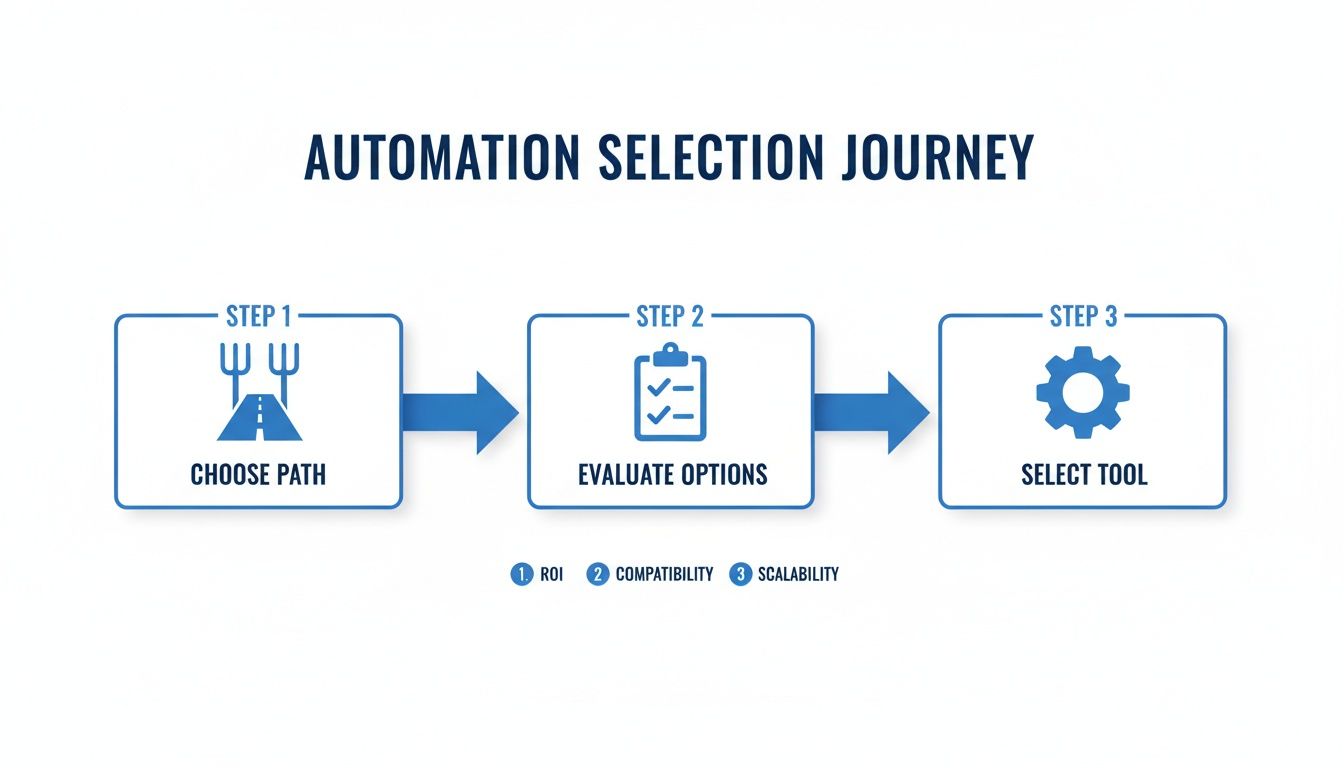
As you can see, building your workflow starts with a clear strategy, followed by a careful look at your options, and finally, picking the tool that’s right for the job.
Crafting a Content Calendar and Templates
With your accounts linked up, the next step is building out your content calendar. Think of this less as a schedule and more as your strategic blueprint. It’s where you’ll map out your content themes, topics, and post formats for the weeks and months ahead, ensuring everything you post feels cohesive and intentional.
To make production a breeze, create some platform-specific templates. For example, a 9:16 vertical video is the gold standard for Instagram Reels, YouTube Shorts, and TikTok. You can create one core template and then just make small tweaks for each platform. Trust me, this little bit of prep work will save you countless hours down the line.
A good content calendar should include:
- Thematic Pillars: These are the core topics your brand is known for (e.g., productivity hacks, industry news, behind-the-scenes).
- Post Formats: Plan a mix of videos, single images, carousels, and text posts to keep your feed from getting stale.
- Platform Allocation: Not every piece of content belongs on every channel. Decide what goes where.
Setting Up Recurring Content Series
This is where automation really starts to shine. Creating recurring content series—posts that repeat on a set schedule—gives your audience a predictable and valuable reason to follow you. That kind of consistency builds anticipation and, ultimately, loyalty.
A "set-it-and-forget-it" content series is the holy grail of automation. It creates a reliable rhythm for your audience, telling them you're a consistent source of value in their feed.
Imagine a personal finance creator. They could set up a weekly "Money Myth Monday" video series. They can batch-record a month's worth of these videos in a single afternoon, upload them to their automation tool, and schedule them to go out every Monday morning at 9 AM across all their short-form video channels.
This is how you shift from a reactive, day-to-day content scramble to a proactive, well-oiled machine. By building a solid workflow with a clear calendar, optimized templates, and engaging recurring series, you create a content pipeline that fuels your growth while you focus on the bigger picture.
Finding the Best Times to Auto Post
Look, smart automation isn't about blasting content out 24/7. It’s about posting when your audience is actually online and ready to engage. If you just set it and forget it without any strategy, you're missing the entire point. This is where you shift from simply scheduling posts to driving real growth.
Every single platform—from Instagram and TikTok to YouTube—gives you analytics that spell out exactly when your followers are most active. Dive into your Insights or Analytics Studio. Those peak hours are your golden windows. Hitting them consistently is what separates posts that pop off from those that fall flat.
Aligning Schedule with Audience Behavior
Your audience's activity should be your North Star. Forget generic advice you read somewhere; your own data is the only truth that matters. To really make your automated content work for you, you have to pinpoint the best time to post on social media for your specific followers.
Think about it. A gaming creator's audience is probably most active late at night and on weekends. A B2B consultant's followers? They're likely scrolling during their weekday lunch break. Scheduling your posts to match these real-world habits is an absolute game-changer.
Let's take a real-world example: an influencer with a global audience. They can use an automation tool to hit prime time in multiple regions with the same piece of content.
- Schedule for 8 PM EST to catch the North American crowd.
- Schedule for 8 PM CET for European followers.
- Schedule for 8 PM JST to engage viewers in Asia.
Just like that, you’ve tripled your potential reach by being smart with timezones. It ensures your content lands perfectly in each region's sweet spot.
The Power of Posting Frequency
Consistency is the language that social media algorithms understand best. When you post regularly, you're signaling that you're a reliable creator, and the platforms reward that with better visibility.
Posting frequency is directly tied to engagement. Modern algorithms heavily favor creators who show up consistently. While TikTok leads with a massive 3.70% engagement rate, the key is a steady cadence on any platform you choose.
Recent data shows that accounts posting 3-5 times per week see 12% more reach per post. That number jumps to a whopping 24% for those posting 10 or more times. This doesn't mean you need to burn out; it just means you need a system.
Automation is what makes hitting this sweet spot possible without losing your mind. If you want to build a content plan that doesn't feel like a chore, check out our full guide on how to schedule social media posts. By combining audience insights with a consistent schedule, you turn your automation tool into a true engine for growth.
How to Sidestep Common Automation Pitfalls
Look, as much as we all love the idea, learning to auto post on social media isn't a silver bullet. If you just flip a switch and walk away, your strategy can backfire, making your brand feel sterile and out of touch. That’s a surefire way to lose followers.
The real goal here is to use automation to buy back your time, not to completely replace the human touch that makes social media work in the first place. You have to stay plugged in, watching what’s actually connecting with your people.
Don’t Post the Same Thing Everywhere
This is probably the most common blunder I see. Someone crafts a great post and then blasts the exact same message across Instagram, LinkedIn, and Facebook. A quippy, hashtag-loaded caption that kills it on Instagram just looks awkward and out of place on a professional network like LinkedIn.
That "one-size-fits-all" approach is a dead giveaway that you're running on autopilot, and it can come across as lazy. It only takes a few extra minutes to tweak the caption for each platform’s unique vibe. That small effort shows you actually understand the culture of each network and respect your audience enough to speak their language.
The biggest win from automation isn't the time you save scheduling; it's the time you get back to actually engage with your community. Use those reclaimed hours to reply to comments, answer DMs, and build real relationships.
Think of it as reinvesting your time. The hours you used to burn on the mind-numbing task of manually uploading everything can now go toward the high-impact work that actually moves the needle for your brand.
Keep Your Eyes on Performance and Be Ready to Pivot
Your social media plan should never be carved in stone. The strategy that’s crushing it today might be stale next month. That’s why you absolutely must track your metrics to make sure your automated efforts are actually delivering.
To keep your strategy sharp, you need to be watching a few key things:
- Engagement Rate: Are people liking, commenting, sharing, and saving your stuff? This tells you (and the algorithms) what's sparking a reaction. High engagement is your north star.
- Reach and Impressions: Keep an eye on how many unique eyeballs are seeing your content. If your reach flatlines, it’s a sign you need to shake things up—maybe try new post formats or different times.
- Audience Retention (for video): This is gold. Pay close attention to where viewers are dropping off in your videos. That data tells you exactly what holds their attention, helping you create way more compelling content down the road.
When you let data guide your decisions, you're not just guessing anymore. You’re constantly fine-tuning your approach, making sure your efforts to auto post on social media don't just save you a ton of time but also drive real, measurable growth.
Using AI to Scale Your Content Creation

Social media automation is no longer just about scheduling posts. The real game-changer is AI-powered content creation. This shift tackles the single biggest hurdle for creators and brands: actually making enough high-quality content to keep up without burning out.
Think about a small business owner who wants to jump on the daily faceless video trend but has zero time or video editing skills. A few years ago, that was a dead end. Today, AI-driven tools can take a simple idea and spin it into a dozen polished videos, complete with voiceovers and captions, in just a few minutes.
This new breed of AI automation is what makes it possible to hit the high-frequency posting schedules that social media algorithms love right now.
From Bottleneck to Competitive Advantage
The pressure to post constantly isn't just in your head—the data shows it works. Brands that ramp up their posting frequency see huge visibility gains. For instance, accounts that share 10 or more posts per week can see a 24% increase in reach. But with businesses already sinking 6-10 hours a week into each platform, trying to do it all by hand is simply not sustainable. Buffer's social media frequency guide breaks this down really well.
This is where AI creation tools come in. Automation platforms like ShortsNinja can shrink the entire video production workflow into a five-minute task, making it easy to auto post on social media every single day.
By automating the most time-consuming part of the process—the actual creation—you can flip content production from your biggest headache into your most powerful competitive edge.
This isn't just about saving a few hours. It’s a strategic move to feed the algorithms the steady stream of content they're built to reward. You can learn more about the mechanics in our deep dive on AI social media content creation.
How AI-Powered Creation Works
The process is surprisingly simple, giving you the power to scale up your output without losing your unique voice or sacrificing quality. It usually boils down to a quick, repeatable workflow.
Here’s a snapshot of how you can get from a raw idea to a ready-to-publish video:
- Drop in an Idea: Start with something as simple as a text prompt, a link to an article, or even just a few bullet points.
- Polish the Script: The AI will generate a script that you can quickly edit and tweak to make sure it sounds like you.
- Generate the Visuals: From there, the tool creates unique video clips, images, and animations that bring the script to life.
- Schedule and Go: Finally, you can schedule the finished video to post across TikTok, YouTube, and Instagram.
This approach gives you a sustainable way to keep your content calendar packed and your audience hooked, all while freeing you up to focus on the bigger picture.
Common Questions About Social Media Automation
Jumping into the world of auto-posting on social media usually brings up a few questions. It’s smart to get the full picture before you hand over the keys to your social accounts. Let's tackle some of the most common concerns I hear from creators and businesses.
Is It Really Safe to Give Tools Access to My Accounts?
Yes, but with a big asterisk: only use reputable platforms. Legitimate automation tools don't ask for your password. Instead, they use official platform APIs and secure authorization methods like OAuth. Think of it like a valet key—it grants specific permissions to park the car (post your content) without giving away the key to your entire house.
Always stick with well-known services and pay close attention to the permissions they request during setup. You should always feel completely in control of the access you're granting.
Will My Engagement Drop If Posts Look Robotic?
This is probably the number one fear I see, but the short answer is no—not if you do it right. The goal of automation isn't to fake your personality; it's to handle the boring logistics of publishing. Authenticity comes from the quality of your ideas and your actual interactions, not from physically hitting the "post" button every single time.
Here's how I think about it: all that time you save by scheduling posts? Reinvest it into community management. Jump into the comments, answer your DMs, and engage with your audience's content. That’s where real connections are built.
Automation frees you up to focus on the human stuff that actually matters.
What If I Need to Edit a Scheduled Post?
Absolutely, you can. Any automation tool worth its salt will have a content calendar or a queue where you can see everything that's lined up to go out. This dashboard is your command center, giving you total control to make changes on the fly.
For example, you can easily:
- Tweak a caption to jump on a trending hashtag you just spotted.
- Swap out an image if you create a better graphic at the last minute.
- Reschedule a post to a different time or day based on new insights.
This flexibility means you never lose your ability to be agile. You can react to current events or a sudden spark of inspiration right up until the moment your post is set to go live.
Ready to turn your content strategy into a hands-free growth engine? ShortsNinja uses AI to help you create and auto-publish engaging videos in minutes, not hours. Start your free trial and see how easy it is to scale your social media presence.