
The real secret to making short videos that people actually watch isn't fancy editing or chasing trends. It all boils down to a simple, repeatable workflow you do before you even think about visuals: brainstorm a core idea, give it a killer structure, and write a quick script.
Nail this pre-production phase, and you'll sidestep creative burnout while consistently putting out content that hits the mark.
Laying the Groundwork for a Great Short Video
Before you generate a single AI image or record a line of voiceover, the most important work happens. A successful short video is built on a solid idea, not just flashy effects. Without a strong foundation, even the most stunning visuals will fall flat and fail to connect. The goal here is to shift from just waiting for random inspiration to a deliberate, repeatable creative process.
This all starts with how you brainstorm. Instead of just asking, "What's trending?" try asking, "What problem can I solve for my audience?" or "What unique angle can I bring to a popular topic?" This simple switch to a viewer-first mindset will immediately spark more meaningful ideas.
Structure Your Ideas for Short Attention Spans
Once you've got a concept, it needs a narrative structure built for speed. The classic three-act story works perfectly, just squeezed into a few seconds.
- The Hook (1-3 seconds): You have to stop the scroll. Start with a bold claim, a relatable problem, or a visual that makes someone pause.
- The Body (5-20 seconds): This is where you deliver the goods. Explain the concept, show the process, or build out the story. Keep it tight and focused.
- The Payoff (1-3 seconds): End with a satisfying conclusion, a surprising twist, or a clear call to action. This is the final punch that makes the video memorable and shareable.
This simple flow is all about turning that raw idea into a polished script that's ready for the next step.
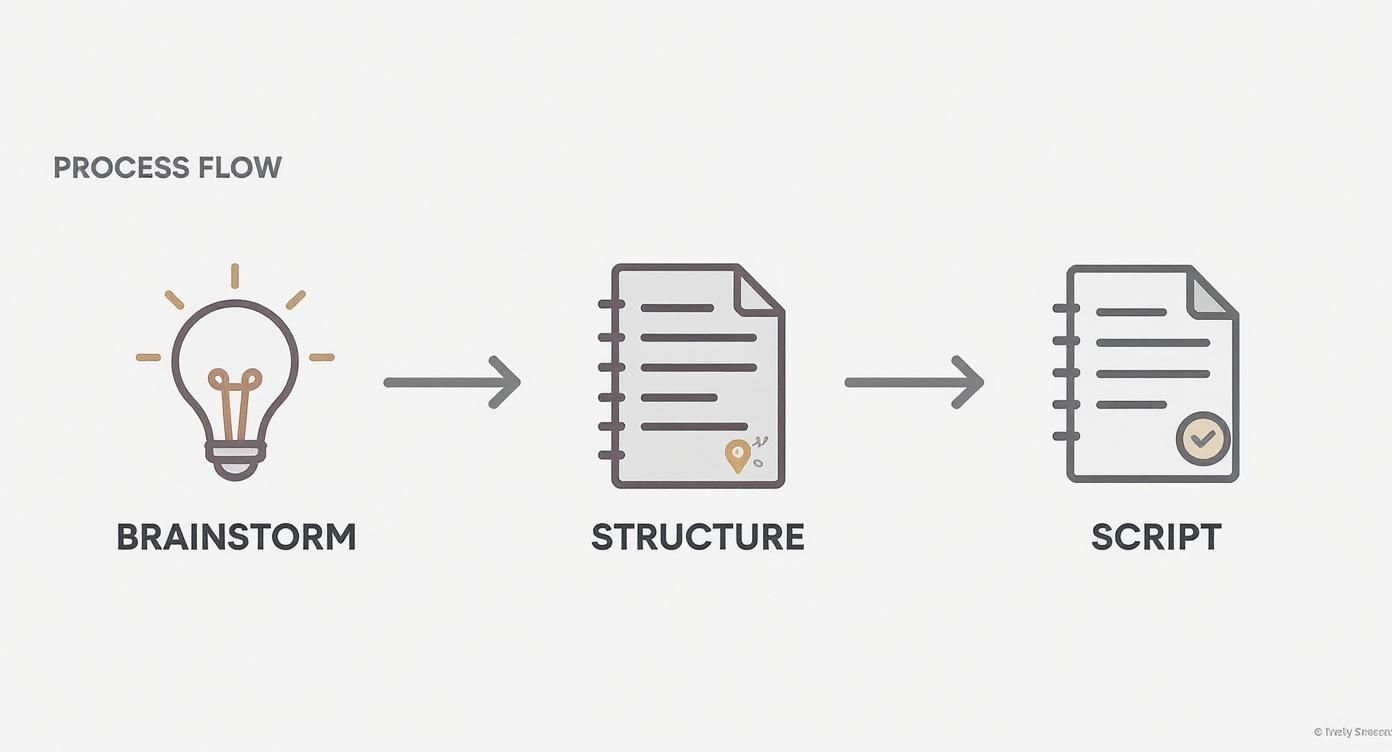
As the graphic shows, structuring and scripting aren't afterthoughts—they’re just as critical as the brainstorm itself. This is how you make sure that initial creative spark actually turns into something effective.
To help get you started, here's a simple framework I use to generate an endless stream of ideas. Just mix and match a topic from your niche with a proven content angle.
Quick-Start Short Video Idea Framework
| Topic Area (Your Niche) | Content Angle | Example Video Idea |
|---|---|---|
| Productivity Hacks | The "Mistake" Angle | "Stop making this one mistake with your to-do list." |
| Fitness Tips | The "How-To" Angle | "How to do a perfect kettlebell swing in 15 seconds." |
| Marketing Strategy | The "Myth-Busting" Angle | "Debunking the biggest myth about social media ads." |
| Personal Finance | The "Quick Tip" Angle | "One simple tip to save an extra $100 this month." |
| Cooking/Recipes | The "Secret Ingredient" Angle | "The secret ingredient that makes my chili unforgettable." |
This table is just a jumping-off point. You can swap in any topic or angle to keep your content fresh and relevant to your audience.
Scripting for Impact
With your structure locked in, scripting is a breeze. Keep your sentences short. Use simple, conversational language. A great tip is to read your script out loud—you'll immediately catch any awkward phrasing. You're writing for the ear, not the eye.
As you get comfortable with this groundwork, you can start digging into more advanced strategies on how to create viral content.
The data is clear: short and impactful wins. Marketers overwhelmingly prefer videos under one minute because they align perfectly with how people consume content today.
This isn't just a hunch; the industry has fully embraced it. In fact, 83% of video marketers are now prioritizing short-form videos under 60 seconds. Quick, digestible formats like product demos and explainers have even been shown to improve conversion rates by nearly 90%, which is why 14% of marketers are now creating new videos every single day.
Putting in the time to plan ensures your final video isn't just creative, but strategically sound.
Using AI to Speed Up Your Video Workflow
Alright, you've got your script. Now, let's talk about the magic part—where you can take what used to be a full day's work and shrink it down to just a few minutes. AI isn't some far-off idea anymore; it's a real-world toolkit that completely automates the grunt work of video creation.
Forget about scheduling shoots, begging friends to be in your video, or digging through endless stock footage libraries. With AI, you can generate custom visuals and a professional-sounding voiceover straight from your script.
This whole approach lets you stay in the driver's seat creatively—focusing on the idea and the message—while the AI does all the heavy lifting. The result is a lightning-fast workflow that lets you churn out high-quality content consistently, without the usual headaches.
Generating Your Visuals with AI Prompts
First things first, let's bring your script to life with some visuals. AI image and video generators like Midjourney or Runway are fantastic for creating eye-catching, unique visuals from nothing but a simple text description, or "prompt." The secret to getting amazing results is learning to write prompts that give the AI exactly what you want.
A good prompt is specific and paints a picture. Don't just say "a person working." Get descriptive and give it some flavor.
- For an image: "A top-down view of a minimalist wooden desk with a laptop, a steaming mug of coffee, a notebook with scribbled ideas, and a succulent plant. Soft, natural morning light from a window. Photorealistic style."
- For a video clip: "A 4-second cinematic slow-motion shot of a drop of water falling into a still pond, creating ripples that expand outwards. Close-up, high detail."
See the difference? This level of detail acts as a clear set of instructions for the AI, making sure the final output perfectly matches the tone of your script. If you want to dive deeper, we have a whole guide on how to generate videos with AI.

Most of these platforms have a simple interface. You just type in your prompt, hit generate, and watch it create a unique clip for you. It's incredibly accessible.
Creating a Flawless AI Voiceover
With your visuals ready to go, the next piece of the puzzle is the audio. AI text-to-speech (TTS) platforms have gotten so good that many of the voices are almost impossible to tell apart from a human narrator. Tools like ElevenLabs or Speechify offer a massive range of tones, accents, and emotional styles.
It’s as simple as it sounds: you just paste your script into the tool, pick a voice that fits your brand's vibe—whether you're going for energetic, calm, or super authoritative—and hit "generate."
Pro Tip: Don't just pick the first voice you hear. Audition a few different AI voices to find the one that truly clicks. The right voice can make a huge difference in how your message lands, adding a layer of polish and credibility to your video.
By pairing AI-generated visuals with a crisp AI voiceover, you can get all the raw materials for a killer video assembled in less than an hour. This rapid-fire asset creation is what sets you up for a quick and painless editing process, which is where we'll pull everything together.
Editing Your Video for Maximum Impact
You've got your AI-generated visuals and a crisp voiceover. Now it's time to stitch them together into a story that actually hooks people. The editing stage is where the magic happens, turning a folder of digital assets into a polished, attention-grabbing video.
And no, this doesn't have to be complicated. With tools like CapCut, you can get the hang of powerful editing in just a few minutes.
The heart of any editor is the timeline. Think of it as your workspace where you arrange your clips and sound. The first thing you'll want to do is drag your AI voiceover onto an audio track. This becomes the backbone of your video, setting the timing for everything else.

This is basically what you're working with—a collection of ideas, images, and data points that need to be sequenced into a compelling narrative.
Pacing and Sequencing
Start dropping your visual clips onto the timeline, right above the voiceover track. Listen to the narration and line up each visual with the words being spoken. The key here is to keep the pace snappy. Trim any dead air or shots that linger too long.
A good rule of thumb is to cut to a new clip every 2-3 seconds. This keeps the viewer's brain engaged and prevents them from swiping away.
Short-form video has incredible engagement potential. Videos under one minute pull in an average engagement rate of 53.9%, while those between 1 and 3 minutes still average a solid 50.6%. The data is clear: short, fast-paced content holds attention better.
Enhancing Your Message
With your core sequence in place, it’s time to add the finishing touches. These small details are what separate a decent video from a great one.
- Text Overlays & Captions: Most people watch videos with the sound off, so captions are non-negotiable. Use bold text overlays to hammer home key points or statistics from your voiceover. This visual reinforcement is huge for making your message stick.
- Background Music: Find a track that fits the vibe of your video. Most platforms offer libraries of trending audio, but just make sure it complements your voiceover instead of drowning it out. Keep the volume low and in the background.
- Transitions & Sound Effects: Keep it simple. A quick fade or a clean cut between clips is usually all you need. Avoid cheesy, distracting effects. A subtle "whoosh" sound for a transition or a "ding" for a key point can add a surprising amount of polish.
For a deeper dive into platform-specific editing tricks, check out our complete guide on how to edit YouTube Shorts. It's packed with practical tips you can use on any platform to make your videos pop.
Look, editing is a skill that gets better with practice. Your first video doesn't need to be perfect. The goal is to build a quick, repeatable workflow that lets you assemble all your pieces into a compelling final product without spending hours on it.
You've put in the work, your video is edited and ready to go. But creating a great video is really only half the job. Now you have to get people to actually see it.
This is where a smart publishing strategy comes in. You can't just toss your video onto every platform and hope for the best.
The world of short-form video has absolutely exploded—some reports show a 70% jump in these kinds of posts across social media. But here's the catch: not all platforms are created equal. While places like Instagram and YouTube are getting a bit crowded, TikTok's engagement is still on a steady climb. And with a staggering 75% of video views happening on mobile devices, thinking "mobile-first" isn't optional anymore.
Don't Be a Copy-Paster
The single biggest mistake I see people make is posting the exact same caption and hashtags across every channel. It's a huge missed opportunity. Each platform's algorithm is a unique beast, and the audiences expect different things. A video that pops off on TikTok could completely tank on YouTube Shorts if you don't play by the rules.
To get your videos the traction they deserve, you need a modern social media engagement strategy that's built to connect with people on their turf.
A few small tweaks can make a world of difference:
- Write Captions that Hook: Keep it short, sweet, and to the point. End with a question or a call-to-action to get the comments flowing. More comments = happy algorithm.
- Get Smart with Hashtags: Don't just pile on the most popular tags. The sweet spot is a mix: 2-3 broad tags, 2-3 super-niche tags for your topic, and maybe 1-2 trending tags if they actually fit your video.
- Craft Thumbnails that Click: This is a big one, especially for YouTube Shorts. A clear, compelling thumbnail can be the sole reason someone stops scrolling and watches your video instead of someone else's.
Nail Your Timing and Scheduling
When you post is just as important as what you post. Dropping your video right when your audience is scrolling gives it that crucial initial burst of engagement.
Dive into your analytics—every major platform will show you when your followers are most active. Use that data. If your crowd is online at 6 PM on a Tuesday, that's your golden hour.
Consistency is also a massive factor. When you stick to a regular posting schedule, you're training the algorithm to anticipate your content, which can seriously help with its distribution over time.
Before you hit that publish button, run through a quick platform-specific checklist. It only takes a few minutes but can dramatically boost your video's performance.
Platform Optimization Checklist
| Optimization Element | TikTok Best Practice | Instagram Reels Best Practice | YouTube Shorts Best Practice |
|---|---|---|---|
| Caption | Short, punchy, often part of the joke or story. Ask a question. | Slightly longer captions work well. Tell a mini-story or provide value. | Title-focused. Keep it short and keyword-rich for search. |
| Hashtags | Mix of trending, niche, and broad tags. Use the #fyp or #foryoupage sparingly. | 3-5 highly relevant, niche hashtags. Place them at the end or in the first comment. | 2-3 broad, searchable hashtags in the description. Avoid tag stuffing. |
| Sound | Use trending sounds! It's a core discovery mechanism on the platform. | Trending audio is important, but original audio can also perform well. | Less reliant on trending audio for discovery; focus on content value. |
| Thumbnail | Select an engaging cover frame from the video itself. | Choose a custom cover or a compelling video frame. Aesthetics matter here. | CRITICAL. Upload a custom, high-contrast thumbnail designed to grab attention. |
| Call to Action | "Follow for more," "Comment your thoughts," "Check link in bio." | "Save this for later," "Share with a friend," "Link in bio for more." | "Subscribe," "Watch the full video on my channel," "Check the comments." |
Taking these extra steps to optimize each post is what separates a video that gets seen from one that just gets lost in the noise.
Key Takeaway: Don’t treat publishing as an afterthought. A deliberate strategy that considers platform-specific captions, targeted hashtags, and optimal timing is what separates a video that gets seen from one that disappears into the void.
Analyzing Your Performance to Fuel Growth
Hitting "publish" isn't the end of the line. Far from it. Real growth comes from what you do after the video is live. You need to create a feedback loop: analyze what worked, figure out why it worked, and then pour that insight into your next batch of content.
Otherwise, you’re just throwing content at the wall and hoping something sticks.
Analytics can sound like a chore, but for short-form video, you only need to track a handful of key numbers. These metrics tell the real story of what your viewers are actually doing. Forget vanity metrics like follower counts for a minute and focus on the data that shows how people are truly interacting with your videos.
The Metrics That Truly Matter
To really understand what's going on, you need to zero in on the data points that directly reflect engagement and, most importantly, retention. These numbers are your roadmap.
- Average Watch Time: This is simple but powerful. It tells you exactly how long people stick around before swiping away. A higher number is always the goal because it signals to the algorithm that your content is doing its job: holding attention.
- Audience Retention Rate: This is where the magic happens. It’s a graph that shows the percentage of viewers still watching at every single second of your video. It’s an incredibly useful tool for pinpointing the exact moment people get bored and leave.
- Engagement-Per-View: This isn't a single metric you'll find on a dashboard, but a concept you should be calculating. Just look at the ratio of likes, comments, and shares to total views. A video with 1,000 views and 100 likes is performing way better than one with 10,000 views and 200 likes, because the audience is far more invested.
When you nail these down, you get a much clearer picture of what resonates. If you're creating for YouTube, it's also worth diving into the top 5 metrics for YouTube Shorts growth to get an even deeper understanding of that specific platform.
Turning Data Into Actionable Insights
Okay, so you have the numbers. Now the real work begins.
That audience retention graph is your best friend. Seriously. See a massive drop-off in the first three seconds? Your hook isn't strong enough. Period. Does the graph suddenly nosedive halfway through? Your pacing is probably off, or the middle of your video simply isn't delivering on the promise you made in the hook.
Key Insight: Don't just look at the data; ask questions about it. A sudden drop in retention isn't just a number—it's a viewer telling you, "This is the moment I got bored." Your job is to figure out why and fix it next time.
This naturally leads to a simple but effective testing framework. For your next video, try a completely different style of hook. Maybe start with a question instead of a bold statement. If your watch time improves, you’ve found a winning formula you can replicate.
This methodical approach—analyze, hypothesize, and test—is the absolute fastest way to get better at creating short videos that people actually want to watch.
Got Questions About Short Videos? We’ve Got Answers.
Even with a killer workflow, you're going to have questions. Everyone does. Learning the ropes of short video means hitting a few common roadblocks, so let’s clear them up right now. Here are the answers to the questions I hear most often from creators.
How Long Should My Short Videos Actually Be?
If you want the best engagement, aim for the sweet spot: somewhere between 15 and 60 seconds. Time and time again, the data shows that videos under a minute get the most love. Shorter is often better because it encourages people to re-watch, which is a massive signal to the algorithm that you’ve made something good.
On TikTok and Instagram Reels, you’ll notice that videos in the 15-30 second range absolutely crush it. They’re just so easy to consume. While the platforms let you upload longer videos, that sub-60-second window is where you’ll capture—and keep—the most attention.
Do I Really Need Fancy Gear to Make Good Videos?
Nope. Not at all. In fact, the most viral short videos are often the ones that feel real and are built on a great idea, not a huge production budget. Your smartphone is more than enough to shoot fantastic video.
Honestly, good lighting and clear audio matter way more than an expensive camera.
- Lighting: Got a window? You’ve got great, free lighting. Seriously, natural light is your best friend.
- Audio: The mic on your phone is surprisingly good in a quiet room. Just make sure there's no echo or background noise.
People scrolling through TikTok and Reels expect content to feel native to the platform. They want something that feels authentic and relatable, not a slick commercial that interrupts their feed.
Key Takeaway: Your smartphone is all you need to get started. Pour your energy into a killer hook and clean audio. People will forgive shaky video, but they will not stick around for bad sound.
Hashtags: How Many Should I Be Using?
This one depends on the platform, but the goal is always a smart, strategic mix—not just a random spray of tags. On Instagram Reels, you'll see people have success with 5-15 relevant hashtags. For TikTok, it's a different game; 3-5 super-targeted hashtags usually work better. And on YouTube Shorts, a few specific tags in the video description can really help people find you.
Just remember, quality beats quantity every time. Use hashtags that actually describe what’s in your video and who it’s for. Don’t just chase the biggest trending tags, or your video will be a tiny fish in a massive ocean.
How Often Do I Need to Post to See Real Growth?
Consistency is way more important than frequency. For most creators, posting one high-quality video every day is an amazing goal that can drive serious growth. But you know what’s better? Posting 3-4 truly great videos per week instead of 7 mediocre ones.
The algorithms on every major platform reward you for showing up consistently. Find a rhythm you can actually stick with, whether that’s daily or just a few times a week. The most important thing is to deliver real value every single time you hit "publish."
Ready to create high-quality short videos in minutes, not hours? ShortsNinja uses AI to automate everything from scripting and visual generation to voiceovers and publishing.
Start creating with your free trial video today at shortsninja.com